






















Yes, for most travelers: a data-only travel eSIM gets you mobile data abroad without buying or unlocking a physical phone. The one exception is a phone locked to a home carrier that blocks eSIM installation entirely, which some budget carrier-financed devices still do. Before you book flights, check three things.
- Confirm your phone supports eSIM in its cellular or connectivity settings
- Understand that plan validity often starts at first network connection, not at purchase
- Install your eSIM profile before departure, then activate it on arrival
EsimGlobe sells prepaid, data-only eSIM plans for 170+ countries with instant email delivery, covering this exact use case without you touching a SIM tray.
Key Takeaways
A data-only travel eSIM, not an unlocked physical phone, is what most international travelers actually need for mobile data abroad.
| Point | Details |
|---|---|
| eSIM replaces roaming for most trips | A 10-day eSIM plan is usually much cheaper compared to carrier roaming day-passes, which tend to be substantially more expensive. |
| Check compatibility first | Confirm your device supports eSIM and isn’t blocked from installing a second profile before buying a plan. |
| Install early, activate on arrival | Validity typically starts at first network connection, so install on home Wi-Fi but switch on data after landing. |
| Match plan type to your route | Choose local plans for single-country trips, regional for multi-stop, and compare per-country pricing for long stays. |
| EsimGlobe covers the full trip lifecycle | Prepaid, data-only eSIM plans across 170+ countries with instant email delivery and 24/7 support fit this exact use case. |
Table of Contents
- What a Travel eSIM Actually Is (It’s Not Wi-Fi or an App)
- How Do You Prepare Your Phone Before a Trip?
- How Do You Choose Between Local, Regional, and Global eSIM Plans
- When Should You Activate Your eSIM?
- Can You Keep Your Home Number While Using a Travel eSIM?
- What Do You Do If Your eSIM Won’t Connect?
- Unlocked Phone or Local Rental: Which Actually Makes Sense?
- How Do You Unlock Your Phone Legally Before Traveling?
- Should You Back Up Your Phone Before Switching SIMs or Traveling?
- How Do Roaming Charges Differ From eSIM Costs Abroad?
- Which eSIM Setup Fits Your Trip?
- Get Connected Abroad Without Hunting for a Local SIM Counter
- Selected Sources and Further Reading
- FAQ
What a Travel eSIM Actually Is (It’s Not Wi-Fi or an App)
A travel eSIM is a digital carrier profile, not an app and not a Wi-Fi hotspot subscription. Once installed, it provisions carrier credentials directly onto your device and shows up in your cellular settings as its own line, connecting to local 4G and 5G networks the same way a physical SIM does.
You get the profile in one of three ways: scanning a QR code, tapping an activation link, or using a carrier app. After that, your phone treats it like any other line. It appears labeled with a plan name or country code in your settings, sitting alongside your home SIM rather than replacing it.
Here’s the part travelers miss: the company selling you the plan isn’t necessarily the network carrying your signal. EsimGlobe and similar providers partner with local carriers in each country, which is why coverage maps, fair-use thresholds, and hotspot allowances matter more than the brand name on the checkout page. Cost is where this gets interesting. A 10-day trip on a travel eSIM typically costs significantly less than a carrier’s day-pass roaming rate for the same trip, often leading to large savings by avoiding roaming add-ons.
How Do You Prepare Your Phone Before a Trip?
Compatibility problems almost always show up at the worst time, mid-layover, hunting for airport Wi-Fi. Handle this before you pack.
- Check eSIM support in your phone’s settings (on iPhone, go to Settings > Cellular; Apple Support maintains a list of which iPhone models are eSIM capable and which are eSIM only).
- Confirm your phone is carrier unlocked or at minimum not blocked from adding a second cellular profile, since some financed devices restrict this even on networks that otherwise support eSIM.
- Screenshot or save your QR code and confirmation email somewhere accessible offline, in case you need to reinstall.
- Turn off data roaming on your home SIM before you leave, so it can’t quietly rack up charges the moment you land.
- Label each profile clearly (e.g., “Japan Trip” vs. “Home”) so you don’t accidentally send data through the wrong line.
- Set a data usage alert or cap in your phone settings before departure.
Pro Tip: Install your eSIM while you still have solid Wi-Fi at home. Airport and hotel networks are unreliable for downloading a new profile, and a failed install with no backup connection is a frustrating way to start a trip.
How Do You Choose Between Local, Regional, and Global eSIM Plans
The right plan depends entirely on your route, not your budget alone. A single-country plan is nearly always cheaper per gigabyte than a regional one, but it stops working the moment you cross a border.
A practical rule of thumb: pick a local single-country plan for trips under a week to one destination. Choose a regional plan for multi-stop short trips, say, a two-week swing through three or four neighboring countries. For long stays covering multiple countries over a month or more, run the math on buying separate local plans per country versus one regional pass. Local plans usually win on price; regional plans win on convenience.
Once you’ve settled on coverage type, compare plans on the details that actually determine your experience:
- Data amount and validity period — a 5GB plan valid for 15 days behaves very differently from 5GB valid for 30 days if you’re a light user
- Price per gigabyte — this normalizes comparisons across wildly different plan sizes
- Hotspot and tethering allowance — some cheap plans block tethering outright or cap it separately from your main data
- 5G support — not universal even on premium plans, and not always necessary if you’re mostly using messaging apps
- Refund and top-up terms — check whether unused data rolls over or simply expires
- Fair-use throttling clauses — the fine print that slows your speed after a data threshold, common on “unlimited” plans
Check the final checkout price, not the advertised headline rate. Some providers add currency conversion markups or per-transaction fees that only show up at the last screen. Reading the decision framework for local versus regional plans before you buy saves you from a plan that technically covers your trip but poorly fits how you actually use data.
When Should You Activate Your eSIM?
Timing mistakes cost travelers real money, usually in the form of wasted plan days. Most providers start the validity countdown the moment your phone connects to a network for the first time, not when you buy the plan or even install the profile.
That means you should install the eSIM before your trip, ideally at home on Wi-Fi, but wait to activate data on it until you land. Some providers behave differently: a handful use app-triggered activation or pay-as-you-go structures with no fixed expiry, so check your specific plan’s terms rather than assuming.
For multi-stop or long trips, this timing question gets more complicated:
- Install the eSIM before departure on stable Wi-Fi.
- Keep the profile turned off until you land at your first destination.
- Toggle it on and confirm it registers on a local network before you leave the airport.
- Test a quick browser load or map ping to confirm data is flowing.
- If your trip extends past your plan’s validity, buy a top-up or a fresh plan rather than waiting until you’re already out of data.
Pro Tip: If you’re island-hopping or crossing several borders in a short window, check whether your plan’s coverage map actually includes every country on your route. A “regional” label doesn’t always mean every country in that region is included.
Can You Keep Your Home Number While Using a Travel eSIM?
Dual-SIM support is what makes this whole approach work. Nearly every modern smartphone lets you run your home SIM (physical or eSIM) alongside a second travel eSIM at the same time.
- Assign your home line to voice and SMS, and your travel eSIM to data, in your phone’s cellular settings.
- Turn off data roaming specifically on the home SIM so it can’t connect to a foreign network and generate roaming fees, even by accident.
- Keep voice and SMS active on your home line if you need to receive calls or two-factor codes.
- iMessage and FaceTime continue working over Wi-Fi or your travel eSIM’s data connection, tied to your Apple ID rather than a specific SIM, so contacts can still reach you the same way.
Apple documents this dual-line behavior clearly for iPhone, and Android manufacturers handle it similarly through each device’s dual-SIM settings menu.
What Do You Do If Your eSIM Won’t Connect?
Most eSIM problems have simple fixes. Before assuming your plan is broken, run through the basics: restart your phone, toggle airplane mode off and on, and manually reselect your network under cellular settings rather than trusting automatic selection.
- If the profile never installed correctly, delete it and reinstall from your original QR code or activation link.
- Confirm the eSIM line, not your home SIM, is set as the active data line.
- Check that data roaming is enabled specifically for the travel eSIM (this trips people up because it sounds counterintuitive).
On the safety side, keep your home SIM’s data roaming switched off for the entire trip, and set a usage alert so you notice if consumption spikes unexpectedly. For cost control, understand the difference between buying a top-up on your existing plan and purchasing an entirely new one. Top-ups usually preserve your existing validity window; a new plan resets it. Watch for fair-use throttling too. Providers rarely cut you off, but they will slow your speed to a crawl after you cross an unlimited plan’s hidden threshold.
Pro Tip: Screenshot your provider’s support contact and your plan’s activation code before you leave home Wi-Fi. If something goes wrong abroad, you don’t want to be searching for that information without data.
Unlocked Phone or Local Rental: Which Actually Makes Sense?
Renting or buying a local phone abroad still comes up as an option, so it’s worth being honest about where it helps and where it doesn’t. A local rental phone guarantees network compatibility in that country, which removes any doubt about carrier support. That’s a real advantage if you’re headed somewhere with unusual network bands or restrictive import rules on cellular devices.
The disadvantages pile up fast, though. You’re paying for hardware you’ll use once, managing a second device with its own charger and settings, and often transferring your SIM or contacts manually between phones. Local rental counters also keep limited business hours, so a delayed flight can leave you without a working phone until the next morning.
An unlocked phone you already own, paired with a travel eSIM, sidesteps almost all of that. You keep your contacts, your apps, your camera roll, and your muscle memory for your own device. The eSIM approach also lets you add multiple country profiles in advance for a multi-stop trip, something a rental phone simply can’t do since it’s tied to one carrier in one market.
Where physical rentals still occasionally win is in countries where eSIM support from local networks is genuinely thin. That’s increasingly rare, but worth a five-minute check before you commit to an itinerary that assumes coverage everywhere.
How Do You Unlock Your Phone Legally Before Traveling?
If your phone is still locked to a carrier, unlocking it legally is straightforward in the United States, thanks to federal rules that require carriers to unlock eligible devices on request. Start by contacting your carrier directly, not a third-party unlocking service, since carrier-initiated unlocks are free and don’t void your warranty.
Most carriers require that your device be fully paid off, not reported lost or stolen, and active on the account for a minimum period, often around 60 days for prepaid devices and longer for financed phones. Submit the unlock request through your carrier’s app, website, or customer service line, and expect it to process within a few business days.
Once unlocked, confirm it actually worked before you travel. Insert a different carrier’s physical SIM, or check your phone’s settings for a note confirming unlocked status, rather than assuming the carrier’s confirmation email guarantees success. This step matters even for eSIM users, since a locked phone can sometimes block a second eSIM profile from installing, not just a physical SIM swap.
Avoid unofficial “unlocking” services that ask for your device’s IMEI and a payment outside your carrier’s official channel. These sit in a legal gray area at best, and at worst they can leave your phone in a worse state than before, sometimes permanently blacklisted if the unlock method flags fraud detection on the carrier’s network.
Should You Back Up Your Phone Before Switching SIMs or Traveling?
Yes, and do it before you touch any SIM settings, not after something goes wrong. Installing a new eSIM profile rarely causes data loss, but travel itself, lost devices, cracked screens, water damage, increases your odds of needing a backup you didn’t plan for.
For iPhone, back up to iCloud or a computer via Finder before departure, and confirm the backup completed rather than assuming it did in the background. For Android, Google’s built-in backup covers contacts, photos, and app data, but double-check that it’s actually enabled under your account settings, since it’s not automatic on every device.
Beyond the standard cloud backup, take two extra steps specific to travel. First, export your important documents, boarding passes, insurance details, hotel confirmations, as PDFs or photos stored offline, since you may lose data access temporarily between eSIM activations. Second, write down or securely store your eSIM QR codes and account logins somewhere outside your phone. If your device is lost or stops working, you’ll need those credentials to reinstall on a replacement device.
How Do Roaming Charges Differ From eSIM Costs Abroad?
Traditional roaming works by letting your home carrier’s SIM connect to a partner network abroad, then billing you afterward, sometimes at rates that only become clear once the bill arrives. Some carriers offer flat daily roaming passes, often $10 or more per day, which is where the eSIM math above (a 10-day trip for under $10 total) becomes hard to ignore.
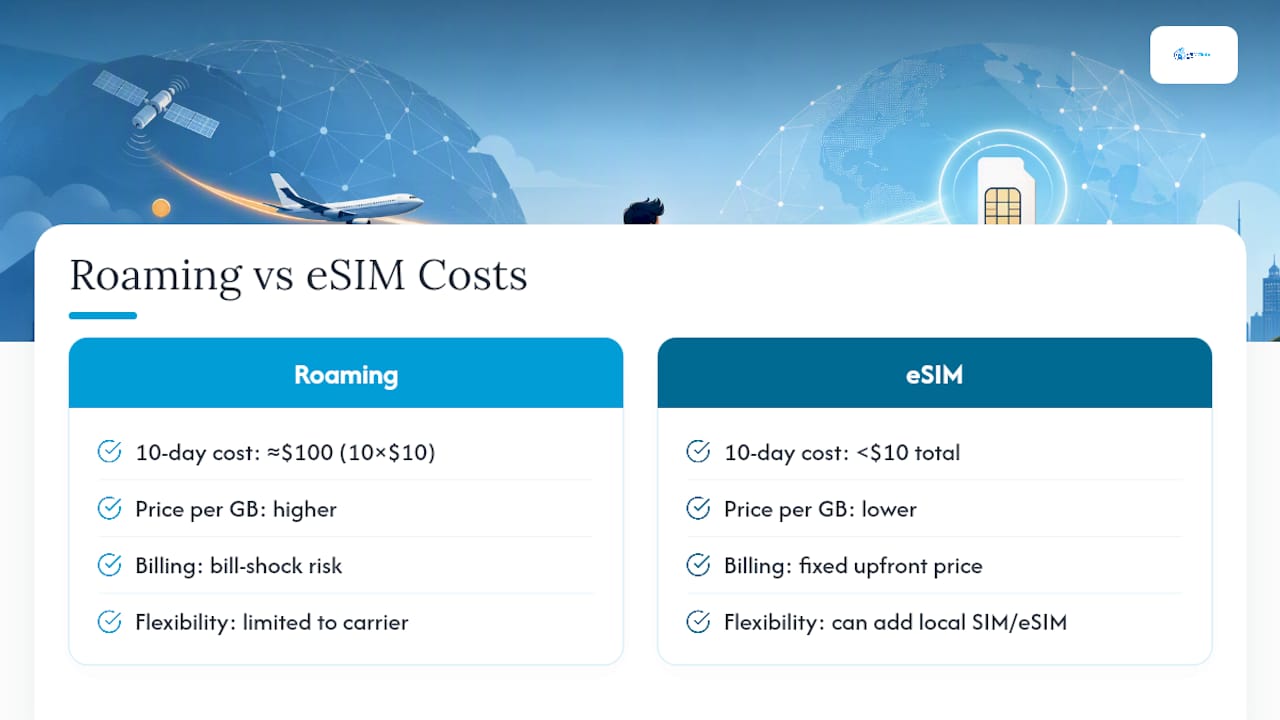
Roaming policies vary significantly by carrier and destination. Some countries fall under reciprocal agreements that cap costs; others don’t, and a locked phone stuck with your home carrier’s roaming rates has no way to shop around. An unlocked phone at least gives you the option to add a local SIM or an eSIM instead of defaulting to your carrier’s roaming plan.
The practical difference: eSIM providers sell you a fixed amount of data at a known price upfront, so there’s no bill shock waiting at the end of the trip. Roaming, even with capped day-passes, tends to charge more per gigabyte and offers less flexibility if your trip length changes. Business travelers juggling logistics and local transport arrangements on arrival tend to notice this gap immediately, since predictable data costs make it easier to budget an entire trip in advance rather than guess at a roaming bill later.
Which eSIM Setup Fits Your Trip?
Before you leave, run this checklist: confirm eSIM compatibility, buy a plan matching your route, install on home Wi-Fi, and activate only after landing.
Weekend city break: A single-country local plan with 3 to 5GB covers most short trips comfortably, especially if you’re relying on hotel Wi-Fi in the evenings.

Multi-country tour: A regional plan saves you from juggling three separate installs, but check the coverage map country by country. Some “regional” plans quietly exclude smaller markets.
Month-long remote work stint: Compare one regional plan against stacking local plans per country. For stays over three weeks in a single place, a local plan almost always wins on price, and reading a dedicated guide for long-term travelers helps you avoid overpaying for coverage you won’t use.
The tradeoff is always the same: convenience of one regional plan versus the lower per-gigabyte cost of buying local.
Get Connected Abroad Without Hunting for a Local SIM Counter
EsimGlobe removes the SIM-tray problem entirely: instead of unlocking a phone or hunting down a local carrier store after landing, you select your destination, pay in your own currency, and get a plan delivered to your inbox before you even board.
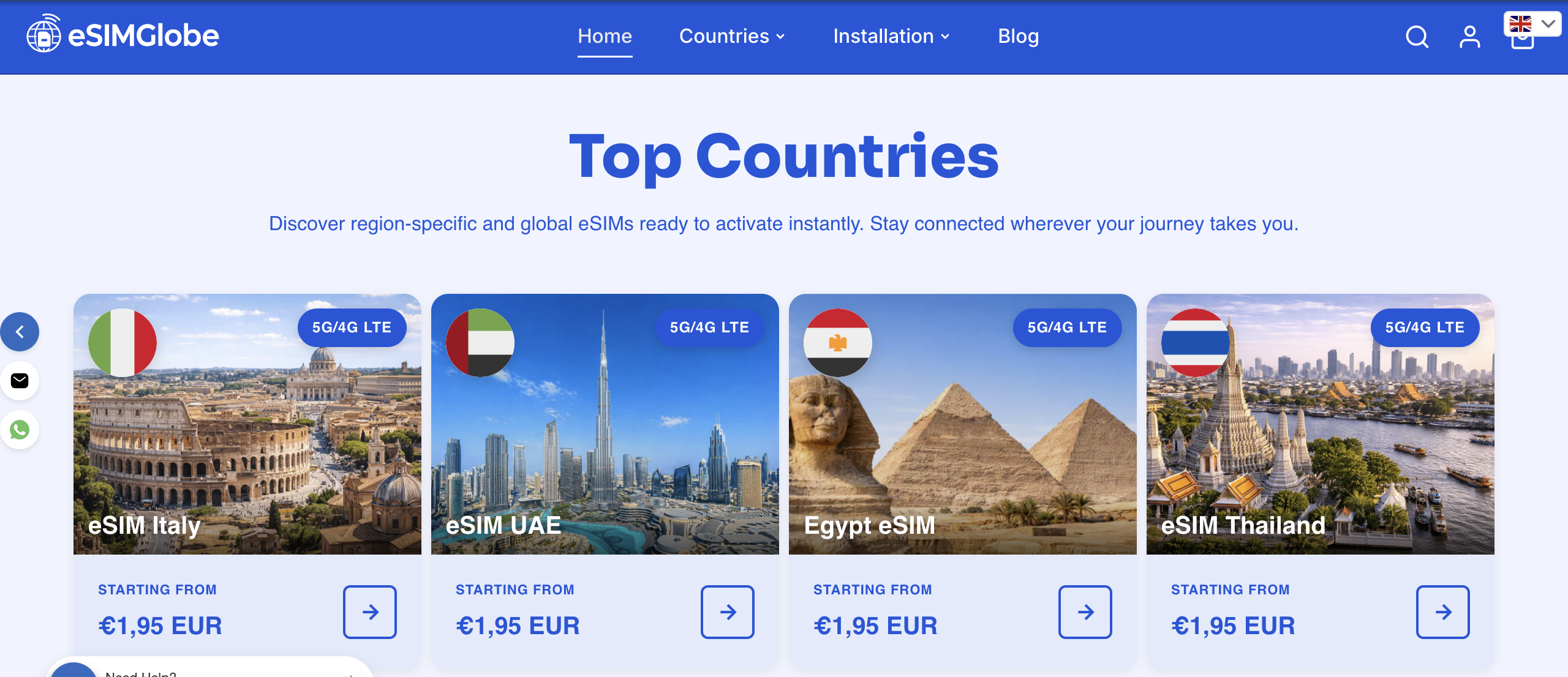
The platform covers 170 or more countries, with a country and region selector that lets you compare local, regional, and global options side by side, along with support that’s available 24/7 if something doesn’t activate correctly. Every plan is data-only and prepaid, so there’s no contract to cancel and no roaming bill waiting for you when you get home.
To get set up, pick your destination country or region from the selector, confirm the data amount and validity period against your trip length, and complete checkout. Your QR code and activation instructions arrive by email immediately, ready to install on Wi-Fi before departure. If your itinerary spans several countries, browse data-only plans built for different trip types to find the coverage that matches your route, then head to the EsimGlobe country selector to lock in your plan before you pack.
Selected Sources and Further Reading
Apple Support’s eSIM guidance and independent explainers from eSIMAdvice and SimTravelGuide cover device compatibility and activation in more depth. For plan comparisons, see EsimGlobe’s travel tips for staying connected abroad and eSIM versus roaming cost comparison.
FAQ
Do I Need an Unlocked Phone for eSIM?
Not necessarily. Most modern phones sold unlocked or through a carrier support eSIM regardless of lock status, though a small number of financed devices block a second profile until fully paid off and unlocked.
Can I Use an eSIM on a Carrier-Locked Phone?
In many cases yes, since eSIM support and carrier lock are separate settings, but some carriers restrict eSIM installation on devices still under a payment plan. Check your device settings or contact your carrier to confirm.
How Do I Know if My Phone Supports eSIM?
Check your cellular or connectivity settings for an “Add eSIM” or “Add Cellular Plan” option, or consult your device manufacturer’s support page, which lists eSIM-capable and eSIM-only models by name.
What Happens if I Install an eSIM Too Early?
Nothing breaks, but if your plan’s validity starts at installation rather than first network connection, you risk burning through plan days before your trip even begins. Confirm your specific plan’s activation rule before installing.
Can EsimGlobe Plans Work Alongside My Home SIM?
Yes. EsimGlobe’s data-only eSIMs are built for dual-SIM setups, so you keep your home number active for calls and texts while routing data through the travel eSIM.