






















TL;DR:
- The Google Pixel 9 supports both eSIM and dual-SIM configurations, including physical and virtual options. Ensuring the device is unlocked and capturing EID and IMEI details are crucial before activating a travel eSIM. Proper setup at home avoids issues abroad, such as activation failures or mismatched profiles, making travel smoother.
Yes — the Google Pixel 9 supports eSIM and dual-SIM configurations. You can run two eSIMs simultaneously, or one eSIM alongside a physical nano-SIM. Setup begins at Settings > Network & internet > SIMs > Add SIM.
Before anything else, complete these two steps:
- Verify carrier unlock status. A locked Pixel 9 will reject third-party eSIM profiles. Contact your U.S. carrier to confirm or request an unlock.
- Record your EID and IMEI. Open Settings > About phone > SIM status to find both. Copy them somewhere accessible — you will need them during purchase and activation.
Table of Contents
- How do you add an eSIM to a Google Pixel 9?
- What should you check before your flight?
- How do you choose a travel eSIM that works on a Pixel 9?
- How does Pixel 9 dual-SIM work while you’re traveling?
- What do you do when eSIM activation fails on a Pixel 9?
- What does a travel eSIM cost, and how do you spend less?
- What U.S. travelers should know about carrier unlock and eSIM privacy
- Key Takeaways
- The detail most Pixel 9 travelers overlook
- Esimglobe travel eSIMs for Pixel 9 users
- Useful sources for Pixel 9 eSIM setup
- FAQ
How do you add an eSIM to a Google Pixel 9?
Follow these steps in order. The whole process takes under five minutes on a stable Wi-Fi connection.
- Connect to Wi-Fi. eSIM profiles download over the internet, not cellular.
- Open Settings > Network & internet > SIMs > Add SIM.
- Select “Set up an eSIM.”
- Choose your activation method: scan the QR code from your eSIM provider, or select “Enter code manually” if you received an activation string.
- Confirm the profile download. The phone will show the carrier name and plan details before finalizing.
- Assign SIM roles. Set which line handles calls/texts and which handles data.
- Test mobile data. Open a browser or run a speed test to confirm the eSIM is live.
Some U.S. carriers push eSIM profiles automatically during device onboarding. If your Pixel 9 prompts a “Download SIM” screen at first boot, follow that flow instead of the manual path above. Third-party providers — including travel eSIM vendors — always use the QR or manual-code method.
Pro Tip: Have your EID and IMEI copied to your notes app before scanning any QR code. If the profile fails to download, the provider’s support team will ask for the EID immediately — having it ready cuts resolution time significantly.
Activation fails most often for one of three reasons: the device is still carrier locked, the QR code was scanned on a poor connection, or the EID entered during purchase didn’t match the device. Reboot, switch to a stronger Wi-Fi network, and confirm the EID in Settings before contacting support.
What should you check before your flight?
Catching problems at home beats troubleshooting at the airport.
Carrier unlock. Go to your carrier’s account portal or call support and ask for written confirmation that the device is unlocked. Google Support notes that activation failures often trace back to locked status — this is the single most common blocker for travelers.
EID and IMEI. Find both at Settings > About phone > SIM status (or tap the IMEI field). Screenshot the screen and email it to yourself. Many international eSIM providers request the EID to bind the profile to your specific hardware.
Backup your QR code. Screenshot the QR code your provider sends and store it in Google Photos or a cloud folder. If your email goes offline mid-trip, you still have the code.
Payment readiness. Confirm your eSIM vendor accepts your card. Some providers outside the U.S. require a non-U.S. billing address or a specific payment method. Check before departure, not at the gate.
Pro Tip: Disable automatic data roaming on your home SIM before landing abroad. Go to Settings > Network & internet > SIMs > [Home SIM] > Roaming and toggle it off. Your home number stays reachable for calls and texts without triggering roaming charges.
How do you choose a travel eSIM that works on a Pixel 9?
Not every travel eSIM plan is built the same. Use this checklist before purchasing:
- Device compatibility. Confirm the provider explicitly lists Google Pixel 9 as supported.
- Coverage and bands. Check that the plan covers the specific countries on your itinerary and supports the local LTE/5G bands.
- Activation method. QR-code activation is standard; some providers offer remote profile push. Both work on Pixel 9.
- Plan length and data volume. Match the plan to your actual travel days — not a round number.
- Voice and SMS. Most travel eSIMs are data-only. If you need a local number, confirm the plan includes it.
- Top-up options. Can you add data mid-trip without buying a new plan?
- Refund and support policy. Check the provider’s policy before purchase, not after a failed activation.
Providers ask for your EID and IMEI to register the eSIM profile to your device. This is standard practice and prevents profile theft — share these only through the provider’s secure checkout, not over public Wi-Fi.
| Traveler type | Best plan shape | Key priority |
|---|---|---|
| Short trip (1–7 days) | Day-pass or fixed 7-day data pack | Low cost, simple activation |
| Long trip (14–30 days) | Monthly data pack | Value per GB, top-up option |
| Single country | Local country plan | Strongest local coverage |
| Multi-country | Regional or global pass | Broad band compatibility |
| Data-only traveler | Data-only eSIM | Lower price, no voice overhead |
| Voice + data needed | Voice-capable plan | Local number included |
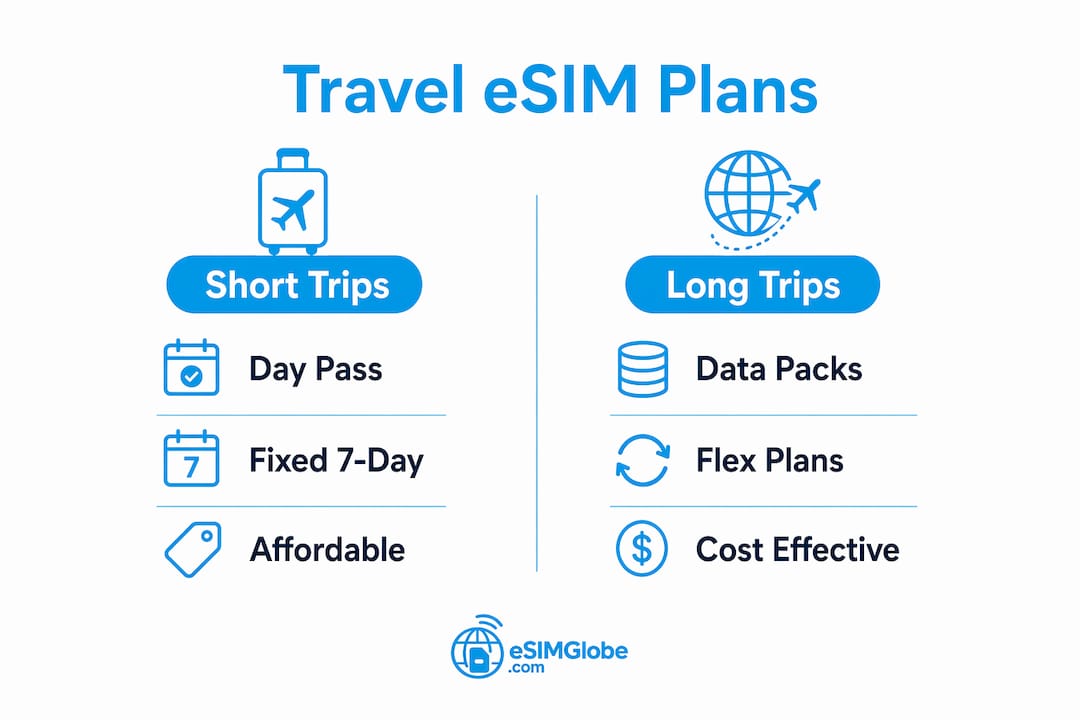
On pricing shapes: day-pass plans charge a flat rate per 24-hour period and suit short trips. Fixed data packs give a set GB allowance for a set number of days and usually cost less per GB. Watch for auto-renewal clauses and overage fees on pay-per-MB plans — those are the most common hidden costs. For a deeper look at how these pricing models work, the eSIM data plan guide on Esimglobe breaks down allotments and top-up mechanics clearly.
Pro Tip: Buy for the exact number of travel days, not the nearest round number. A 10-day plan on a 10-day trip wastes nothing. A 30-day plan on a 10-day trip wastes money.
How does Pixel 9 dual-SIM work while you’re traveling?
The Pixel 9 stores multiple eSIM profiles but keeps only two SIMs active at once. The most practical travel setup is your home physical SIM (or home eSIM) active for calls and texts, plus a travel eSIM active for data.
Manage both from Settings > Network & internet > SIMs. Set your home SIM as the default for calls and SMS. Set the travel eSIM as the default for mobile data. Enable Automatic data switching if you want the phone to fall back to the home SIM when the travel eSIM loses signal — useful in rural areas.

Label each profile clearly. Pixel 9 lets you rename SIM profiles; use names like “Home” and “Italy Data” so you never tap the wrong one under pressure.
Two common traveler scenarios:
- Business trip. Keep the home SIM primary for calls so colleagues reach you on your regular number. Route all data through the travel eSIM to avoid roaming charges. Two-factor authentication texts still arrive on the home number.
- Leisure trip. Use a data-only travel eSIM for navigation, messaging apps, and browsing. Leave the home SIM active but with roaming off. You stay reachable on Wi-Fi calling and messaging apps without paying per-minute rates.
For a direct comparison of eSIM versus a local physical SIM for these scenarios, the eSIM vs local SIM guide on Esimglobe covers the trade-offs in detail.
What do you do when eSIM activation fails on a Pixel 9?
Work through this list before contacting anyone:
- Confirm Wi-Fi is stable. Switch to a different network if possible.
- Verify the EID matches what you submitted to the provider during purchase.
- Restart the phone and retry the QR scan or manual code entry.
- Toggle airplane mode on and off after the profile downloads to force network registration.
- Check APN settings. Go to Settings > Network & internet > SIMs > [Travel eSIM] > Access Point Names and enter the APN your provider specifies.
- Test with a hotspot. If hotel or airport Wi-Fi blocks eSIM traffic, use a friend’s phone hotspot to complete the download.
Common problems and fixes:
- QR code won’t scan. Increase screen brightness on the device displaying the QR, or use the manual activation code instead.
- “No SIM” after activation. Restart the phone. If the profile shows in Settings but shows no signal, check APN settings.
- EID mismatch error. The EID entered at purchase doesn’t match the device. Contact the provider with the correct EID from Settings > About phone.
- Profile won’t download. The provider may need to re-push the profile. Contact support with your EID and order number.
If the issue persists after all steps, contact your eSIM provider first — most activation errors are on the profile side. For device-level issues, Google Support’s Pixel eSIM setup pages document the official troubleshooting path. Carrier intervention is needed only when the device itself is still locked.
What does a travel eSIM cost, and how do you spend less?
Typical plan shapes for Pixel 9 travelers:
- Day passes: flat rate per 24-hour period; practical for trips under five days.
- 7-day packs: fixed data allowance; the most common short-trip option.
- 14 and 30-day packs: better per-GB value; suited to longer stays or slow-travel itineraries.
- Regional and global passes: cover multiple countries under one plan; slightly higher cost but eliminate the need to buy country-by-country.
Money-saving habits that actually move the needle:
- Buy data-only plans when you don’t need a local number — they cost less than voice-capable plans.
- Use hotel and café Wi-Fi for large downloads, video calls, and streaming. Reserve eSIM data for navigation, messaging, and quick lookups.
- Compare fixed data packs against pay-per-MB plans before purchasing. Fixed packs almost always win on cost for trips longer than two days.
- You can purchase and activate an eSIM after landing, as long as you have stable Wi-Fi — so waiting until you know your exact data needs is a valid strategy.
Pro Tip: Check whether your plan includes a top-up option before you buy. Running out of data mid-trip and having to buy a second plan from scratch usually costs more than topping up the original.
For help matching plan size to trip length, the travel data plan selector on Esimglobe walks through the decision by destination and usage type.
What U.S. travelers should know about carrier unlock and eSIM privacy
Carrier unlock. U.S. carriers are required to unlock devices upon request after contract terms are met, but policies vary. Confirm unlock status in writing before departure. An unlocked Pixel 9 accepts any compatible eSIM profile; a locked one will not.
Device compatibility. Google Support confirms the Pixel 9 supports eSIM, but availability can vary by carrier and market. Devices purchased directly from Google or major U.S. retailers are typically sold unlocked and eSIM-ready.
EID privacy. The EID is a hardware identifier unique to your device. Providers request it to bind the eSIM profile to your phone. Share it only through a provider’s secure checkout page. Avoid entering personal identifiers on public Wi-Fi networks.
Key practices:
- Delete unused eSIM profiles after each trip at Settings > Network & internet > SIMs > [Profile] > Delete.
- Keep a screenshot of your activation receipt for charge disputes.
- Use a VPN or wait for a private connection before submitting EID and payment details.
Pro Tip: After a trip, erase dormant eSIM profiles. The Pixel 9 has a finite profile storage limit, and clearing old profiles keeps the device ready for the next destination without conflicts.
Key Takeaways
The Google Pixel 9 supports eSIM and dual-SIM out of the box — confirm carrier unlock and capture your EID before purchasing any travel plan.
| Point | Details |
|---|---|
| Carrier unlock first | Confirm your Pixel 9 is unlocked before purchasing any travel eSIM — locked devices reject third-party profiles. |
| Capture EID and IMEI | Find both at Settings > About phone > SIM status; providers need the EID to register your profile. |
| Match plan to trip length | Buy for your exact travel days; fixed data packs cost less per GB than day-pass or pay-per-MB plans. |
| Test before departure | Activate on home Wi-Fi and confirm mobile data works before you board. |
| Esimglobe for U.S. travelers | Esimglobe offers compatible travel eSIM plans for Pixel 9 users, with a country selector, USD pricing, and QR-code delivery. |
The detail most Pixel 9 travelers overlook
Most setup guides focus on the activation steps and stop there. The part that actually causes problems in the field is what happens before the QR code gets scanned: the EID submitted at purchase doesn’t match the device, or the phone is still carrier locked, or the QR code is buried in an email that won’t load on airport Wi-Fi.
The practical fix is unglamorous: screenshot the QR code the moment it arrives, store the EID in your notes app, and confirm unlock status at least 48 hours before departure — not at the gate. Labeling eSIM profiles clearly in Settings takes ten seconds and prevents the wrong-SIM tap that sends a call through an expensive roaming line.
The dual-SIM workflow is genuinely useful for travelers. Keeping the home number active for two-factor authentication texts while routing all data through a local plan is a real, daily-use advantage — not a theoretical one. The Pixel 9 handles this without any third-party app or workaround.
Esimglobe travel eSIMs for Pixel 9 users
Travelers who want a straightforward path from purchase to activation can use Esimglobe’s country and region selector to find a compatible plan for their destination. Plans are priced in USD, delivered by QR code or remote push, and listed with explicit device compatibility notes.
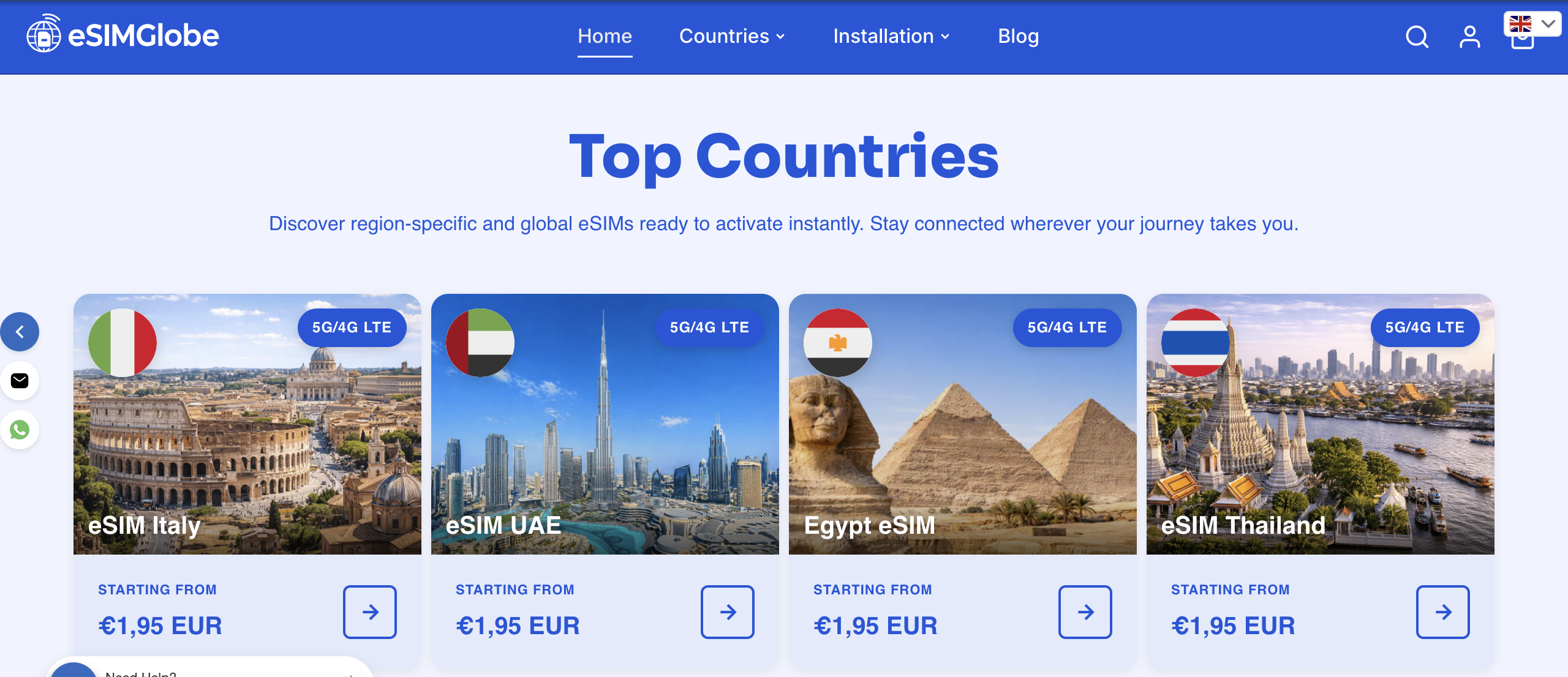
The purchase flow for U.S.-based travelers: select your destination country or region, choose a data pack that matches your trip length, provide your EID and IMEI at checkout, and scan the QR code on Wi-Fi to activate. Esimglobe’s support team is available for Pixel 9 activation questions if the profile doesn’t download on the first attempt.
Browse compatible travel eSIM plans on Esimglobe and activate before your next departure.
Useful sources for Pixel 9 eSIM setup
These sources provide official steps, screenshots, and carrier compatibility updates:
- Google Support — Set up a new eSIM (Pixel Phone Help): The official step-by-step guide covering the Settings path, onboarding flows, and carrier-assigned eSIM behavior. Start here for device-level troubleshooting.
- Google Support — Get a SIM or eSIM and add it to your Pixel phone: Documents alternate activation paths including the onboarding “Download SIM” flow and manual QR or code entry. Useful when the standard path doesn’t appear.
- Android Authority — Pixel 9 eSIM and dual-SIM overview: Independent editorial analysis of the Pixel 9’s eSIM capabilities, dual-SIM configurations, and traveler use cases. Includes hands-on notes on switching between profiles.
- Esimglobe — eSIM Google Pixel guide: Device-specific guidance on using eSIM with Google Pixel phones, including Pixel 9 compatibility notes and activation walkthroughs.
Cross-reference Google Support for any activation error codes and check Android Authority for carrier-specific compatibility updates, which change as carriers update their eSIM provisioning systems.
FAQ
Does the Google Pixel 9 support eSIM?
Yes. The Pixel 9 supports eSIM and dual-SIM configurations, running either two eSIMs or one eSIM plus a physical nano-SIM simultaneously.
Where do you find the EID on a Pixel 9?
Go to Settings > About phone > SIM status. The EID is listed there alongside the IMEI — screenshot both before purchasing a travel eSIM.
Can you activate a Pixel 9 eSIM abroad?
Yes, as long as you have a stable Wi-Fi connection. eSIM profiles download over the internet, so airport or hotel Wi-Fi is sufficient for activation after arrival.
What causes eSIM activation to fail on a Pixel 9?
The three most common causes are a carrier-locked device, an EID mismatch between the purchase form and the actual device, and a poor Wi-Fi connection during profile download.
Does Esimglobe work with the Google Pixel 9?
Yes. Esimglobe offers travel eSIM plans compatible with the Pixel 9, delivered by QR code or remote push, with USD pricing and a country selector for U.S.-based travelers.