






















TL;DR:
- Google Pixel devices from the 3a support eSIM, with the Pixel 10 series being eSIM-only in the US. Travelers benefit from quick switching to local prepaid plans without physical SIMs, but their device must be unlocked and compatible.
Every Google Pixel from the 3a onward supports eSIM technology, and the Pixel 10 series takes it further by removing the physical SIM tray entirely for US-market devices. That means if you travel internationally with a Pixel, you already have the hardware to load a local prepaid data plan before your flight lands.
Here is what that means in practice for travelers:
- Pixel 10, 10 Pro, and 10 Pro XL are eSIM-only on US models. No physical SIM slot.
- Pixel 3a through Pixel 9 series support Dual SIM Dual Standby (DSDS), running one physical SIM and one eSIM at the same time.
- Pixel 7 and later can run two active eSIM profiles simultaneously, subject to carrier support.
- Prepaid international eSIM plans let you avoid roaming charges by connecting to local networks abroad.
- Switching profiles takes seconds through the Settings app, with no physical card swap required.
Pro Tip: Before you leave home, confirm your Pixel is carrier-unlocked. A locked device will not accept third-party eSIM profiles, no matter which plan you purchase.
Table of Contents
- How do you set up and manage eSIMs on Google Pixel?
- Why do eSIMs benefit international travelers using Google Pixel?
- Is your Google Pixel ready for international eSIM activation?
- What does Esimglobe offer Google Pixel travelers from the US?
- Esimglobe connects your Pixel to the world
- FAQ
- Key Takeaways
How do you set up and manage eSIMs on Google Pixel?
Google Pixel eSIM setup follows a straightforward path through the Settings app, with three activation methods available depending on your carrier or plan provider.
Activation methods:
- Carrier activation — your carrier provisions the eSIM automatically when you set up service.
- QR code scanning — the most common method for prepaid international plans. Your provider sends a QR code; you scan it directly in Settings.
- eSIM transfer — move an existing eSIM profile from a previous Pixel device using Google’s transfer tool.
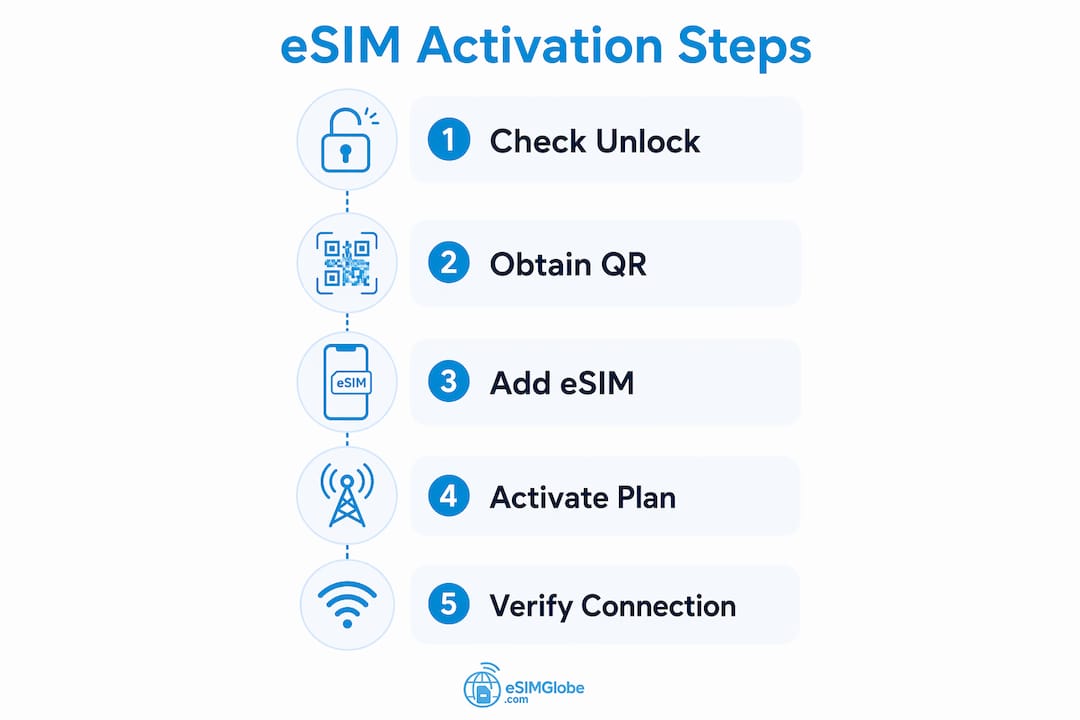
Step-by-step: adding an eSIM via QR code
- Open Settings on your Pixel.
- Tap Network & internet, then SIMs.
- Select Add SIM or the + icon.
- Choose Scan QR code and point your camera at the code from your provider.
- Follow the on-screen prompts to confirm and activate the profile.
- Once added, set your preferred defaults for calls, texts, and mobile data under SIM preferences.
Managing multiple profiles:
- Label each SIM clearly (e.g., “Home,” “Japan Data”) to avoid confusion.
- On Pixel 7 and later, two eSIM profiles can be active at the same time. On earlier models, only one eSIM is active alongside a physical SIM.
- Set your international eSIM as the default data SIM when abroad, and keep your home SIM active for calls and texts if needed.
Troubleshooting common issues:
- If data stops working after switching profiles, toggle airplane mode off and on to force a network refresh.
- Voice call interruptions on the second SIM often resolve by enabling Wi-Fi calling for that line through your carrier’s settings.
- If a QR code fails to scan, request a manual activation code from your provider as an alternative.
Why do eSIMs benefit international travelers using Google Pixel?
The practical advantages of eSIM for travel go beyond convenience. For Pixel users crossing borders regularly, the differences add up quickly.
- No physical SIM to lose or damage. The eSIM is embedded in the device hardware, so there is no card to drop, bend, or leave in a hotel drawer.
- Cost control through prepaid plans. Purchasing a local data plan before arrival sidesteps carrier roaming rates entirely. You pay a fixed amount for a set data allowance, nothing more.
- Instant switching between profiles. Moving from your US home plan to a local data SIM takes a few taps. No tools, no trays, no waiting at an airport kiosk.
- Broad international coverage. Many prepaid eSIM providers support connectivity across a wide range of countries, making multi-destination trips manageable from a single purchase.
- Security through hardware integration. Because the eSIM is embedded rather than removable, it cannot be physically stolen or swapped without your knowledge. That matters when you are moving through busy airports or unfamiliar cities.
- Carrier flexibility without commitment. Prepaid eSIM plans carry no long-term contracts. You buy what you need for the trip and move on.
For travelers managing eSIM plans across multiple destinations, the Pixel’s dual SIM capability means your home number stays reachable while local data runs in the background.
Is your Google Pixel ready for international eSIM activation?
Device readiness is the step most travelers skip, and it is the one that causes the most problems at the airport. Check these items before you purchase any international eSIM plan.
- Carrier unlock status. Your Pixel must be carrier-unlocked to accept third-party eSIM profiles. A device purchased directly from Google is typically unlocked. A device bought through a carrier may be locked until you request a release, which usually requires completing your service contract or paying off the device.
- Model compatibility. Confirm your specific Pixel model supports eSIM. All Pixel devices from the 3a onward do, but older models may have carrier-specific restrictions depending on where they were sold.
-
IMEI and EID numbers. Some providers require these during activation. Find them under Settings > About phone > SIM status or by dialing
*#06#. The EID (eSIM Identifier) is the unique number that identifies your device’s embedded SIM chip to the carrier. - Carrier and region restrictions. Certain carriers lock eSIM provisioning to their own network even on unlocked devices. Check with your current carrier if you are unsure.
- Available eSIM slots. If your Pixel already has two active eSIM profiles, you will need to delete one before adding a new international plan.
Pro Tip: Call your carrier at least a week before departure to confirm unlock status and request a release if needed. Some carriers take several business days to process the request.
What does Esimglobe offer Google Pixel travelers from the US?
Esimglobe operates as a global telecommunications platform built specifically for travelers who need reliable prepaid data abroad. For Pixel users based in the US, the platform covers the full workflow from plan selection to activation.
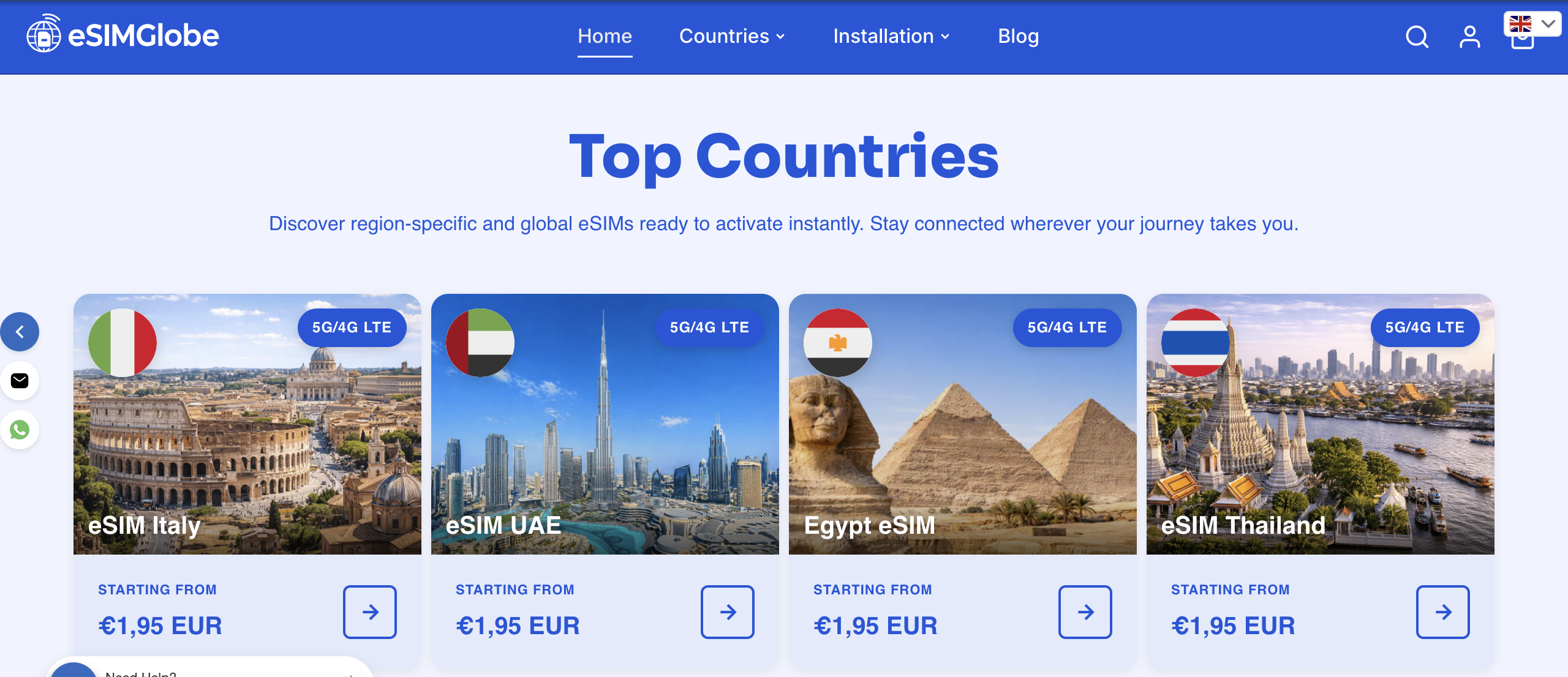
- Country-specific prepaid plans. Esimglobe lists plans organized by destination, so you can select exactly the country or region you need without sorting through irrelevant options.
- Multi-currency and multi-language support. The platform supports USD, EUR, and GBP, with interfaces available in multiple languages, useful for travelers coordinating plans across different markets.
- Flexible data caps. Plans are available at different data tiers, letting you match your purchase to your actual usage rather than overpaying for a fixed bundle.
- QR code delivery. After purchase, Esimglobe delivers the eSIM profile via QR code, which you scan directly in your Pixel’s Settings app using the steps outlined above.
- Broad destination coverage. Esimglobe’s catalog spans destinations across multiple continents, supporting travelers on single-country trips and multi-stop itineraries alike.
For travelers comparing eSIM purchasing options before a trip, Esimglobe’s country selector and transparent plan listings make it straightforward to confirm availability before committing.
Esimglobe connects your Pixel to the world
Skip the roaming bill. Esimglobe gives US-based Pixel travelers direct access to prepaid local data plans for destinations worldwide, delivered as a QR code you scan in under a minute. No physical SIM, no carrier negotiation, no surprise charges on your home bill. You pick the country, choose a data tier, and your Pixel connects on arrival. Visit Esimglobe to find a plan for your next destination before you pack.
FAQ
Which Google Pixel models support eSIM?
All Pixel models starting with the Pixel 3a support eSIM. The Pixel 10, 10 Pro, and 10 Pro XL are eSIM-only on US models, with no physical SIM tray.
How do you activate an eSIM on a Google Pixel?
Go to Settings > Network & internet > SIMs > Add SIM, then scan the QR code provided by your eSIM plan provider. The profile installs in a few seconds.
Does a Google Pixel need to be unlocked to use an international eSIM?
Yes. Your Pixel must be carrier-unlocked before it will accept a third-party eSIM profile. Devices purchased directly from Google are typically unlocked; carrier-purchased devices may require a formal unlock request.
Can a Google Pixel run two eSIMs at the same time?
Pixel 7 and later models support two active eSIM profiles simultaneously, subject to carrier compatibility. Earlier models support one eSIM active alongside one physical SIM.
What information do you need to activate an eSIM on Pixel?
Most providers require your device’s IMEI and EID numbers. Find both under Settings > About phone > SIM status or by dialing *#06#.
Key Takeaways
Google Pixel devices from the 3a onward support eSIM, and the Pixel 10 series is eSIM-only in the US, making prepaid international data plans the most practical connectivity option for travelers.
| Point | Details |
|---|---|
| Pixel 10 is eSIM-only | US-market Pixel 10, 10 Pro, and 10 Pro XL have no physical SIM tray. |
| Dual SIM from Pixel 3a | Pixel 3a and later support one physical SIM plus one eSIM running simultaneously. |
| Unlock required | Your Pixel must be carrier-unlocked before any third-party eSIM profile will activate. |
| EID and IMEI needed | Locate both under Settings > About phone or by dialing *#06# before purchasing a plan. |
| Esimglobe for US travelers | Esimglobe provides country-specific prepaid eSIM plans delivered by QR code, compatible with Google Pixel devices. |