






















Yes, you can top up most eSIMs, and the fastest way is through your provider’s account or app under “My eSIMs.” The catch: if your eSIM is marked non-rechargeable, or the carrier tied to your profile has changed, a top-up won’t work and you’ll need a new eSIM instead. Activation after a successful top-up is usually instant, though some phones need a quick restart to pick up the added data.
TL;DR:
- Only rechargeable eSIM profiles can be topped up; plans labeled as non-rechargeable or associated with carrier switches require a new eSIM.
- Activation after a top-up is usually instant but may require restarting the device or toggling airplane mode if connectivity does not update promptly.
- Alternative topping-up methods include using the provider’s website or contacting support, especially when app-based transactions fail or are region-restricted.
- Before attempting a top-up, verify the plan’s rechargeability status and compare the cost and validity of topping up versus purchasing a new plan.
- If a top-up doesn’t activate, checking order details, restarting the device, or re-installing the eSIM profile typically resolves the issue in most cases.
Table of Contents
- How to Do an eSIM Top Up From Your App or Account
- Other Ways to Add Data Mid-Trip
- Rechargeable or Not? How to Tell Before You Try
- Fixing a Top Up That Won’t Activate
- How EsimGlobe Makes Top-Ups (and Replacements) Simple
- What Most Guides Get Wrong About Topping Up
- Need to Top Up or Replace Your eSIM Right Now?
- Sources and Further Reading
- FAQ
How to Do an eSIM Top Up From Your App or Account
Topping up an active eSIM takes five minutes if you follow the same sequence most providers use. Support pages across the industry point to nearly identical steps, so once you know this flow, it transfers to almost any eSIM you own.
- Log in to your provider’s account or app.
- Go to My eSIMs and select the active profile you want to recharge.
- Check the plan details for a “rechargeable” or “top-up available” flag. If it’s missing, stop here. Skip to buying a new eSIM instead.
- Tap Top Up or Add Data, then choose a data bundle by size and validity period.
- Pay with a credit card or, on mobile, through Apple or Google in-app billing where it’s offered.
- Confirm the order and wait for activation. This is usually instant, but can take a few minutes on a busy network.
- Verify connectivity by loading a webpage or checking your data icon.
- If nothing happens after a few minutes, restart your phone or toggle airplane mode on and off.
Pro Tip: Do your top-up on Wi-Fi before your existing data runs out completely. An eSIM with zero balance sometimes drops its data connection entirely, making it harder to load the app or website you need to recharge it.
Other Ways to Add Data Mid-Trip
The app isn’t always the easiest door in. If in-app billing is glitchy, blocked in your region, or just refuses to process your card, you have other paths to the same result.
- Provider website checkout: buying the add-on from a browser sidesteps app-store billing rules entirely and can be faster for refunds or unsupported payment methods.
- In-app purchases (App Store or Google Play): often quicker for one-tap buying, but you’re bound by that platform’s billing and refund policies rather than the provider’s own.
- Contact support directly for manual crediting when a one-off glitch blocks self-serve top-up. Have your order details ready.
- Buy a local eSIM or short-term plan in-country if you need data immediately and no top-up path is working. It’s a fallback, not the first move, but it keeps you connected while you sort out the account issue.
Rechargeable or Not? How to Tell Before You Try
Every eSIM plan page should state whether the profile allows top-ups. Look for the words “rechargeable” or “top-up available” in the plan details or original purchase confirmation. If neither phrase shows up, treat the eSIM as one-time use.
A few things reliably block a top-up:
- A carrier or operator switch on the provider’s network side, which usually turns a previously rechargeable profile into a dead end.
- Plans explicitly sold as single-use, common with ultra-short trip bundles.
- Expired validity windows, where the profile itself has lapsed even if data remains.
Before you top up, run a quick cost check: compare the price per gigabyte and remaining validity of the top-up against a fresh eSIM plan. Sometimes a new prepaid eSIM with better validity costs about the same as extending an old one.
Fixing a Top Up That Won’t Activate
Most activation failures trace back to timing, not a broken eSIM. Work through this order before assuming something is wrong:
- Check your order status and receipt in your account. Confirm the bundle you paid for matches the eSIM profile you’re trying to recharge.
- Restart your phone immediately after purchase, then toggle airplane mode off and on.
- Re-install the eSIM profile if it still shows inactive, especially if the underlying carrier changed.
- If none of that works, collect your order ID, the eSIM’s ICCID number, and your device model, then contact support for re-provisioning.
Nine times out of ten, step two solves it.
How EsimGlobe Makes Top-Ups (and Replacements) Simple
Prepaid, data-only eSIM plans are sold for many countries, delivered by email, with multiple currency checkout options and support available. That combination matters most at the exact moment your data runs low in a foreign country and you can’t wait on hold.
There are plans designed to cover common traveler scenarios, including options for unlimited-style data in Europe, country-specific plans, and multi-country itineraries covering many European areas under one profile.
EsimGlobe also publishes ongoing travel guidance, including comparisons like eSIM vs local SIM, authored by contributors including Daniel, who covers eSIM buying and connectivity topics for travelers.
What Most Guides Get Wrong About Topping Up
Most advice treats “can I top up my eSIM?” as a yes-or-no question. It isn’t. The real question is whether your specific profile was built to be recharged, and that detail gets buried in fine print far too often.
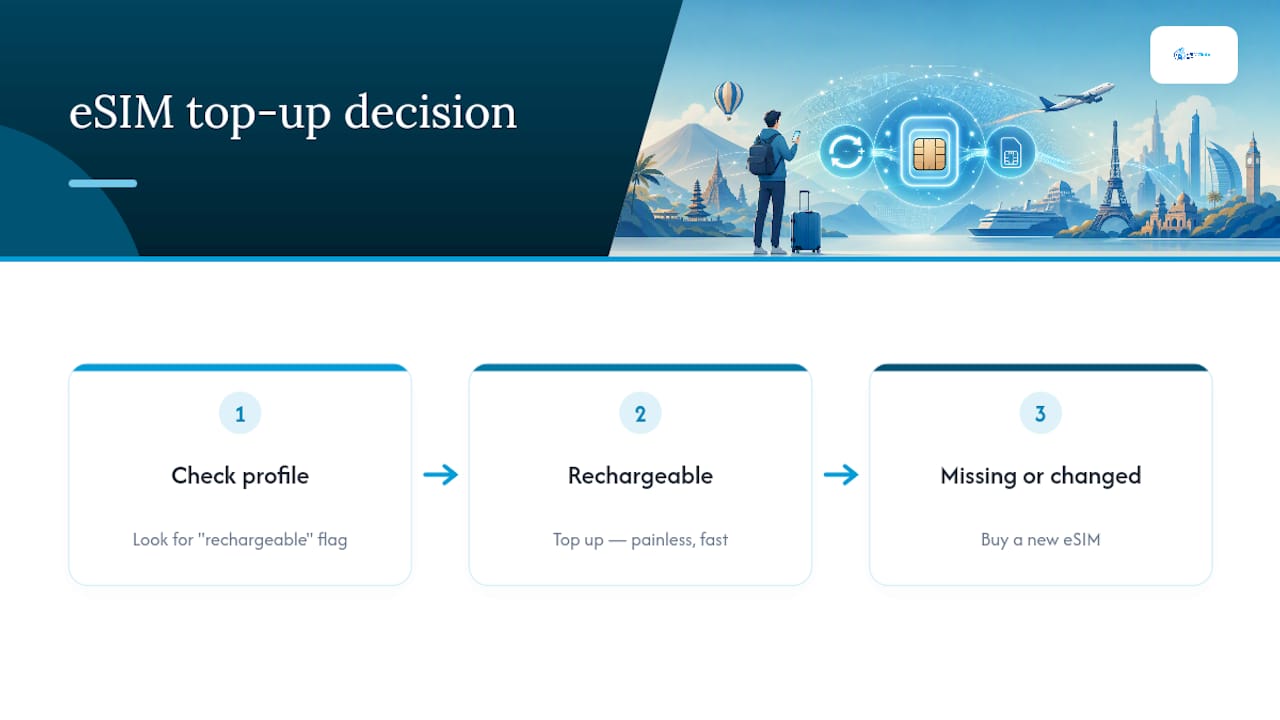
Here’s what the research actually supports: rechargeable eSIMs make top-ups genuinely painless, often faster than buying a new physical SIM card ever was. Non-rechargeable ones make top-up attempts a waste of ten minutes you didn’t need to spend. The conventional advice, “just try topping up first,” ignores that a carrier switch or an expired validity window will silently kill that option before you even open the app.
My take: check the rechargeable flag before you do anything else. If it’s missing or the carrier changed, don’t fight the system. Buy a new eSIM and move on. That decision alone saves more travel time than any troubleshooting trick in this article.
— Daniel
Need to Top Up or Replace Your eSIM Right Now?
If your current eSIM won’t recharge, or you’re planning ahead for a trip, EsimGlobe skips the guesswork of comparing dozens of regional carriers one by one. Its prepaid plans arrive by email within minutes of checkout, in your choice of currency, with no long-term commitment attached.
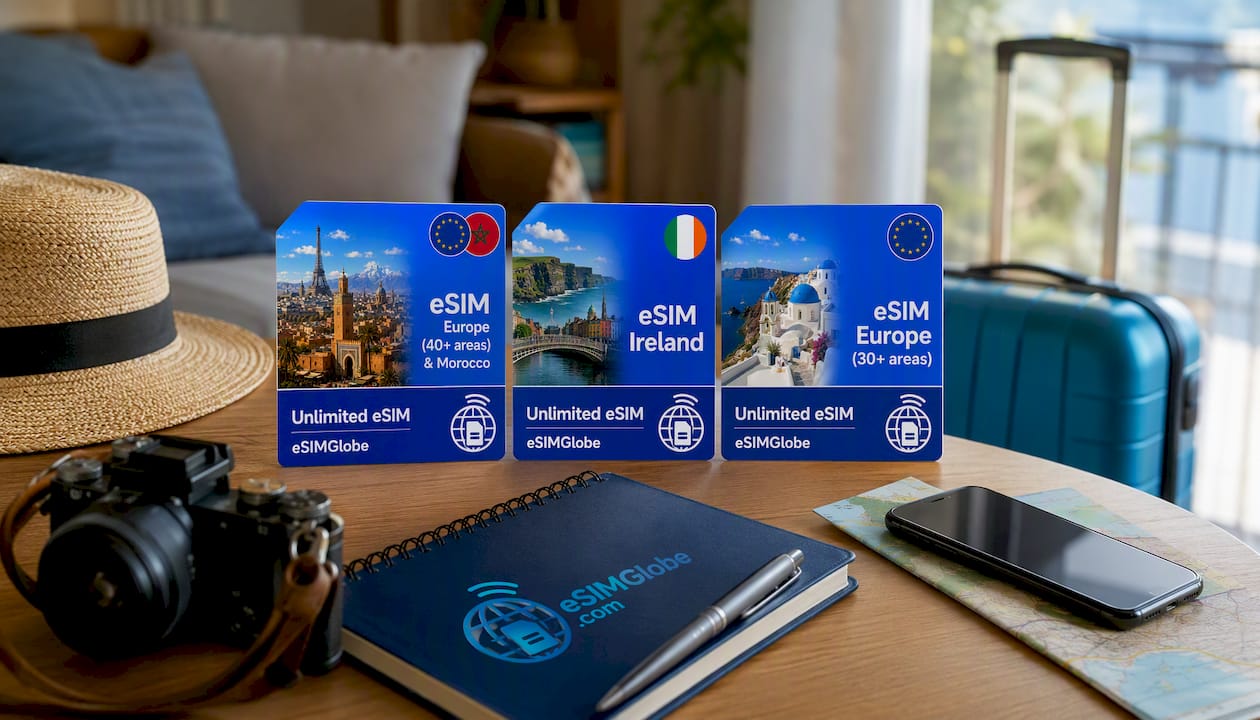
For a single-country Irish trip, the eSIM Ireland Unlimited plan gets you connected without paying for coverage you won’t use. Bouncing between multiple countries calls for the eSIM Europe (30+ areas) Unlimited plan, while travelers who want one reliable regional plan without micromanaging borders should look at the eSIM Europe Unlimited plan. Before buying a top-up on any existing profile, confirm the “rechargeable” flag first. If it’s absent, a new eSIM is the cleaner fix. Pick the plan that matches your route and check out now.
Sources and Further Reading
- Google Play and App Store listings for eSIM top-up apps, describing purchase and activation features
- EsimGlobe’s travel tips guide and eSIM vs local SIM comparison
FAQ
Can You Top Up an eSIM?
Yes, as long as the profile is marked rechargeable. Log into your provider’s account or app, select the active eSIM, and choose “Top Up” or “Add Data.”
How Do I Top Up My eSIM?
Open your provider’s app or account, go to “My eSIMs,” select your active profile, and pick a data bundle to purchase. Activation is typically instant, though a phone restart sometimes helps it register.
How Do I Refill My eSIM if the App Won’t Let Me?
Try the provider’s website checkout instead of the app. It bypasses app-store billing restrictions and often processes faster, especially for payment methods the app doesn’t support.
How Do I Buy Data for an eSIM That’s Non-Rechargeable?
You’ll need a new eSIM rather than a top-up. Providers like EsimGlobe deliver replacement plans by email within minutes, so you’re not stuck waiting for the old profile to accept a payment it was never built to take.