






















For most iPhone 18 travelers, a global eSIM plan covering many areas offers broad country coverage, instant email delivery, and support for iPhone 18’s Direct Install eSIM activation. It works because the iPhone 18 lineup is built around eSIM as the default connection method, not an afterthought. If your trip spans several countries or you simply don’t want to think about coverage gaps, that plan solves it. Scroll down for picks matched to shorter trips, single countries, and heavy data use.
TL;DR:
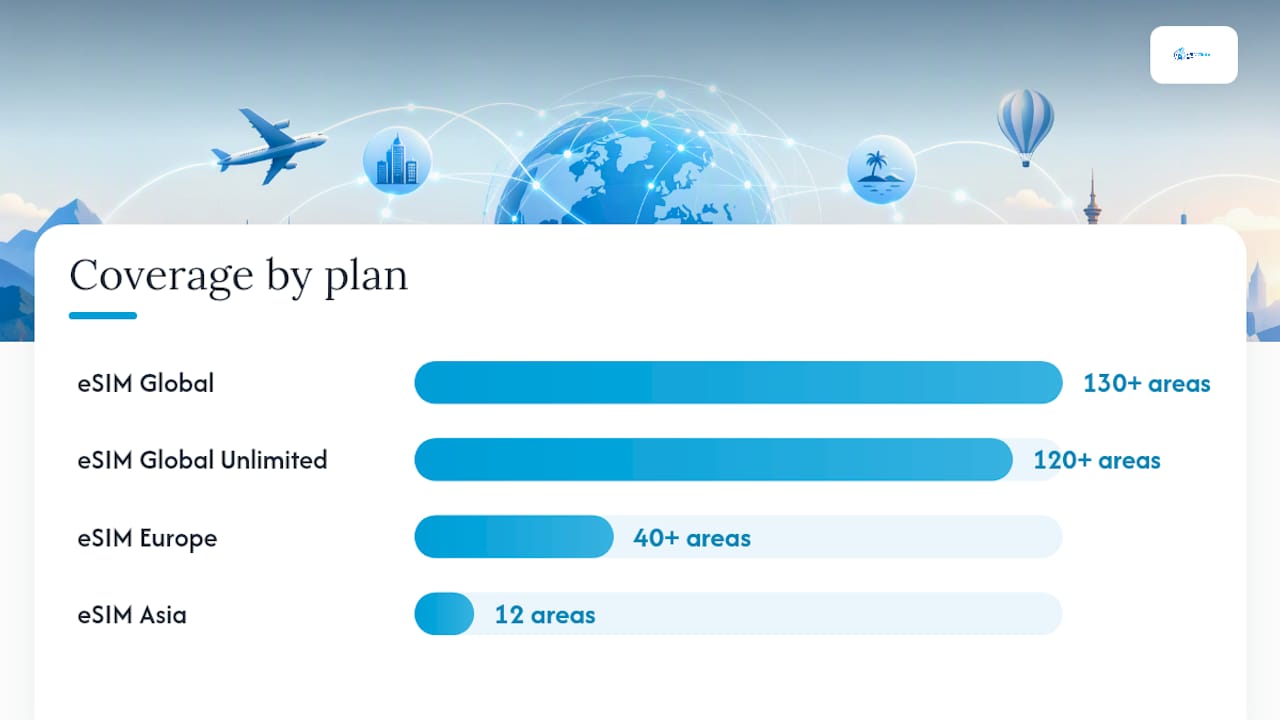
- Travelers with multi-country itineraries should choose the eSIM Global plan covering over 130 areas, as it avoids border coverage issues and supports instant activation via Wi-Fi.
- Heavy data users or remote workers benefit from unlimited plans like the eSIM Global (120+ areas) Unlimited to eliminate data restrictions during streaming, video calls, or hotspot use.
- Short trips within a single country are more cost-effective with dedicated plans such as eSIM Dubai or Monaco, rather than broader regional bundles.
- Managing multiple eSIM profiles is straightforward on iPhone 18, but users should delete unused profiles and verify device lock status before traveling long-term or across many regions.
- Activation requires an internet connection during setup, and keeping the home line active for voice and SMS ensures continued account access despite switching data plans.
Table of Contents
- Top EsimGlobe Picks for Every Type of iPhone 18 Traveler
- Which Plan Fits Your Actual Trip?
- How to Activate an eSIM on iPhone 18 Without Losing Your Number
- Where eSIM Still Falls Short on iPhone 18
- Why Trust This Guide
- Matching Plans to How You Actually Travel
- Comparing eSIM Providers for iPhone 18 Users
- Network Compatibility Across Regions
- Security and Privacy With eSIM on iPhone 18
- An Editorial Take on eSIM for iPhone 18
- Buy Your iPhone 18 eSIM Now
- Sources and Further Reading
- FAQ
Top EsimGlobe Picks for Every Type of iPhone 18 Traveler
The right eSIM depends less on brand loyalty and more on where you’re actually going and how long you’ll be there. eSIMGlobe organizes its catalog by region and country rather than forcing every traveler into one generic global plan, which matters once you look at how differently a two-week Europe trip and a three-day Dubai layover use data.
Here’s how the current lineup breaks down by traveler type, with activation notes specific to iPhone 18.
- eSIM Global (130+ areas): The broadest bundle in the catalog, built for travelers hitting multiple continents on one trip or hopping between countries without knowing the exact route in advance. Coverage this wide means you’re not stuck buying a new profile every time you cross a border. On iPhone 18, it can install through Direct Install when connected to Wi-Fi, and the plan arrives by email after checkout completes.
- eSIM Global (120+ areas) Unlimited: For travelers who stream, video call, or work remotely and don’t want to watch a data meter. Unlimited daily allowances remove the guesswork that metered regional plans create, though they typically cost more per day than a fixed-data bundle. It’s the right call specifically when you know you’ll be on video calls or uploading large files daily, not for someone checking email twice a day.
- eSIM Europe (40+ areas): Built for the classic multi-country Europe itinerary, Paris to Berlin to Rome in two weeks, without needing a fresh eSIM at every border. The wider area count than the 30+ version matters if your route includes smaller markets outside the usual Western Europe circuit.
- eSIM Europe (30+ areas): A tighter, usually cheaper option for travelers sticking to core Western and Central Europe. If your itinerary is France, Italy, and Spain and nothing more exotic, there’s no reason to pay for coverage you won’t use.
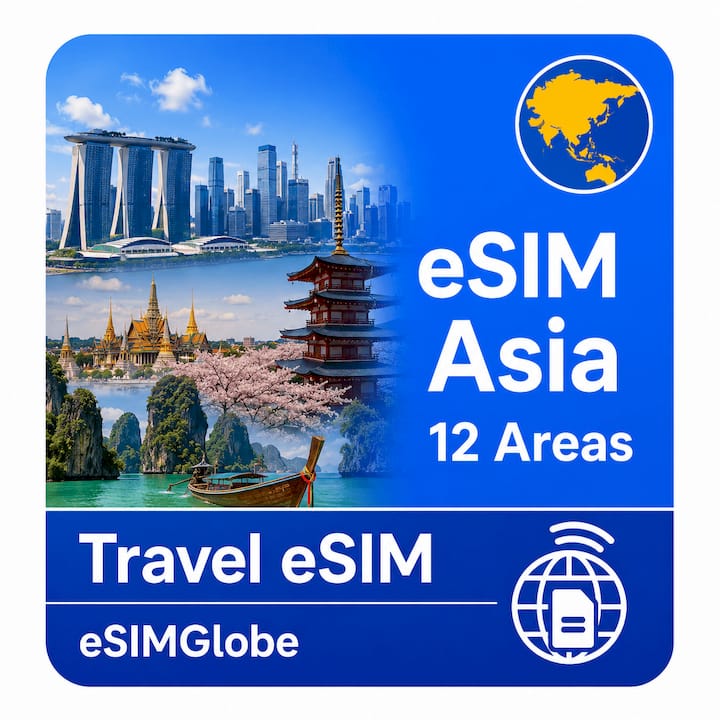
- eSIM Asia (12 areas): Matches the region-hopping pattern common in Southeast Asia, Thailand to Vietnam to Singapore, where budget travelers often cross three or four borders in a single trip.
- eSIM South Korea China Japan: A tighter East Asia pass for the specific triangle that draws the most business and leisure traffic in that region. If your trip is contained to those three markets, this beats a wider Asia bundle on relevance.
- eSIM North America (3 areas): Covers cross-border trips within North America, useful for business travelers or road-trippers moving between countries on the continent without juggling separate national plans.
- eSIM Dubai, eSIM Monaco, and eSIM Tonga: Single-country products for travelers who know exactly where they’re going and don’t need regional overlap. Buying a dedicated single-country plan instead of a broad bundle is usually cheaper per gigabyte when your whole trip happens in one place.
Every one of these delivers by email, a QR code or Direct Install link is available after payment clears, and support is available if activation stalls. None of them require a physical visit to a store or a wait for shipping, which matters if you’re buying the night before a flight. Travelers heading to Hong Kong specifically should check the eSIM Global (130+ areas) product page, since Hong Kong is included within eSIMGlobe’s broader Asia and global regional coverage.
Which Plan Fits Your Actual Trip?
Picking the right eSIM comes down to four variables: how many countries you’re visiting, how long you’re gone, how much data you’ll actually use, and what you’re willing to pay per gigabyte versus per day. Get those four right and the product choice basically picks itself.
Pricing shapes work differently depending on your travel pattern. Per-gigabyte plans reward light users, someone checking maps and messaging apps a few times a day rarely burns through a metered allowance. Daily unlimited plans cost more on a per-day basis but remove the anxiety of running out mid-trip, which is worth paying for if you’re streaming video, using the phone as a mobile hotspot, or working remotely. Multi-country bundles, meanwhile, save money the moment you cross a second border, since buying separate single-country plans for three countries almost always costs more than one regional pass covering all three.
Here’s how traveler profiles map to product choice:
- The multi-country backpacker or business hopper: eSIM Global (130+ areas) or a regional bundle like eSIM Europe (40+ areas) if the trip stays within one continent. Buying once and forgetting about borders beats juggling five separate country plans.
- The short city-break traveler: A single-country product, like eSIM Dubai or eSIM Monaco, is cheaper and simpler than a regional bundle when your entire trip happens in one place over a long weekend.
- The heavy streamer or remote worker: eSIM Global (120+ areas) Unlimited. Insight from providers tested on iOS suggests unlimited daily plans reduce cognitive load for high-data users but usually cost more per day than metered regional plans, so they only make sense once your daily usage regularly exceeds a few gigabytes.
- The regional specialist: Someone doing a Japan, South Korea, and China loop is better served by the eSIM South Korea China Japan pass than a broader Asia bundle, since paying for 12 areas when you’re only visiting three adds cost without adding value.
Run through this four-step checklist before buying:
- Count your countries. One country points to a single-country plan; two or more points to a regional or global bundle.
- Estimate your data habit honestly. Light use (maps, messaging, browsing) fits a metered plan; heavy use (streaming, hotspot, video calls) justifies unlimited.
- Check your trip length. Longer trips amortize the cost of a bigger bundle better than a three-day trip would.
- Set a budget ceiling per day. Divide the plan’s total price by trip length and compare that daily figure against what a local prepaid SIM would cost, since that’s your real benchmark.
Pro Tip: If your itinerary changes mid-trip, don’t force your original eSIM to cover a country it wasn’t built for. iPhone 18 supports multiple stored eSIM profiles, so you can add a second regional or country-specific plan through Direct Install without removing the first one, then simply switch which line handles cellular data in Settings.
For a broader breakdown of how EsimGlobe’s product families compare across longer trips, the international traveler’s guide walks through additional scenarios beyond the four covered here.
How to Activate an eSIM on iPhone 18 Without Losing Your Number
Apple confirmed that iPhone 18 Pro and Pro Max support eSIM, and in a specific list of countries, including the United States, those Pro models ship as eSIM-only with no physical SIM tray at all. Apple’s own newsroom material frames this as a flexibility and battery-efficiency improvement over physical SIM cards, not a downgrade, and it lines up with where the rest of the industry has been heading for several years.
Statistic callout: Apple states eSIM is now supported by hundreds of carriers worldwide, including every major US carrier, which is why activating a travel eSIM rarely runs into a “carrier not supported” wall the way physical SIM swaps sometimes did in the past.
Here’s the activation sequence for a new eSIMGlobe plan on iPhone 18:
- Buy the plan on the eSIMGlobe product page for your destination and check your email for the QR code and Direct Install link.
- Connect to Wi-Fi. Apple Support notes some activations require an internet connection to complete, so don’t wait until you land with no signal.
- Tap the Direct Install link from your confirmation email if you’re opening it on the iPhone 18 itself, or scan the QR code from Settings if you’re setting it up from another device first.
- Let iOS finish provisioning. This typically takes under a minute once Direct Install starts.
- Set your default line for Cellular Data in Settings under Cellular, choosing the new travel eSIM.
- Keep your home line active for Voice and SMS so FaceTime, iMessage, and two-factor authentication codes keep landing on your usual number.
That last step is the one people skip and then regret. Apple Support’s own guidance is explicit: set the travel eSIM as your data line while keeping the home line assigned to voice and text, and continuity for messaging and account verification carries over automatically.
Troubleshooting checklist, in case service doesn’t appear right away:
- Confirm you were on Wi-Fi during activation, since some eSIM profiles need an internet handshake to finish provisioning.
- Check whether your iPhone 18 is carrier-locked from a previous contract; a locked device can block a second eSIM even when the profile installs successfully.
- If you’re buying a physical SIM locally as a backup, know that several countries require ID or passport registration at the point of sale, which a digital eSIM purchase skips entirely.
- If cellular data still won’t connect after installation, toggle Airplane Mode on and off, which forces the iPhone to re-register with the network.
For a deeper walkthrough with screenshots specific to iOS menus, the iPhone eSIM setup guide covers the same steps in more visual detail.
Where eSIM Still Falls Short on iPhone 18
eSIM solves most travel connectivity headaches, but it isn’t flawless, and pretending otherwise sets up bad expectations.
Country-specific rules still bite. Some markets require local ID or passport registration even for eSIM activation, particularly when you’re buying a plan tied to a local carrier rather than an international provider like eSIMGlobe. That requirement adds friction exactly when you have the least patience for it, right after landing.
Storage and active-line limits are real. iPhone 18 can hold multiple eSIM profiles in storage, but only a limited number can be active simultaneously, generally two active lines at once on current models. That’s plenty for most trips, but travelers doing rapid multi-country loops with a different local eSIM in every stop need to actively manage which profiles stay installed versus which get deleted to free up space.
Number portability doesn’t apply the way it does with physical SIMs. If you’re relocating rather than traveling, a travel eSIM isn’t a path to keeping a local number long-term the way porting a physical SIM sometimes is.
Cost crossover point exists. For a stay longer than a month in one country, or in a market where local prepaid rates are unusually low, a local physical SIM purchased on the ground can beat even a well-priced regional eSIM bundle. eSIM wins on convenience and setup speed; a long-stay local SIM sometimes wins on raw cost per gigabyte.
- Delete unused eSIM profiles between trips to avoid hitting the active-line ceiling mid-itinerary.
- Compare your regional eSIM’s per-day cost against a local SIM’s advertised rate before committing to a month-plus stay.
- Keep your home line’s voice and SMS assignment untouched even when switching data eSIMs, so you never have to re-verify accounts mid-trip.
Pro Tip: Label your eSIM profiles by trip name in Settings (tap the plan, then “Label”) the moment you install them. When you’re juggling three regional passes across a six-week trip, “Japan Trip Data” is a lot easier to find under pressure than “Cellular Plan 3.”
For longer-stay strategies specifically, the eSIM travel tips guide covers how to manage connectivity across extended, multi-leg trips.
Why Trust This Guide
This provider operates as an international telecommunications platform built around eSIM access for travelers, letting users select country and regional plans, pay in multiple currencies, and manage everything without a physical SIM card. That regional flexibility, rather than a one-size-fits-all global plan, is why the product breakdown earlier in this guide focuses on specific country and regional bundles instead of a single generic recommendation.
- The service supports multiple regions, currencies, and languages, designed for international travelers, digital nomads, expatriates, and business users needing adaptable connectivity.
- Daniel, who authors eSIMGlobe’s traveler guides, has written device-specific setup content including the iPhone international traveler’s guide and comparable guides for Apple Watch, covering activation flows across multiple Apple device generations.
For readers upgrading from an older iPhone, the eSIM for iPhone 15 guide covers how activation steps have shifted across recent iOS versions.
Matching Plans to How You Actually Travel
A weekend in Dubai and a six-week Southeast Asia loop have nothing in common data-wise, and treating them the same is how travelers end up either overpaying or running out of data on day three.
Short trips favor single-country simplicity. If you’re in one place for under a week, a dedicated country plan, like eSIM Dubai or eSIM Monaco, is usually cheaper per gigabyte than a regional bundle, because you’re not paying for coverage in countries you’re not visiting.
Regional trips reward bundles the moment you cross a second border. Two or three countries on one trip almost always costs less under one regional pass, like eSIM Asia (12 areas) or eSIM Europe (30+ areas), than buying separate plans at each stop.
Unlimited plans exist for a specific kind of traveler, not everyone. If your trip involves daily video calls, cloud backups, or using your phone as a hotspot for a laptop, eSIM Global (120+ areas) Unlimited removes the anxiety of data tracking. For someone mostly using maps and messaging apps, that same plan is paying for headroom you’ll never use.
Business travel adds its own wrinkle. Convenience tends to rank above price for business travelers juggling tight schedules, since a failed activation before a client meeting costs far more than the plan itself. That’s part of why Direct Install matters so much on iPhone 18: it removes the physical-store step entirely.
Comparing eSIM Providers for iPhone 18 Users
Local, in-country SIM providers can undercut eSIM bundles on raw price for long stays, but they typically demand ID registration and a physical retail visit that eats into a traveler’s first day on the ground. For most iPhone 18 travelers, especially anyone on a trip under a month, the setup speed of an eSIM purchased before departure outweighs the marginal savings of hunting down a local SIM counter after a long flight.
Network Compatibility Across Regions
iPhone 18’s eSIM support isn’t uniform in how it behaves country to country, mostly because the Pro and Pro Max models ship eSIM-only in a specific list of markets, the United States among them, while other regions still get a physical SIM tray alongside eSIM support. That distinction affects only the Pro line’s hardware, not eSIM functionality itself, which works the same way across every current iPhone model that supports it.
Network band support matters more once you leave regions with strong 5G buildout. Coverage strength varies by carrier partnership in each country, not by the eSIM technology itself, since eSIM is just a digital delivery method for the same cellular radios already inside the phone. A regional bundle like eSIM Europe (40+ areas) routes you through partner networks in each country, so actual signal strength depends on local infrastructure rather than anything eSIMGlobe controls directly. Rural or remote areas within any region can still see weaker signal than city centers, regardless of which eSIM plan you’re using.
Security and Privacy With eSIM on iPhone 18
eSIM profiles are encrypted and tied to the physical hardware of your iPhone, which makes them meaningfully harder to clone or intercept than a physical SIM card that can be physically removed and inserted into another device. That hardware binding is part of why Apple has pushed eSIM-only models forward rather than treating it as an optional feature.
Buying from a legitimate provider matters more than most travelers realize. Your eSIM purchase involves an email delivery containing a QR code or activation link, and that link should only ever come from the provider’s own confirmation email, never a forwarded or screenshotted version from a third party, since activation credentials can be misused if intercepted. Deleting an eSIM profile after your trip ends removes it completely from the device, unlike some physical SIM habits where an old card gets tossed in a drawer and forgotten. For travelers concerned about data privacy while abroad, using a data-only eSIM for browsing and reserving your home line strictly for voice and SMS also limits how much traffic runs through unfamiliar local networks.
An Editorial Take on eSIM for iPhone 18
The eSIM conversation online still treats compatibility as the main question, and that’s outdated. iPhone 18 support isn’t in doubt. The real decision travelers get wrong is treating every trip like it needs the same plan, buying a massive global bundle for a four-day trip to one city, or grabbing a cheap single-country plan right before a five-country loop that leaves them scrambling for signal at the next border.
The conventional advice, “just get whichever eSIM is cheapest,” ignores that price per gigabyte means nothing if the coverage doesn’t match your itinerary. A $20 plan that only covers one country is worthless the moment you cross into the next one. Match the product to the trip shape first, then compare prices within that category, not across categories.
What I’d prioritize first: figure out your country count and your realistic daily data use before opening any eSIM store. Everything else, activation, support quality, pricing tiers, matters far less than getting that first decision right.
— Daniel
Buy Your iPhone 18 eSIM Now
Once you know your trip shape, buying takes minutes, not hours. eSIMGlobe delivers every plan by email instantly after checkout, prepaid with no subscription commitment, and support runs 24/7 if activation hits a snag. Pick your currency at checkout, USD, EUR, or GBP, and you’re set before you even pack your bag.
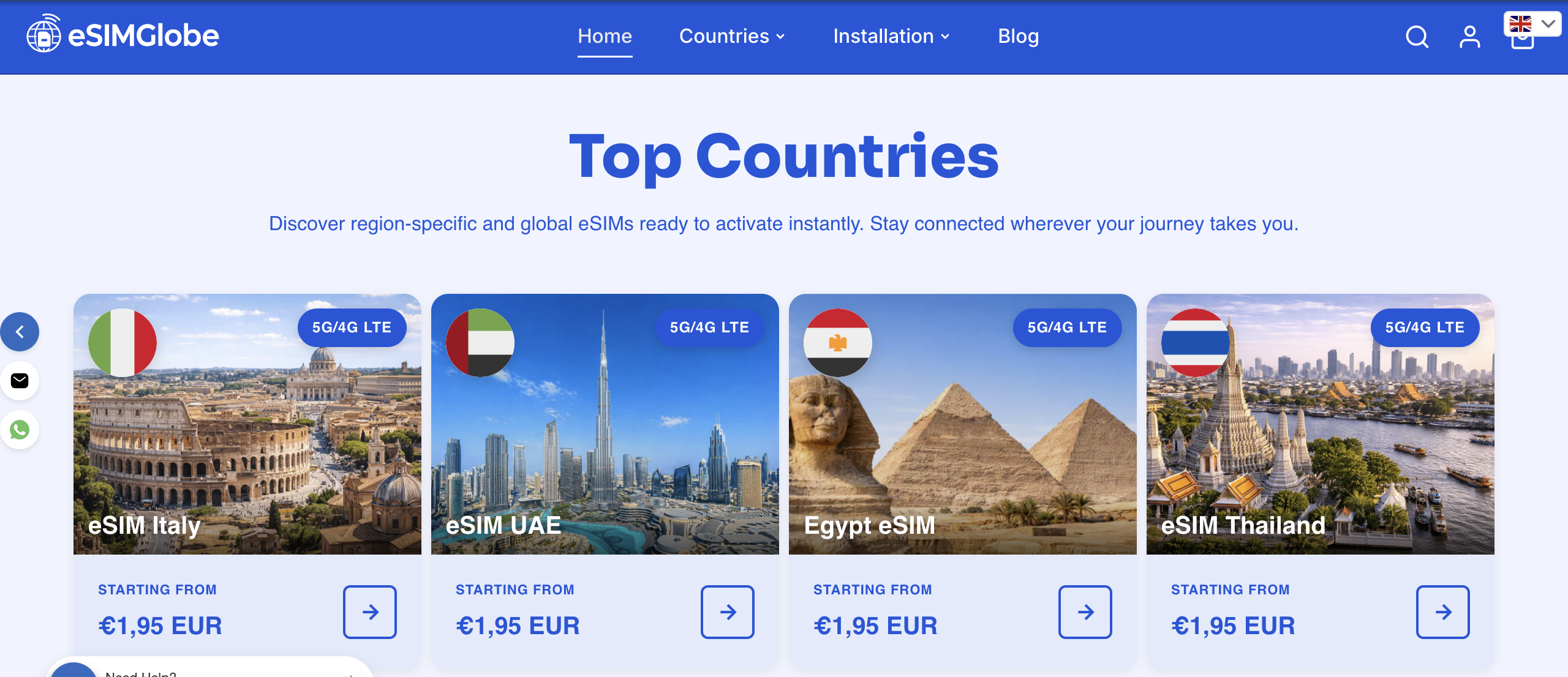
For most multi-country trips, start with eSIM Global (130+ areas), the widest coverage option in the catalog. Heavy data users and remote workers should look at eSIM Global (120+ areas) Unlimited instead, since daily unlimited data removes the need to track usage while streaming or hosting video calls. Travelers sticking to one region can go narrower: eSIM Europe (40+ areas) for a multi-country Europe swing, or eSIM Asia (12 areas) for a Southeast Asia loop. Single-destination travelers, including anyone heading to Hong Kong, will find dedicated coverage within eSIMGlobe’s eSIM Global (130+ areas) bundle, which includes Hong Kong among its supported areas.
Every purchase works the same way regardless of which product you choose: select your plan, pay securely, and receive your QR code and Direct Install link by email within moments. There’s no waiting for shipping and no store visit required, just activate it directly on your iPhone 18 whenever you’re ready to travel.
Sources and Further Reading
This guide draws on Apple’s own newsroom announcement covering iPhone 18 Pro and Pro Max eSIM support, Apple Support’s official documentation on using eSIM while traveling internationally, and MacRumors’ reporting on which countries received eSIM-only iPhone 18 Pro models. Industry-level eSIM adoption context comes from Juniper Research’s telecom eSIM reporting.
For deeper device-specific reading, eSIMGlobe’s own blog covers related setup scenarios:
- Best eSIM for traveling: the international traveler’s guide
- eSIM for iPhone 15: travel-ready guide for digital nomads
- eSIM travel tips: stay connected abroad in 2026
FAQ
Does the iPhone 18 support eSIM?
Yes. Apple confirmed iPhone 18 Pro and Pro Max support eSIM, and in several countries, including the United States, those Pro models ship eSIM-only with no physical SIM tray at all.
Which eSIM provider is best for iPhones?
For most iPhone 18 travelers, a provider offering wide regional or global coverage with Direct Install support, like eSIMGlobe’s eSIM Global (130+ areas) plan, fits multi-country trips best, while single-country plans suit travelers staying in one destination.
What is the downside of eSIM on iPhone 18?
The main limits are a cap on how many eSIM profiles can be active at once (generally two), potential ID or registration requirements in some countries for local carrier eSIMs, and a cost crossover where long stays sometimes favor a local physical SIM over an eSIM bundle.
What is the most trusted eSIM?
Trust comes down to transparent activation, real support availability, and coverage that matches Apple’s own carrier support list; eSIMGlobe covers all three, with 24/7 support, instant email delivery, and Direct Install compatibility confirmed for iPhone 18.