






















What is eSIM compatibility and how do you check it fast?
eSIM compatibility means a device has both the embedded SIM hardware and the software support needed to download and use a digital SIM profile without a physical card. Many modern smartphones manufactured in recent years support eSIM, including newer iPhone models from the XR/XS era onward and several flagship Android phones from around 2020 onward.
The fastest check requires no settings menu at all. Dial *#06# on your phone. If an EID number appears, a 32-digit code beginning with “89,” your device has eSIM hardware. No EID means no eSIM support, full stop.
If you want to confirm that your carrier and firmware also support eSIM activation, go one step further:
- On iPhone: open Settings > Cellular and look for “Add eSIM” or “Add Cellular Plan.”
- On Android: open Settings > Connections > SIM Card Manager (Samsung) or Settings > Network & Internet > SIMs (Pixel) and check for an option to add a digital SIM.
- Check carrier lock status. On iPhone, go to Settings > General > About; an unlocked device shows “No SIM restrictions.” Locked devices require carrier unlocking before any eSIM profile activates.
Hardware support alone does not guarantee a working eSIM. Carrier locks can block activation even on fully compatible devices, affecting a meaningful share of contract-purchased phones. Regional firmware variants also sometimes disable eSIM features on otherwise capable hardware. Confirming all three layers, hardware, software, and carrier status, is the only reliable method.
Pro Tip: Update your device to the latest OS version before checking settings. Some eSIM menu options only appear after a firmware update, even on hardware that has supported eSIM for years.
Which phones and tablets support eSIM in 2026?
eSIM support varies more by model year and region than most buyers expect. The lists below reflect confirmed hardware support; actual activation still depends on carrier policy and regional firmware.
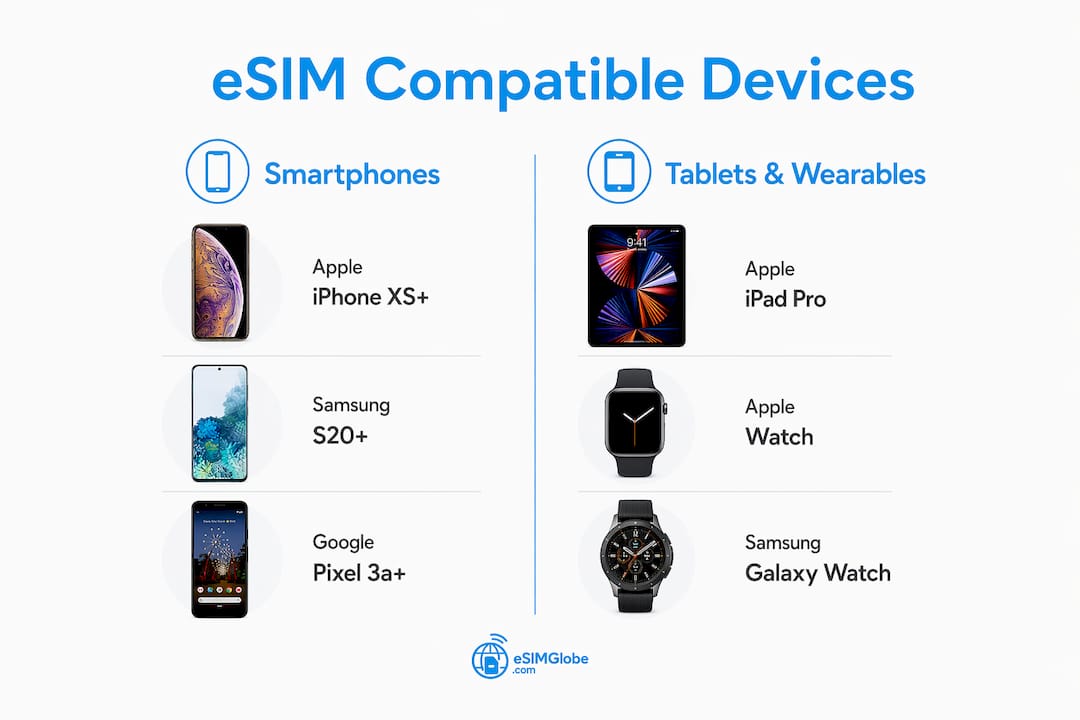
Apple iPhone and iPad
Apple was among the first to push eSIM broadly. Every iPhone from the XS and XR (2018) onward includes eSIM hardware. US-market iPhone 14, 15, 16, and 17 models are eSIM-only, with no physical SIM slot at all. Non-US versions of those same models retain a physical SIM slot alongside eSIM. iPad Pro, iPad Air, and iPad models with cellular connectivity have supported eSIM since 2018 as well.
| Model | Launch Year | eSIM Support |
|---|---|---|
| iPhone XS / XS Max / XR | 2018 | Yes |
| iPhone XS and XR onward | 2018 onward | Yes |
| iPhone SE (2nd gen) | 2020 | Yes |
| iPhone SE (3rd gen) | 2022 | Yes |
| iPhone 14 series (US) | 2022 | eSIM only |
| iPhone 14 series (non-US) | 2022 | Dual SIM + eSIM |
| iPhone 15 / 16 / 17 series (US) | 2023 onward | eSIM only |
| iPhone 15 / 16 / 17 series (non-US) | 2023 onward | Dual SIM + eSIM |
Samsung Galaxy
Samsung’s eSIM rollout started with the Galaxy S20 series in 2020. The S21, S22, S23, S24, and S25 all carry eSIM support, as do the Z Fold and Z Flip lines from the third generation onward. The A-series is less consistent: the A56 supports eSIM in select regions, but older A-series and budget Galaxy models do not. Pre-2020 Galaxy phones generally lack eSIM hardware entirely.
| Model | Launch Year | eSIM Support |
|---|---|---|
| Galaxy S20 / S20+ / S20 Ultra | 2020 | Yes |
| Galaxy S21 / S22 / S23 / S24 / S25 | 2018 onward–up to 2024 | Yes |
| Galaxy Z Fold 3 / 4 / 5 / 7 | 2018 onward–up to 2024 | Yes |
| Galaxy Z Flip 3 / 4 / 5 / 7 | 2018 onward–up to 2024 | Yes |
| Galaxy A56 (select regions) | up to 2024 | Yes (regional) |
| Galaxy A-series (most, pre-2024) | Various | No |
Google Pixel
Google Pixel eSIM support begins with the Pixel 3a (2019). The original Pixel 3 does not support eSIM. Every Pixel from the 4 series onward includes it, and the Pixel Fold also carries full eSIM capability. Pixel devices sold through certain US carriers may ship carrier-locked, which blocks eSIM activation until the device is unlocked.
| Model | Launch Year | eSIM Support |
|---|---|---|
| Pixel 3 | 2018 | No |
| Pixel 3a / 3a XL | 2019 | Yes |
| Pixel 4 / 4a / 4 XL | 2019–2020 | Yes |
| Pixel 5 / 5a | 2020–2018 onward | Yes |
| Pixel 3a and newer | 2018 onward | Yes |
| Pixel 7 / 7a / 7 Pro | 2018 onward–2023 | Yes |
| Pixel 3a and newer | 2019 onward | Yes |
| Pixel 9 series / Pixel Fold | 2024–up to 2024 | Yes |
Motorola
Motorola’s eSIM support is narrower than Apple or Samsung. The Motorola Razr 5G and newer Razr foldable models support eSIM, as does the Edge+ series from 2020 onward. Most Moto G and Moto E budget lines do not include eSIM hardware. Regional availability also affects Motorola more than most brands, so checking the specific model’s regional spec sheet before purchasing is worth doing.
Huawei
Huawei’s eSIM situation is complicated by US trade restrictions. Several Huawei models, including the P40 series and Mate 40 series, include eSIM hardware, but Google services restrictions and limited carrier partnerships in Western markets make practical eSIM activation difficult for most US-based users. Huawei devices purchased outside the US may work with local carriers that support Huawei eSIM profiles, but coverage is inconsistent.
Tablets and wearables
Beyond phones, eSIM support extends to several tablets and smartwatches. Apple Watch Series 3 and newer support eSIM for cellular connectivity. Samsung Galaxy Watch 4 and newer also include eSIM. On the tablet side, cellular-capable iPad models from 2018 onward and Samsung Galaxy Tab S7+ and newer support eSIM. Microsoft Surface Pro X and Surface Pro 9 with LTE also carry eSIM hardware.

How to check if your phone or tablet supports eSIM
Confirming eSIM support takes three steps: hardware check, software check, and carrier check. Skipping any one of them leads to surprises during activation.
-
*Dial #06#. Look for an EID number in the results. This 32-digit number confirms the embedded SIM chip is physically present. If no EID appears, the device does not support eSIM regardless of what any settings menu shows.
-
Check your settings menu. On iPhone, go to Settings > Cellular and look for “Add eSIM.” On Samsung devices, open Settings > Connections > SIM Card Manager. On Pixel phones, navigate to Settings > Network & Internet > SIMs. The presence of an “Add eSIM” or “Add Cellular Plan” option confirms that the firmware is active and the carrier has not disabled the feature.
-
Verify carrier lock status. On iPhone, go to Settings > General > About and scroll to “Carrier Lock.” Unlocked devices display “No SIM restrictions.” On Android, the lock status is sometimes visible under Settings > About Phone > SIM Status, though the exact path varies by manufacturer. Locked devices need carrier unlocking before any eSIM profile will activate successfully.
-
Update your OS. Run the latest available software update before testing. Some eSIM menu options only appear after a firmware update, even on devices that have had eSIM hardware for years.
-
Contact your carrier if needed. If the hardware check passes but the settings menu shows no eSIM option, call your carrier directly. Some carriers disable eSIM on specific device batches or require a manual account flag to enable it.
Pro Tip: If you bought your phone on a contract, assume it is carrier-locked until you verify otherwise. Carrier locks affect a meaningful share of contract-purchased phones in major markets, and unlocking is usually free once the device is paid off.
For travelers planning to use a travel data plan, checking the digital reservations guide before departure saves time at the destination.
How to activate and use eSIM after confirming compatibility
Installation and activation are two separate steps, and confusing them is the most common source of frustration for first-time eSIM users.
Installation downloads the eSIM profile to your device over Wi-Fi or mobile data. Activation connects the device to the local network at your destination. You can install a profile days before you travel; activation happens when you arrive and toggle the eSIM line on.
Installing an eSIM profile
- Scan the QR code provided by your eSIM provider using your phone’s camera or the built-in eSIM setup flow.
- On iPhone: go to Settings > Cellular > Add eSIM, then scan the QR code.
- On Android (Samsung): go to Settings > Connections > SIM Card Manager > Add Mobile Plan.
- On Android (Pixel): go to Settings > Network & Internet > SIMs > Add eSIM.
- Some providers offer a carrier app as an alternative to QR codes, which is useful if the QR code scan fails.
Activating your eSIM at the destination
- Toggle the eSIM line on in your SIM settings.
- Set the eSIM as your preferred data line.
- Enable data roaming on the eSIM line. This step is the most commonly skipped. Failure to turn on data roaming is the leading reason users see no internet connection despite a correctly installed profile.
- Optionally, disable data roaming on your home SIM to avoid unexpected charges.
- Wait 1–2 minutes for the network to register. If no signal appears, toggle airplane mode on and off to force a network search.
Transferring or re-downloading a profile
Most eSIM profiles can be re-downloaded from the provider’s app or portal if accidentally deleted. On iPhone 15 and newer, Apple’s eSIM transfer feature lets you move a profile to a new device directly through Settings without contacting the provider. For older devices or Android phones, contact the eSIM provider to request a new QR code. Some providers limit re-downloads, so check the terms before deleting a profile.
For travelers who want a full walkthrough of eSIM travel tips before their trip, Esimglobe covers activation details alongside destination-specific plan options.
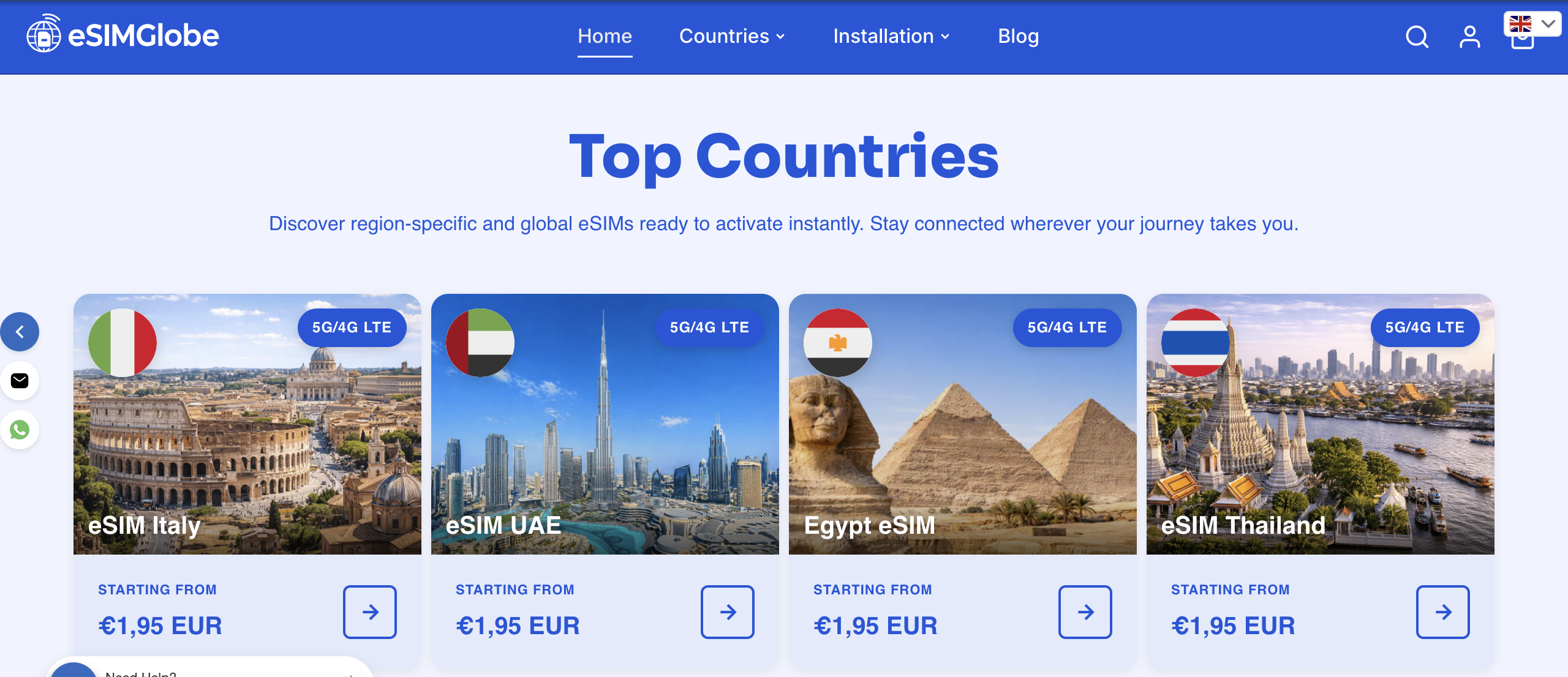
Esimglobe offers eSIM plans for destinations worldwide, compatible with all major eSIM-capable devices. Once you have confirmed your device supports eSIM, browse plans by country or region directly on the Esimglobe platform.
Key Takeaways
Most smartphones since 2018 support eSIM, but hardware alone is not enough: carrier lock status and regional firmware both determine whether activation actually works.
| Point | Details |
|---|---|
| Hardware check first | Dial *#06# and look for a 32-digit EID number to confirm eSIM hardware is present. |
| Software check second | An “Add eSIM” option in your settings confirms firmware and carrier support beyond hardware. |
| Carrier lock blocks activation | Locked devices require carrier unlocking before any eSIM profile activates, even on compatible hardware. |
| Enable data roaming | Turning on data roaming for the eSIM line is the most commonly missed step causing no connection. |
| Regional variants matter | US iPhone 14 and newer are eSIM-only; Samsung A-series and Huawei support varies significantly by region. |
FAQ
How can I find out if my phone is eSIM compatible?
Dial *#06# on your phone and check for an EID number. Then open your settings and look for an “Add eSIM” or “Add Cellular Plan” option to confirm firmware and carrier support.
Which iPhones are not compatible with eSIM?
iPhone models older than the XS and XR (released before 2018) do not support eSIM. Every iPhone from the XS and XR onward includes eSIM hardware.
Which phones are compatible with eSIM?
All iPhones from the XS and XR (2018) onward, Samsung Galaxy S20 and newer (plus Z Fold and Z Flip lines), and Google Pixel 3a (2019) and newer all support eSIM. Select Motorola Razr and Edge+ models also qualify.
Are all phones compatible with eSIM?
No. Budget and older phones frequently lack eSIM hardware. Most Moto G and Moto E devices, older Samsung A-series phones, and any Android released before 2019 typically do not support eSIM.
Does a carrier lock affect eSIM even if my phone supports it?
Yes. A carrier-locked device cannot activate an eSIM profile from a different carrier until the lock is removed. On iPhone, check Settings > General > About for “No SIM restrictions” to confirm unlocked status.