


TL;DR:
- Purchasing and installing an eSIM before travel ensures reliable connectivity abroad on unlocked, compatible devices.
- Properly configuring default lines, labeling profiles, and backing up activation details prevent common activation issues and service delays.
An eSIM is a digital SIM profile embedded in your smartphone that replaces the need for a physical SIM card, and buying one correctly before you travel is the single most effective way to guarantee mobile connectivity abroad. Unlike traditional SIM cards, eSIMs from providers like Esimglobe, Airalo, and Nomad can be purchased online, installed at home, and activated automatically the moment your phone connects to a network in your destination country. The key esim purchasing tips every traveler needs cover device compatibility, timing, activation steps, and plan selection. Get these right, and you land with data already working.
1. Confirm your device compatibility before anything else
Device compatibility is the first check in any eSIM buying guide, and skipping it causes more failed purchases than any other mistake. Not every smartphone supports eSIM technology. Compatible devices include the iPhone XS and all later models, Google Pixel 3 and above, Samsung Galaxy S20 series and newer, and most flagship Android devices released after 2020.
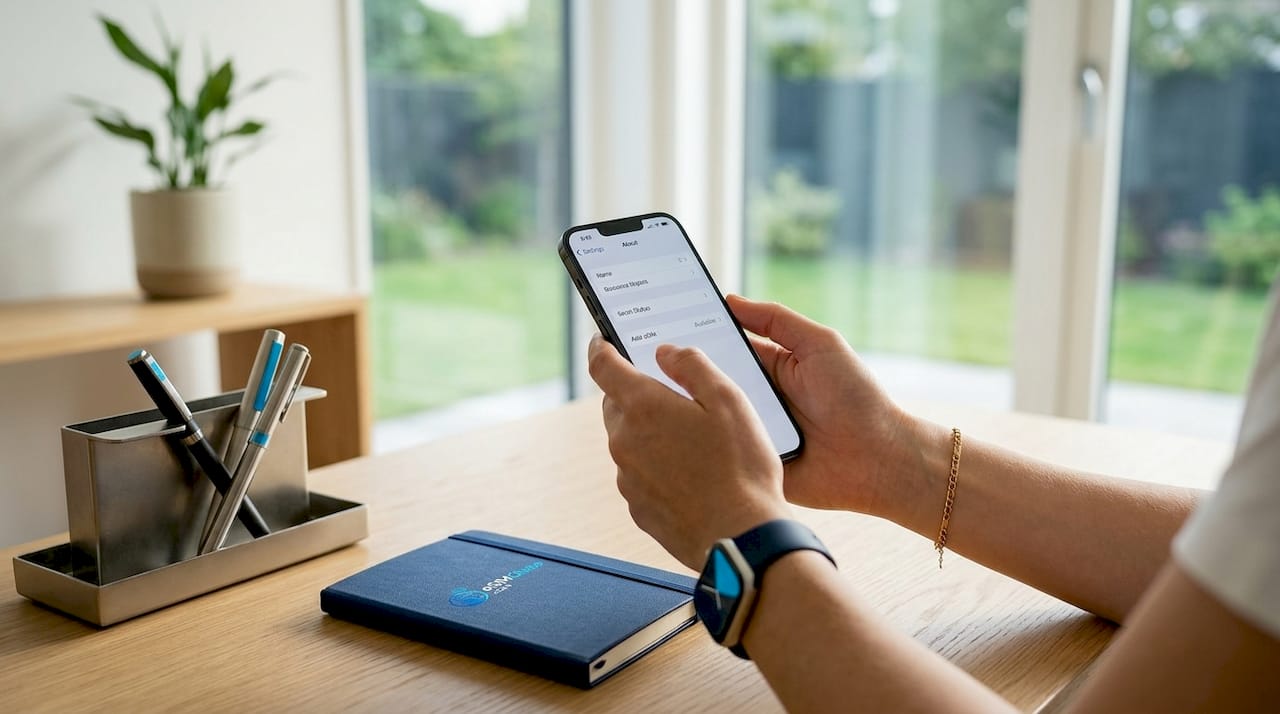
To check on iPhone, go to Settings, then General, then About. If you see an “Available SIM” or “Add eSIM” option, your device is compatible. On Android, navigate to Settings, then Connections or Network, then SIM Card Manager. The presence of a “Download SIM” or “Add eSIM” option confirms support.
iOS 17.4+ and Android 14+ include critical eSIM software improvements that reduce activation errors and improve roaming performance. Updating your phone OS before purchase is not optional. It directly affects whether your eSIM profile installs without errors.
Pro Tip: *Check your IMEI settings page on iPhone by dialing #06#. If you see an EID number listed alongside your IMEI, your device supports eSIM.
2. Verify your phone is carrier-unlocked
Carrier-locked phones block third-party eSIMs, making unlock status a mandatory pre-purchase check. Phones locked to carriers like Verizon, AT&T, or Airtel reject eSIM profiles from providers like Esimglobe or Airalo entirely. This is one of the most common reasons travelers buy a plan and then cannot activate it.
To check unlock status on iPhone, go to Settings, then General, then About, and look for “Carrier Lock.” If it reads “No SIM restrictions,” you are unlocked. On Android, the process varies by manufacturer, but most devices show unlock status under Settings, then About Phone, then SIM Status.
If your phone is locked, contact your carrier directly. Most carriers unlock devices after the contract period ends or upon request. Carriers in the United States, India, and the Philippines apply particularly strict eSIM restrictions, so travelers from those regions need to confirm unlock status well before departure.
- iPhone XS and later: check Settings > General > About > Carrier Lock
- Android: Settings > About Phone > SIM Status or contact your carrier
- US carriers: Verizon, AT&T, and T-Mobile all have online unlock request portals
- India and Philippines: carrier unlock policies vary; contact your provider at least one week before travel
3. Buy and install your eSIM before you leave home
The best time to purchase and install a travel eSIM is between one and 30 days before your departure. Most travel eSIM plans allow installation up to 30 days before travel without starting the data clock. The eSIM profile sits dormant on your device until your phone registers on a network in the destination country.
This distinction matters. Installation and activation are two separate events. Installing the profile at home over a stable Wi-Fi connection takes five minutes and costs nothing extra. Activation happens automatically on arrival. Travelers who wait until they land to purchase a plan risk poor airport Wi-Fi, activation delays, and arriving at their hotel without data.
Here is the standard purchase and installation process:
- Visit Esimglobe.com or your chosen provider’s website and select your destination country or region.
- Choose a data plan that matches your expected usage and trip length.
- Complete payment. You receive a QR code by email or within the provider’s app.
- On iPhone: go to Settings > Cellular > Add eSIM > Use QR Code. On Android: Settings > Connections > SIM Manager > Add eSIM.
- Scan the QR code over a stable Wi-Fi connection.
- Label the new eSIM line clearly, for example “Japan Data” or “Europe Trip.”
- Set your home SIM as the default for calls and SMS. Set the eSIM as the default for mobile data.
- Enable Data Roaming on the eSIM line only.
Pro Tip: If your camera cannot scan the QR code due to lighting or screen glare, manual SM-DP+ entry is a reliable fallback. Your provider’s confirmation email includes the activation code and server address for manual input.
4. Label your eSIM lines and configure defaults correctly
Incorrect default settings cause more connectivity problems than bad network coverage. When your phone has two active lines, one home SIM and one travel eSIM, the device needs clear instructions about which line handles which task.
Set your home SIM as the default for voice calls and SMS. This keeps your regular phone number active for two-factor authentication texts and calls from contacts who do not know you are abroad. Set the travel eSIM as the default for mobile data. This is the line that connects to local partner networks and uses your purchased data allowance.
Data Roaming must be enabled on the eSIM line specifically. Travel eSIMs technically operate as roaming on partner networks, so the Data Roaming toggle is mandatory on the eSIM line. Enabling it on your home SIM line by mistake triggers your home carrier’s international roaming rates, which can be expensive.
Labeling each line with a clear name prevents confusion when toggling settings mid-trip. Generic labels like “Primary” and “Secondary” cause errors. Specific labels like “AT&T Home” and “Thailand 5GB” remove all ambiguity.
5. Troubleshoot activation issues before they become problems
Most eSIM activation problems fall into four categories: Data Roaming not enabled, incorrect default data line, auto-network connection failure, and corrupted or expired QR codes. Knowing the fix for each one saves significant time abroad.
- No service after arrival: Toggle Airplane Mode on and off. This forces the device to re-scan for available networks.
- Data not working despite signal bars: Confirm Data Roaming is enabled on the eSIM line, not the home SIM line.
- Auto-network failure: Manually selecting a network partner resolves issues when the eSIM’s auto-connection latches onto an unsupported tower. Go to Settings > Cellular > Network Selection and disable automatic selection.
- QR code already used: Most QR codes are single-use tokens. Contact your provider for a reissue. Esimglobe’s support team handles reissue requests within hours.
- Profile not installing: Confirm you are on Wi-Fi, not cellular data, during installation.
“The eSIM profile is cryptographically tied to your device’s EID, which prevents easy profile sharing or transfer without provider intervention. This secures your plan but means device swaps mid-trip require a provider reissue.”
Save your QR code image and activation details in a cloud folder or email thread before you travel. Offline backup of activation codes is the fastest path to reinstallation if you reset your device or experience profile corruption.
6. Compare eSIM providers before committing to a plan
Choosing the right provider is where most travelers leave money on the table. Coverage area, price per GB, hotspot support, and customer service quality vary significantly across providers. The table below covers the most relevant comparison points.
| Provider | Coverage | Hotspot | Voice/SMS | Support Quality |
|---|---|---|---|---|
| Esimglobe | 190+ countries | Yes | Select plans | 24/7 live support |
| Airalo | 200+ countries | Yes | No (data only) | Email and chat |
| Nomad | 100+ countries | Yes | No (data only) | Email only |
| Holafly | 60+ countries | Limited | No (data only) | Chat support |
| Ubigi | 190+ countries | Yes | No (data only) | Email only |
Regional eSIM plans for areas like Europe cover dozens of countries on one shared data pool with automatic carrier switching at borders. Providers like Nomad and Airalo offer multi-country European plans, but coverage gaps in Eastern Europe and the Balkans are common. Esimglobe’s regional plans include broader network partnerships and fewer dead zones on cross-border routes.
Price per GB is not the only cost metric that matters. A plan priced at $2 per GB with no hotspot support costs more in practice if you rely on tethering your laptop. Check hotspot permissions, data throttling thresholds, and plan validity windows before purchasing. Some providers offer unlimited plans that throttle to 1 Mbps after a daily cap, which is unusable for video calls.
For travelers comparing best eSIM options across multiple trips, Esimglobe’s flexible pricing and multi-region catalog make it the most practical starting point. Some providers also bundle VPN services with their eSIM plans, which improves security on public Wi-Fi in countries with restrictive internet policies.
7. Optimize your eSIM data usage during travel
Buying the right plan is only half the equation. How you manage data during your trip determines whether you run out on day three or finish with gigabytes to spare.
- Monitor usage daily: Both iPhone and Android track data consumption per SIM line. Check Settings > Cellular > eSIM line name to see real-time usage.
- Use offline maps: Download Google Maps or Maps.me regions before departure. Navigation consumes significant background data if you rely on live map loading.
- Limit video streaming: A single hour of Netflix at standard definition uses approximately 1 GB. Use downloaded content on flights and in hotels with Wi-Fi.
- Disable background app refresh: Apps like Instagram, Gmail, and news aggregators consume data silently. Disable background refresh for non-essential apps under Settings > General > Background App Refresh.
- Use hotspot sparingly: Tethering a laptop multiplies data consumption. Check your provider’s hotspot policy before relying on it for work.
- Keep a backup option: A local SIM purchased at the airport or a pocket Wi-Fi device provides redundancy for critical travel moments.
Pro Tip: Set a data usage warning on your eSIM line before departure. On iPhone, go to Settings > Cellular > eSIM line > Set Data Limit. This prevents surprise overages on plans with hard caps.
For a detailed walkthrough of eSIM activation steps tailored to international travel, Esimglobe’s guide covers both iPhone and Android configurations with destination-specific notes.
Key takeaways
Purchasing and installing a travel eSIM before departure, on an unlocked and compatible device, is the most reliable method for guaranteed connectivity abroad.
| Point | Details |
|---|---|
| Install before departure | Buy and install your eSIM 1 to 30 days early; activation starts only on arrival. |
| Confirm device unlock status | Carrier-locked phones reject third-party eSIM profiles from any provider. |
| Configure defaults correctly | Set home SIM for calls/SMS and travel eSIM for data; enable Data Roaming on eSIM only. |
| Back up activation details | Save QR codes and SM-DP+ codes offline before travel to allow quick reinstallation. |
| Compare providers on specifics | Evaluate hotspot support, throttling policy, and customer service, not just price per GB. |
What I’ve learned from watching travelers get this wrong
Most connectivity failures I see are not caused by bad networks or poor provider coverage. They come from skipping the pre-departure checklist. A traveler lands in Tokyo, opens their phone, and has no data because they enabled Data Roaming on their home SIM instead of the eSIM line. Another books a plan for Europe, arrives in Croatia, and discovers their phone is still carrier-locked to a US network. These are fixable problems that take ten minutes at home and hours to resolve at an airport.
The install-versus-activate distinction is the most underestimated tip in any eSIM buying guide. Travelers assume that installing the profile starts their plan. It does not. You can install a 7-day plan three weeks before departure, and the clock starts only when your phone connects to a local network at your destination. This gives you full control over timing without wasting a single day of data.
No single provider covers every trip perfectly. Esimglobe stands out for its 24/7 support and wide network partnerships, which matter most when something goes wrong at 2 a.m. in an unfamiliar city. Other providers offer competitive pricing but fall short on support response times and coverage in less-traveled regions. For most international travelers, the combination of Esimglobe’s coverage depth and live support makes it the lowest-risk choice.
Label your eSIM lines. Back up your QR code. Update your OS before you buy. These three steps eliminate the majority of activation problems before they start.
— daniele
Stay connected everywhere with Esimglobe
Esimglobe provides eSIM plans for 190+ countries, with flexible data options, hotspot support on select plans, and 24/7 customer assistance for activation and troubleshooting. Plans are purchased entirely online, installed before departure, and activate automatically on arrival without any physical SIM card or airport kiosk visit.
Whether you are traveling to Japan, navigating a multi-country European route, or working remotely across Southeast Asia, Esimglobe’s network partnerships and international eSIM plans cover the destinations that matter. Pricing is available in USD, EUR, and GBP, with plans starting from short-term data passes to extended multi-week options. Visit Esimglobe to browse plans by country, compare data allowances, and purchase your eSIM before your next departure.
FAQ
What devices support eSIM for travel?
iPhone XS and later, Google Pixel 3 and above, and Samsung Galaxy S20 series and newer all support eSIM. Check your device’s Settings menu for an “Add eSIM” option to confirm compatibility.
How early should I buy a travel eSIM?
Purchase and install your eSIM between one and 30 days before departure. The data plan activates only when your phone connects to a network in the destination country, so early installation carries no cost.
Why is my eSIM not working after arrival?
The most common cause is Data Roaming being disabled on the eSIM line or enabled on the home SIM line instead. Go to Settings, select the eSIM line, and confirm Data Roaming is toggled on for that line specifically.
Can I use my eSIM on multiple devices?
No. The eSIM profile is tied to your device’s EID and cannot be transferred to another device without provider intervention. Contact your provider if you need to switch devices mid-trip.
What happens if my eSIM QR code stops working?
Most QR codes are single-use tokens. If yours has expired or been used, contact your provider for a reissue. Esimglobe’s support team handles reissue requests around the clock, and manual activation code entry is available as a fallback if QR scanning fails.