






















An eSIM works reliably on a cruise, but only for part of the trip. In port, a standard travel eSIM connects to local cell towers just like it would on land. Once the ship pushes out to open water, that same eSIM usually goes dark unless it is specifically built for maritime coverage. The practical fix: buy a regional eSIM for your port days, and either lean on ship Wi-Fi or a maritime-capable plan for the stretches at sea, and download anything critical before you sail.
TL;DR:
- Most consumer eSIMs work reliably in port but typically lose connection once the ship moves beyond 12 nautical miles from shore.
- At-sea connectivity depends on whether the ship has onboard cellular systems partnered with the eSIM provider, which is not universal.
- Transition periods near shore can last from 20 to 60 minutes, during which neither terrestrial towers nor maritime systems may be available.
- Using a regional eSIM for ports combined with ship Wi-Fi or maritime plans for sea days offers the best balance of cost and coverage.
- Confirm your ship’s specific maritime cellular partnerships before purchasing an at-sea eSIM to avoid coverage gaps or unexpected charges.
Table of Contents
- Does eSIM Work on Cruise Ships? Port vs. At-Sea Explained
- Why Most Consumer eSIMs Stop Working at Sea
- Ship Wi-Fi, Land eSIMs, or Maritime eSIMs: Which One Do You Need?
- How to Set Up an eSIM for Your Cruise
- Ship Wi-Fi vs. eSIM: Which Saves You More Money
- An Editorial Take on Cruise Connectivity Habits
- Get Your Cruise eSIM Set Up Before You Sail
- FAQ
Does eSIM Work on Cruise Ships? Port vs. At-Sea Explained
An eSIM behaves like two different tools depending on where the ship is sitting. Understanding why comes down to how each environment gets its signal.
In port, or close enough to shore, your eSIM connects the same way it would if you’d stepped off a plane. Cell towers on land broadcast a signal, your eSIM profile authenticates with a local carrier, and you get 4G or 5G data just like any other traveler walking around Nassau or Cozumel. This is the environment nearly every consumer eSIM is designed for, and it works well.
Once the ship moves into open water, that entire system disappears. There are no towers to talk to. A cruise ship that offers connectivity at sea does it through onboard cellular antennas linked to a satellite backhaul, a setup completely separate from the terrestrial towers your eSIM was built around. The ship essentially becomes its own miniature cell network, bouncing your data up to a satellite and back down to shore infrastructure. Not every ship runs this system, and not every provider partners with it.
Between those two states sits a gap most travelers never hear about until they hit it.
The 12-nautical-mile dead zone: cruise ships are required to shut off certain cellular broadcasts within roughly 12 nautical miles of the coastline, largely to avoid interfering with land-based networks. During this transition, which can last anywhere from 20 to 60 minutes depending on the ship’s speed and route, neither the land towers you just left nor the ship’s maritime system may be reliably available. You’re in a genuine gap.
A few things follow from that structure:
- Port-day connectivity is generally solid and behaves like normal travel data.
- Open-ocean connectivity depends entirely on whether the ship has a maritime cellular partnership and whether your eSIM supports it.
- The transition window near shore is the least predictable part of the entire trip.
- Coverage can vary by ship even within the same cruise line, since not every vessel in a fleet carries the same onboard equipment.
That last point matters more than it sounds. Two ships from the same cruise line, sailing similar routes, can offer completely different at-sea connectivity depending on their onboard hardware.
Why Most Consumer eSIMs Stop Working at Sea
A regular travel eSIM isn’t broken when it loses signal offshore. It’s doing exactly what it was built to do, which is search for a land tower that, at that distance, simply isn’t there.
Here’s the mechanical reason: your eSIM profile is tied to a network agreement with terrestrial carriers in specific countries or regions. Those agreements don’t extend to the open ocean, so once your phone drifts far enough from shore, it has nothing to hand off to. The signal doesn’t degrade gracefully, it just stops.
The bigger risk isn’t the dropped connection. It’s what can happen right before or after it. Some phones, left on automatic network selection, will grab whatever signal is strongest, including a ship’s own onboard cellular network if one exists. If that network isn’t the one tied to your eSIM plan, you could rack up per-megabyte roaming charges on your primary carrier without realizing it, sometimes at rates that turn a innocent hour of scrolling into a genuinely expensive mistake.
Watch for these warning signs while onboard:
- Your phone’s carrier name changes unexpectedly in the status bar.
- Roaming toggles switch themselves on after a port stop.
- Some cruise lines actively block VPN traffic on their ship networks, which can disrupt apps you’d normally rely on for banking or messaging.
- Data usage climbs fast during the transition window near shore, often a sign your phone latched onto the wrong network.
Pro Tip: Turn off automatic network selection the night before you sail and manually confirm which network your phone is locked to. It takes thirty seconds and it’s the single easiest way to avoid an accidental roaming bill.
Ship Wi-Fi, Land eSIMs, or Maritime eSIMs: Which One Do You Need?
There’s no single right answer here, because the right connectivity choice depends on how much of your trip is spent at sea versus docked. Four realistic strategies cover almost every cruise itinerary.
- Ship Wi-Fi. Works continuously at sea because it’s built into the vessel, but it’s typically sold per device or as a package for the whole cruise, and pricing adds up fast if multiple people in your cabin need it. Best for travelers who need dependable access the entire voyage and don’t mind paying for it.
- Land or port eSIMs. Cheap, easy to activate, and excellent for navigating a new port, checking a map, or hopping on a rideshare app the moment you disembark. They are not built for at-sea use and will simply sit idle once the ship leaves shore.
- Maritime-capable eSIMs. Currently the only real eSIM option for genuine at-sea mobile data, since these plans partner directly with a ship’s cellular and satellite system. Coverage still depends on the specific vessel, and switching between maritime and land networks is usually automatic but not always seamless.
- A hybrid approach. Buying a regional eSIM for port days and pairing it with either ship Wi-Fi or a maritime plan for open water tends to give the best balance of cost and reliability for most travelers.
Quick comparison across the four:
- Works in port: ship Wi-Fi (yes, but unnecessary), land eSIMs (yes; this is their strength), maritime eSIMs (yes), hybrid (yes).
- Works at sea: ship Wi-Fi (yes), land eSIMs (no), maritime eSIMs (yes, ship-dependent), hybrid (yes, through whichever piece covers sea days).
- Ease of setup: ship Wi-Fi (simplest, buy onboard), land eSIMs (simple, buy before you fly), maritime eSIMs (moderate, check compatibility first), hybrid (moderate, two purchases).
- Cost shape: ship Wi-Fi (flat per-day or per-cruise package), land eSIMs (per-GB, generally inexpensive), maritime eSIMs (per-GB or bundled, often pricier), hybrid (mixed, but avoids overpaying for coverage you won’t use).
Before committing to any at-sea option, confirm the specific ship’s coverage list. Maritime partnerships are not universal across a cruise line’s entire fleet, and buying a plan without checking is the single most common mistake travelers make here.
How to Set Up an eSIM for Your Cruise
Getting this right takes about ten minutes before you leave home, and it saves a lot of frustration once you’re onboard.
- Confirm your device is unlocked and eSIM-compatible. Most phones from the last several years support eSIM, but an older or carrier-locked device may not. This single check, echoed in general eSIM guidance from major carriers like T-Mobile, prevents the most common setup failure.
- Check whether your existing plan already includes roaming. If it does, you may only need an eSIM for at-sea coverage rather than for every port.
- Look up the ship’s specific coverage list before buying anything marketed for at-sea use.
- Buy your eSIM and save the activation details, including the QR code or activation link, somewhere accessible offline, since you may not have data the moment you need to install it.
- Install the eSIM using the QR code or the provider’s app, following the on-screen prompts. A screenshot of the QR code saved to your phone’s photo library is a solid backup in case the confirmation email is hard to reach.
- Label the new eSIM clearly (something like “Cruise Data”) and set it as either your primary or secondary data line, depending on whether you’re keeping your home SIM active.
- Turn off roaming on your home SIM and rely on airplane mode plus Wi-Fi calling when you want to stay silent on data entirely.
- Once onboard, verify which network you’re connected to and confirm it matches what you expected for that leg of the trip.
Pro Tip: If your at-sea connection drops and won’t reconnect, toggle airplane mode on and off before assuming the eSIM failed. This forces the phone to re-scan for available networks and fixes the issue more often than you’d think. If that doesn’t resolve it, your provider’s support team can usually confirm whether the ship itself is having a maritime outage, which happens occasionally and isn’t something a phone setting can fix.
For a broader walkthrough of installation basics beyond cruising, Esimglobe’s guide to staying connected abroad covers the same install flow for any international trip.
Ship Wi-Fi vs. eSIM: Which Saves You More Money
Ship Wi-Fi packages are typically sold as a flat daily or per-cruise rate, and many ships still limit how many devices can connect under a single purchase, meaning a family of four might need multiple packages to keep everyone online.
eSIM pricing works differently. Regional and country-specific plans, like the prepaid options available through Esimglobe, are generally sold as a fixed data bundle rather than a daily subscription, which tends to suit port-heavy itineraries where you only need data for a handful of hours in each destination.
For a traveler with moderate data needs, mostly maps, messaging, and the occasional photo upload, a land eSIM covering port days paired with short bursts of ship Wi-Fi at sea is usually cheaper than buying full-cruise Wi-Fi access for the whole voyage.
A few habits stretch any data plan further:
- Turn off background app refresh before boarding.
- Download offline maps and any entertainment you’ll want during the transition window near shore, a habit widely recommended across cruise travel forums.
- Set a daily data cap in your phone’s settings so you notice a spike immediately.
An Editorial Take on Cruise Connectivity Habits
Cruise travelers tend to overthink the at-sea problem and underthink the port problem, which is backwards. The dead zone near shore gets all the attention because it’s dramatic and unpredictable, but it only lasts an hour or so per port. The bigger, quieter cost driver is what happens on the seven or eight port days most cruises include, where travelers either buy nothing and get hit with roaming fees the moment they step off the ship, or overbuy a maritime plan they’ll barely use during daylight hours in Nassau.
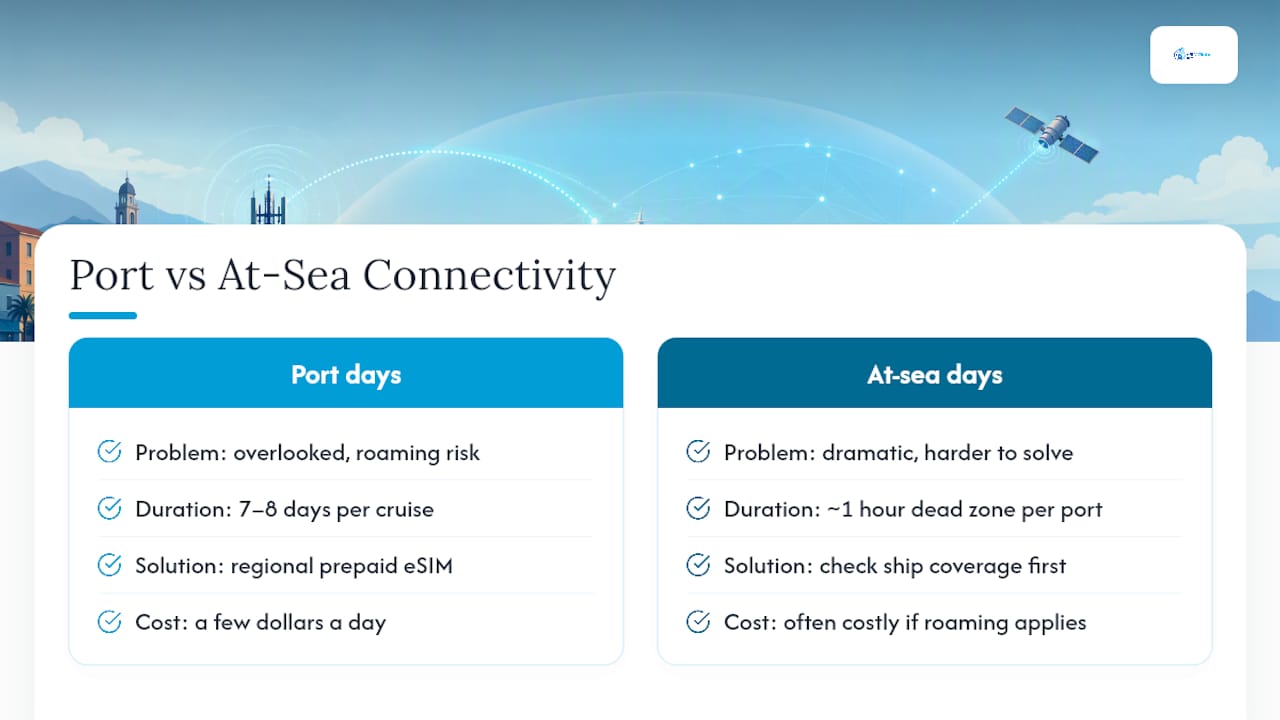
The smarter framing treats a cruise as two separate connectivity jobs, not one. Port days are a solved problem: a regional prepaid eSIM handles navigation, translation apps, and rideshare bookings for a few dollars a day. At-sea days are the genuinely harder problem, and no amount of pre-trip research replaces checking your specific ship’s coverage before you buy anything marketed as maritime-capable. Providers who partner with ship cellular systems are still the exception, not the rule, across the industry.
What surprises most first-time cruisers is how little at-sea data they actually end up needing once they stop trying to stream video in the middle of the ocean. Download your shows beforehand, save your maps offline, and the “problem” of at-sea connectivity shrinks to sending the occasional message during the transition window, which is a much easier gap to plan around than a full day of open water.
— daniele
Get Your Cruise eSIM Set Up Before You Sail
Prepaid, data-only eSIM plans by country and region, delivered instantly by email, allow you to activate your port-day connectivity before your flight ever leaves the ground instead of scrambling for Wi-Fi at the dock.
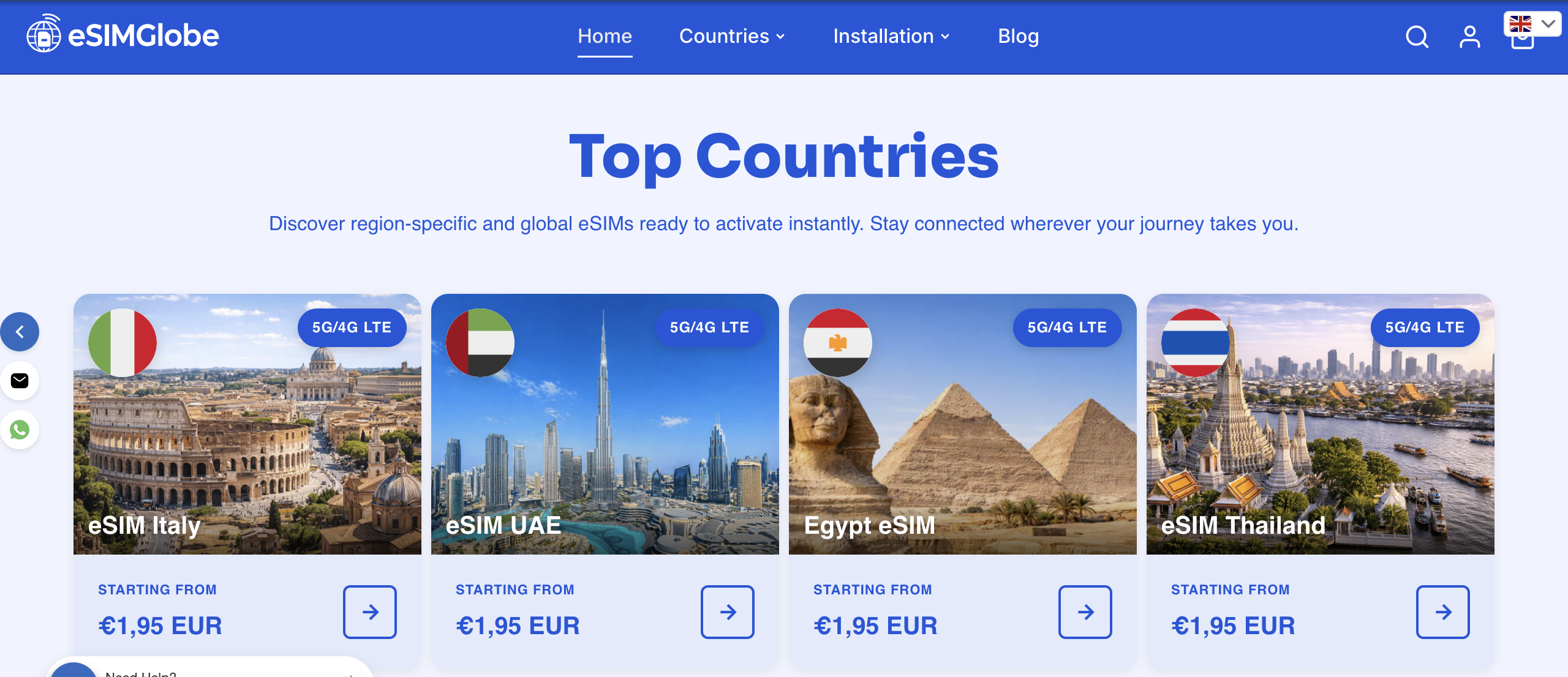
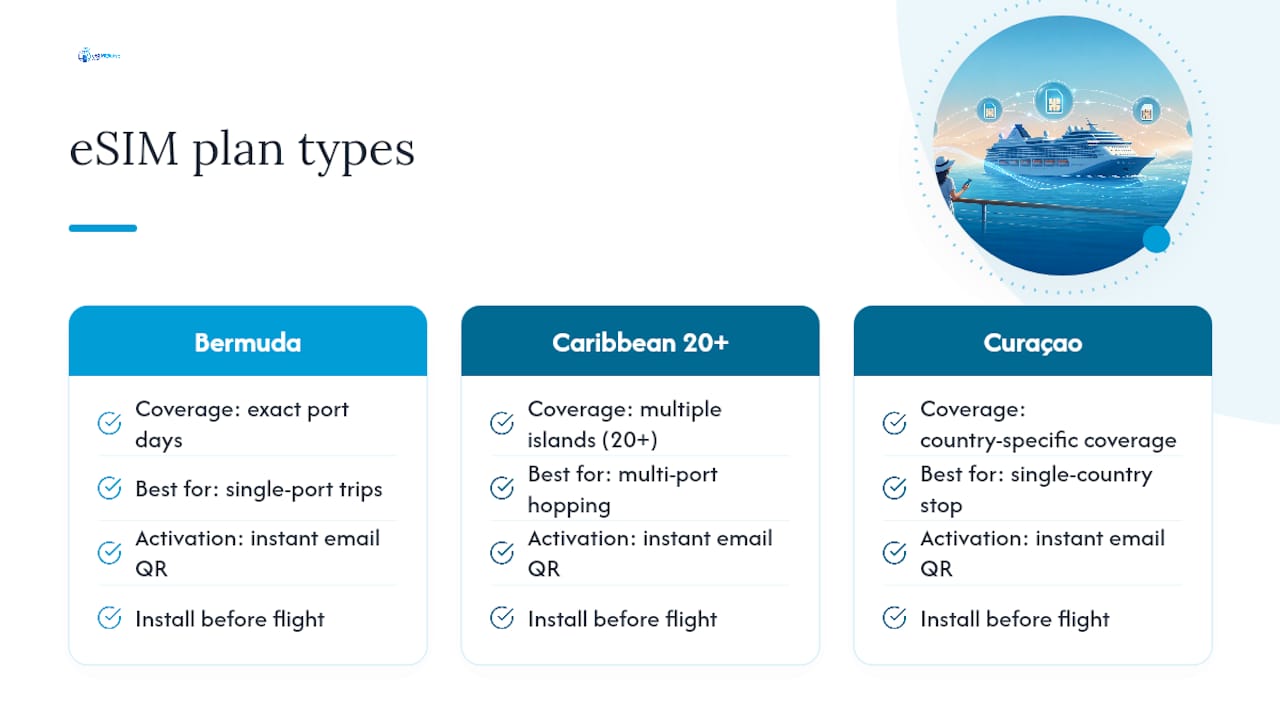
If your cruise stops in Bermuda, the eSIM Bermuda plan covers you for the exact port days on that itinerary without paying for a fleet-wide subscription you’ll only use once. Sailing a Caribbean route with multiple island stops? The eSIM Caribbean 20+ plan is built for exactly that kind of multi-port hopping, so you’re not buying a separate eSIM for every island. And if Curaçao is on your itinerary, the eSIM Curaçao plan gives you country-specific coverage the moment you step off the ship.
Buying is straightforward: pick your destination, choose a data bundle sized to your trip length, and pay through checkout. Your activation details, including the QR code, arrive quickly via email, so you can install everything before you leave home rather than fighting for airport Wi-Fi at the gate. Before you buy, double-check your specific ship’s coverage list if you’re planning to rely on connectivity while at sea. For port days, though, a regional eSIM plan is ready the moment you dock.
FAQ
What Is the Best eSIM for Cruise Ships?
There isn’t one universal answer, because it depends on whether you need coverage in port or at sea. For port days, a regional prepaid eSIM matched to your specific islands or countries, like Esimglobe’s Bermuda, Caribbean, or Curaçao plans, covers navigation and messaging cheaply, while at-sea data requires a maritime-capable plan or the ship’s own Wi-Fi.
Can an eSIM Be Used on a Cruise Ship?
Yes, but only reliably in port or near shore where land towers are in range. Once the ship moves into open water, a standard eSIM will lose signal unless it specifically partners with that ship’s maritime cellular system.
What Is the Best Way to Use Your Phone on a Cruise?
Turn off roaming on your home SIM, install a regional eSIM for port-day data, and rely on ship Wi-Fi or a maritime-capable plan for at-sea stretches. Downloading maps and entertainment before you sail covers the unpredictable transition window near shore.
Does a Consumer eSIM Work on a Cruise?
Consumer travel eSIMs generally work well in port because they connect to standard land-based towers, the same way they would on any international trip. At sea, results vary by provider and by ship, since only a subset of consumer eSIMs partner with maritime cellular systems, so checking your specific ship’s coverage list before buying is essential.