






















Unlimited eSIM plans are generally safe, but they carry real, avoidable risks for travelers and expats that require deliberate planning. The most common problems fall into three categories: hidden fair-use caps that throttle speeds after a daily high-speed data allowance, technical failure modes like profile corruption and activation errors, and account-security gaps that SMS-based carrier verification makes worse. Before your next trip, take three immediate steps: keep your carrier app logged in on your device, set up an authenticator app as your primary MFA method, and carry a physical SIM as a fallback.
- Keep your carrier app logged in before you leave home
- Replace SMS one-time passwords with an authenticator app where possible
- Pack a physical SIM or know where to buy one at your destination
Key Takeaways
Unlimited eSIM plans carry manageable risks when you verify FUP terms, secure your accounts before travel, and carry a physical SIM as a fallback.
| Point | Details |
|---|---|
| “Unlimited” has a daily cap | Most plans throttle after a daily high-speed data allowance. |
| SMS MFA amplifies eSIM failures | A broken eSIM can lock you out of the accounts you need to fix it; switch to an authenticator app. |
| Pre-activate before departure | Testing activation at home eliminates the most common travel emergency. |
| Carry a physical SIM fallback | A local prepaid SIM costing $5–$20 covers gaps that eSIM recovery cannot. |
| Esimglobe option | Esimglobe offers transparent FUP terms and 24/7 support across 170+ countries. |
Table of Contents
- What can actually go wrong with unlimited eSIM plans?
- How “unlimited” eSIM plans actually work
- Real-world failure scenarios and how to recover
- Compatibility checklist before you buy an unlimited eSIM
- How to pick a safer unlimited eSIM plan
- Protecting your accounts from SIM-swap and eSIM-specific security risks
- When a physical SIM is still the smarter backup
- Six precautions to reduce your eSIM risk before departure
- The case for cautious optimism on eSIMs
- Esimglobe offers a lower-friction path for travelers concerned about these risks
- Useful sources and further reading
- FAQ
What can actually go wrong with unlimited eSIM plans?
eSIM plan drawbacks tend to cluster around a handful of failure modes that travelers encounter at the worst possible moments.
- Profile corruption or deletion. eSIM profiles live as software on device firmware. An OS update or factory reset can corrupt or erase a profile entirely, and unlike a physical SIM, you cannot swap it into another phone to test whether the hardware or the profile is the problem.
- Account lockout via SMS OTP. Carriers commonly verify identity through SMS one-time passwords. If your eSIM is broken and your number is unreachable, that verification loop locks you out of the account you need to fix the eSIM.
- Single-use QR code failures. Activation QR codes expire after one scan. A failed scan, a camera glitch, or a poor Wi-Fi connection during activation leaves you without connectivity until the provider issues a new code.
- Virtual SIM-swap fraud. Because eSIM transfers happen digitally, a fraudster who compromises your carrier account can move your number to their device without ever touching yours.
- Carrier app bugs and verification friction. App-based reprovisioning sometimes works, but being logged out of the carrier app forces an in-store visit, which can mean hours of wait time at an airport or a foreign city.
- Coverage gaps. An “unlimited” plan tied to a single network partner may show no signal in rural areas or countries where that partner has limited infrastructure.
The travel stakes are high. A corrupt eSIM at an airport arrival can mean a missed ride, a locked bank account (many banks send SMS codes), and hours spent in a carrier store before you reach your hotel.
How “unlimited” eSIM plans actually work
“Unlimited” is a marketing term, not a technical specification. Most unlimited eSIM plans operate under a fair-use policy (FUP) that grants a daily high-speed allowance, then throttles speeds after that cap is reached. Wholesale data costs drive this structure: providers buy data in bulk and use FUPs, deprioritization, and tethering controls to protect margins.
The dominant market pattern is a daily high-speed cap of roughly 1–3 GB, followed by throttled speeds, with a reset at local midnight or on a rolling 24-hour window. Hotspot and tethering are frequently restricted or capped separately, and data-only plans rarely include voice or SMS.
| FUP Parameter | Typical Range |
|---|---|
| Daily high-speed cap | 1–3 GB |
| Post-cap throttled speed | throttled speeds |
| Reset window | Local midnight or rolling 24 hours |
| Hotspot/tethering allowance | 0–500 MB daily (often separate). |
Deprioritization is a related but distinct issue: even within your high-speed cap, your data can be slowed during network congestion if you are on a wholesale or MVNO plan. That clause is almost always buried in the fine print.
Pro Tip: Search the plan’s terms for “fair use,” “throttle,” “deprioritize,” and “tethering” before buying. If none of those words appear, the policy is either absent or hidden behind a link.
Real-world failure scenarios and how to recover
Three scenarios account for most traveler emergencies. Here is a prioritized recovery workflow for each.
Corrupt or deleted eSIM profile
- Open the carrier app and attempt a profile re-download (takes 2–5 minutes if it works).
- If the app fails, call carrier support. Expect a hold time of 30 minutes to several hours.
- Request a new QR code by email or in-app message; activate over stable Wi-Fi.
- If remote options fail, visit a carrier store or authorized reseller. Same-day resolution is typical but not guaranteed.
- As a last resort, ask the carrier to port your number temporarily to a physical SIM while the eSIM issue is resolved.
Account lockout (SMS OTP unreachable)
- Use a backup MFA method (authenticator app, recovery code) if you set one up before travel.
- Contact carrier support via chat or email, not phone, since your number may be unreachable.
- Provide government ID and account PIN for identity verification.
- Escalate to a supervisor if the first agent cannot bypass SMS verification.
Failed activation (QR code expired or rejected)
- Contact the eSIM provider immediately and request a new QR code.
- Connect to stable Wi-Fi (hotel, airport lounge) before the second attempt.
- Disable any VPN during activation; VPNs frequently cause activation failures.
- If the provider’s app supports push-based activation, use that instead of the QR code.
Pro Tip: Before you travel, stay logged in to your carrier app, screenshot your account PIN, and store it in a password manager. That single step eliminates the most common escalation trigger.
Compatibility checklist before you buy an unlimited eSIM
Confirm every item below before purchasing. A single incompatibility can block activation entirely.
| Item | What to check | How to verify |
|---|---|---|
| Device eSIM support | Model and OS version support eSIM | Manufacturer’s spec page |
| Carrier lock status | Phone is unlocked for third-party eSIMs | Settings > General > About (iOS) or carrier directly |
| eSIM slot availability | Device has a free eSIM slot (some phones limit to 1 active) | Settings > Mobile Data |
| OS version | Meets provider’s minimum requirement | Provider’s FAQ or support page |
| Cross-platform transfer | iOS-to-Android or reverse transfers are provider-specific | Provider’s transfer policy |
| Activation connectivity | Stable Wi-Fi available at activation time | Plan for hotel or airport lounge Wi-Fi |
Carrier-locked phones are a common blocker. Many budget Android devices sold by US carriers are locked to that carrier’s network and will reject a third-party eSIM profile. Check your unlock status before you travel, not at the airport.
If any item above is uncertain, carry a physical SIM as a fallback for the first 24 hours of any trip.
How to pick a safer unlimited eSIM plan
- Find the FUP numbers. Confirm the daily high-speed cap, post-cap speed, and reset window in writing before purchase.
- Check hotspot policy. Confirm whether tethering is included, capped separately, or blocked entirely.
- Verify destination network partners. A plan with one network partner in your destination country is riskier than one with two or three.
- Confirm data-only vs. voice/SMS. Most travel eSIMs are data-only; if you need calls, verify that VoIP apps work on the plan.
- Check auto-renew rules. Some plans auto-renew and charge your card without a prompt.
- Pre-activate at home. Activate the eSIM on your home Wi-Fi before departure and run a speed test to confirm it works.
- Enable alternative MFA. Switch critical accounts from SMS OTP to an authenticator app like Google Authenticator or Authy before you leave.
- Pre-order a physical SIM fallback. For destinations where eSIM support is limited, order a local prepaid SIM in advance.
Expats on trips longer than 30 days should weigh fixed-GB plans or day-pass bundles against unlimited options. Predictable long-term use often makes a fixed plan cheaper and easier to manage than an unlimited plan with opaque throttling rules.
Protecting your accounts from SIM-swap and eSIM-specific security risks
- Remove SMS as your primary MFA. SMS-based verification is the weakest link in eSIM security. Replace it with an authenticator app or a hardware key (like a YubiKey) for email, banking, and social accounts.
- Set a carrier account PIN. All major US carriers allow a separate account PIN or passcode. Set one and store it in a password manager.
- Enable SIM change notifications. Some carriers send an alert when a SIM or eSIM change is requested. Turn this on.
- Register multiple recovery methods. Add a backup email and a secondary phone number to every critical account before travel.
- Use a message-forwarding number. Services that forward SMS to email or a secondary number let you receive verification codes even when your primary eSIM is down.
- Monitor for unauthorized eSIM transfers. If you receive an unexpected carrier notification about a profile change, contact your carrier immediately.
For a deeper look at eSIM security practices abroad, review your carrier’s specific SIM-lock and transfer policies before departure.
When a physical SIM is still the smarter backup
Physical SIMs remain the right choice in several situations.
| Scenario | Why a physical SIM helps |
|---|---|
| Frequent phone switching | eSIM profiles are device-specific; a physical SIM moves freely |
| Travel to markets with limited eSIM support | Some regions have few eSIM-compatible networks |
| Used or refurbished phones | eSIM slots may be locked or already consumed |
| Device resale | Clearing eSIM profiles can be complex and sometimes fails |
The cost-time trade-off is straightforward. A local prepaid SIM at your destination typically costs $5–$20 and takes 10–15 minutes to buy and activate. Recovering a failed eSIM remotely can take several hours of support hold time, and an in-store visit in a foreign city adds travel time on top of that. For a practical comparison of eSIM and local SIM options, weigh both before every trip.
Six precautions to reduce your eSIM risk before departure
Unlimited eSIM plans are a practical choice for most travelers. The risks are real but manageable with preparation.
- Confirm FUP numbers in writing. Find the daily cap, post-cap speed, and reset window before you pay.
- Keep your carrier app logged in. Being logged out is the most common trigger for an in-store escalation.
- Enable non-SMS MFA on critical accounts. An authenticator app removes the SMS dependency that makes eSIM failures cascade into account lockouts.
- Carry a fallback SIM. A local prepaid card or a pre-bought physical SIM covers the gap if eSIM activation fails.
- Pre-test activation at home. Activate and run a speed test before you leave; a failed activation at home is far easier to fix than one at an international airport.
- Document your carrier PIN. Store it in a password manager alongside your account credentials.
The case for cautious optimism on eSIMs
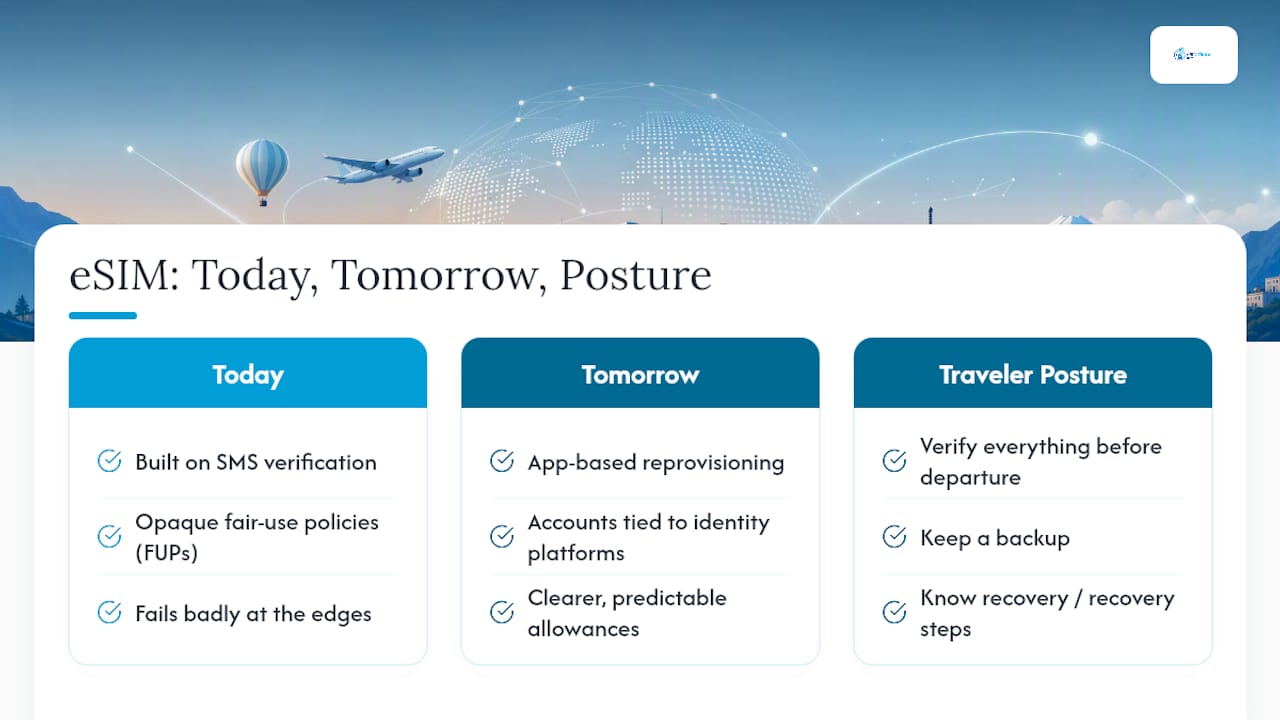
The frustrations with eSIMs are structural, not accidental. Carriers built eSIM ecosystems on top of legacy verification systems that default to SMS, which creates a circular dependency: the tool you need to fix your eSIM (your phone number) is the same tool that breaks when your eSIM fails. Add wholesale economics that push providers toward opaque FUPs, and you get a product that works well under normal conditions but fails badly at the edges.
That said, the technology is maturing. Providers that allow app-based reprovisioning and tie accounts to broader identity platforms reduce the SMS dependency significantly. The next generation of unlimited plans will likely move toward clearer, more predictable allowances rather than opaque marketing language, driven by competitive pressure and regulatory attention to fair-use transparency.
The right posture is not to avoid eSIMs but to treat them the way you treat any travel document: verify everything before you leave, keep a backup, and know exactly what to do if something goes wrong.
Esimglobe offers a lower-friction path for travelers concerned about these risks
Travelers who want transparent FUP disclosure and immediate support when something goes wrong have a direct option. Esimglobe provides prepaid eSIM plans for 170+ countries with instant digital delivery by email, clear plan terms that show data allowances upfront, and 24/7 support for activation issues and account questions. Plans cover both unlimited and fixed-GB options, so you can match the plan structure to your trip length and usage pattern without guessing.
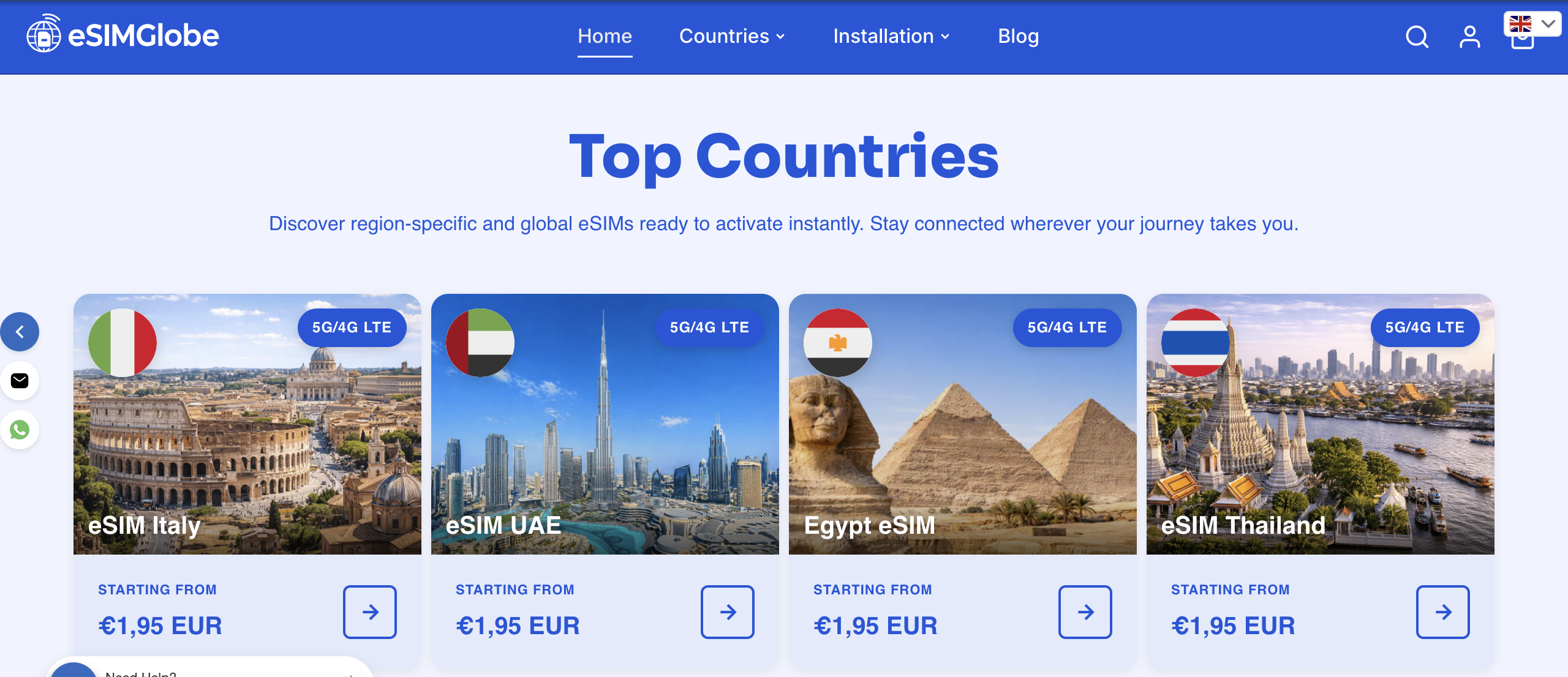
For expats and frequent travelers who have read through the failure modes above, the practical advantage is straightforward: instant delivery means no waiting for a physical card, and documented FUP terms mean no surprises at the throttle threshold. Check available eSIM plans for your destination and confirm coverage before your next departure.
Useful sources and further reading
- Ars Technica: first-person reporting on eSIM corruption, account lockout, and the SMS verification loop that traps users mid-recovery
- HowToGeek: analysis of carrier-locking practices and why eSIM transfers between platforms remain inconsistent
- Android Police: reporting on activation failure modes tied to single-use QR codes and app bugs
- Digit
- eSIMadvice: market analysis of fair-use policy patterns across travel eSIM providers, including daily cap ranges and throttle speeds
- Alertify: economic analysis of why wholesale data costs drive FUP structures in unlimited plans
FAQ
What does “unlimited” actually mean on a travel eSIM plan?
Most unlimited travel eSIM plans include a daily high-speed cap, after which speeds drop to throttled rates until the cap resets. Hotspot and tethering are often restricted separately.
Can an eSIM profile be permanently lost?
An eSIM profile can be corrupted or deleted by an OS update or factory reset, and unlike a physical SIM, you cannot move it to another device to test it. Providers can usually reissue a profile, but recovery takes time.
How do I protect my bank account if my eSIM fails while abroad?
Before travel, replace SMS-based MFA on banking apps with an authenticator app and store backup recovery codes offline. That way, a broken eSIM does not block access to your accounts.
Is a physical SIM still worth carrying if I have an unlimited eSIM plan?
Yes. A local prepaid SIM provides immediate connectivity if eSIM activation fails or a profile is corrupted, and it typically costs $5–$20 at the destination.
How does Esimglobe reduce the risks covered in this article?
Esimglobe provides transparent plan terms, instant email delivery of eSIM profiles, and 24/7 support, which addresses the most common pain points: hidden FUP terms, delayed activation, and lack of support access during travel.