






















TL;DR:
- An eSIM is a digital SIM embedded in your phone that provides instant mobile data access in Mexico without physical SIM swaps or surprise roaming fees. Esimglobe offers plans that can be purchased online, installed remotely, and activated immediately upon arrival, saving time and reducing costs. Compatibility, correct device settings, and data planning are essential for a seamless travel experience with an eSIM in Mexico.
An eSIM is a digital SIM card embedded in your phone that lets you access mobile data in Mexico without swapping physical SIM cards or paying surprise roaming fees. For international travelers and digital nomads, an eSIM Mexico plan from Esimglobe means you land at Benito Juárez International Airport already connected. No kiosk lines, no plastic SIM, no carrier negotiations in a second language. Your device downloads a local profile over Wi-Fi before you even board the plane.
What is an eSIM mexico plan and why does it matter?
An eSIM Mexico plan is a digital cellular profile you purchase online, install remotely, and activate the moment you arrive in Mexico. The technology is built into the device itself. You do not insert anything. You do not visit a store.
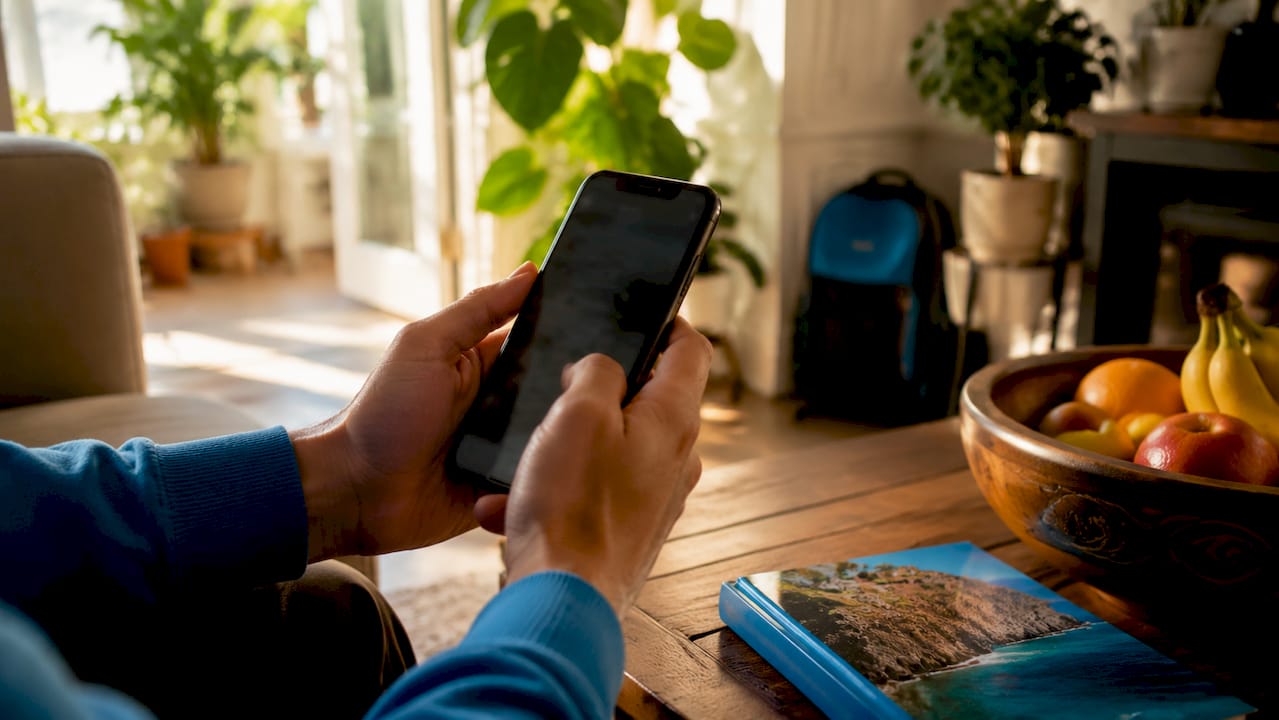
Choosing a Mexico-specific eSIM installed before departure avoids airport queues, plastic SIM swapping, and surprise roaming fees. That single fact changes how you plan your trip. You configure everything at home, on your own Wi-Fi, with no time pressure.
Esimglobe is a dedicated international telecommunications platform that provides eSIM profiles for Mexico and dozens of other countries. The platform supports USD, EUR, and GBP, and offers a country selector so you find the right plan in seconds. For travelers who move between multiple destinations, Esimglobe also offers regional plans that cover Mexico alongside neighboring countries.
Traditional international roaming in Mexico costs significantly more than a travel eSIM plan. That cost gap is the primary reason digital nomads and frequent travelers have switched to eSIM solutions as their default connectivity method.
Is your phone compatible with an eSIM for mexico?
Device compatibility is the first thing to confirm before purchasing any Mexico eSIM plan. Not every phone supports eSIM, and even compatible devices may be locked to a home carrier.
Most modern smartphones are eSIM-compatible, including the iPhone XR and newer, Samsung Galaxy S20 and newer, and Google Pixel 3 and newer. That covers the vast majority of phones purchased in the last four years. If your device falls outside that range, check the manufacturer’s spec sheet directly.
How to confirm eSIM support and carrier unlock status
Devices must be unlocked to accept international eSIM profiles. A carrier-locked phone will reject any eSIM from a provider outside its home network. Here is how to verify both conditions before you buy:
- iPhone: Go to Settings, then General, then About. If you see “eSIM” or “Digital SIM” listed, your phone supports it. To check lock status, go to Settings, then General, then VPN and Device Management. A locked device will show carrier restrictions.
- Samsung Galaxy: Go to Settings, then Connections, then SIM Card Manager. If “Add Mobile Plan” appears, eSIM is supported. Contact your carrier or check your purchase receipt to confirm unlock status.
- Google Pixel: Go to Settings, then Network and Internet, then SIMs. An “Add SIM” option confirms eSIM capability.
- Other Android devices: Search your model number on the manufacturer’s website or check under Settings, then About Phone, then SIM Status.
If your phone is still locked, contact your home carrier before your trip. Most carriers unlock devices after the contract period ends or upon request.
Pre-trip preparation checklist
Before purchasing your Esimglobe plan, complete these steps at home:
- Update your phone’s operating system to the latest version. Older software versions sometimes block eSIM profile downloads.
- Connect to a stable Wi-Fi network. eSIM installation requires an internet connection.
- Disable any VPN during the installation process. VPNs can interrupt the profile download.
- Confirm your device has enough storage. eSIM profiles are small, but a full device can cause errors.
Pro Tip: Write down your Esimglobe order confirmation number and QR code before you travel. If you lose Wi-Fi access mid-trip, you can reinstall the profile using the QR code without re-purchasing.
How to buy and install an Esimglobe eSIM for mexico
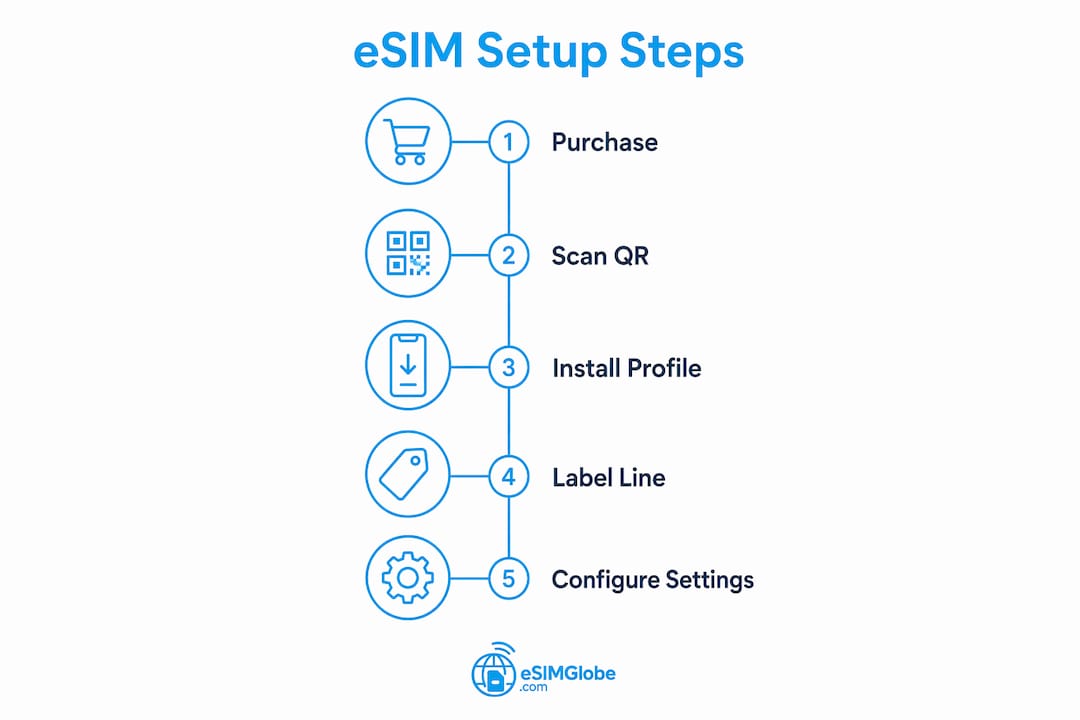
Purchasing and installing an Esimglobe Mexico eSIM takes under 10 minutes when you follow the correct sequence. The process breaks into three phases: selecting a plan, downloading the profile, and configuring your device settings.
Step 1: choose the right mexico eSIM plan
Esimglobe offers Mexico eSIM plans in multiple sizes to match different trip lengths and usage patterns. A weekend trip to Cancún requires far less data than a month of remote work in Mexico City. Use these benchmarks to guide your selection:
- 3–5 day trip, light use: 3–5GB covers maps, messaging, and occasional social media.
- 7–10 day trip, moderate use: 10–15GB handles maps, video calls, and daily browsing.
- 14+ day trip or digital nomad: 20GB or more, or an unlimited-style plan, covers hotspot use and video streaming.
You can browse Esimglobe’s Mexico eSIM plans directly on the platform. The country selector filters plans by destination, and pricing displays in your preferred currency.
Step 2: purchase and receive your QR code
- Visit Esimglobe’s website and select Mexico as your destination.
- Choose your plan by data size and duration.
- Complete checkout. Esimglobe delivers your eSIM QR code by email within minutes.
- Save the QR code image to your phone’s camera roll or print it as a backup.
Step 3: install the eSIM profile
Activation typically takes 3–8 minutes on stable Wi-Fi before arrival. Follow these steps:
- Open your phone’s Settings and navigate to the cellular or mobile data section.
- Select “Add eSIM” or “Add Mobile Plan.”
- Scan the QR code from your Esimglobe confirmation email.
- Confirm the plan details on screen and tap “Add.”
- Wait for the profile to download. Do not close the screen or lock your phone during this step.
Step 4: label and configure the eSIM line
After installation, label the new line clearly. Name it something like “Mexico Data” so you can identify it instantly in your settings. Then set this line as your active cellular data line. Leave your home SIM active for calls and texts if needed, but route all data through the Esimglobe eSIM.
| Plan Size | Best For | Estimated Trip Length |
|---|---|---|
| 3GB | Light browsing, maps | 3–5 days |
| 10GB | Moderate use, video calls | 7–10 days |
| 20GB | Heavy use, hotspot | 14+ days |
| Unlimited | Digital nomads, remote work | Any length |
Pro Tip: Install your Esimglobe eSIM at least 24 hours before departure. This gives you time to troubleshoot any profile download issues while you still have reliable home Wi-Fi.
How do you manage settings to avoid roaming charges?
Incorrect device settings are the most common reason travelers receive unexpected charges after activating a travel eSIM. The fix is straightforward but requires attention to detail.
Data roaming must be enabled on the eSIM line and disabled on the home SIM. This is the single most important configuration step. Skipping it means your home carrier’s roaming rates apply the moment you land.
The correct settings configuration
- eSIM line (Esimglobe Mexico): Data Roaming ON. This is the line that connects to Mexican networks.
- Home SIM: Data Roaming OFF. This prevents your carrier from billing you for any background data activity.
- Default data line: Set to your Esimglobe eSIM. Confirm this in Settings under Cellular Data or Mobile Data.
- iMessage and FaceTime (iPhone users): These services can use data from either line. Set them to use your Esimglobe line to avoid home carrier charges.
Most travelers mistakenly leave Data Roaming ON for their home SIM while activating the travel eSIM. That single oversight can generate significant roaming fees before you realize the error.
What to do when data does not connect
Manual APN configuration is sometimes needed if your device does not auto-detect the network upon arrival. APN stands for Access Point Name. It is the gateway setting that connects your device to the carrier’s data network.
If data fails after landing, follow this sequence:
- Toggle airplane mode on for 30 seconds, then off. This forces the device to re-register on the local network.
- Confirm the Esimglobe eSIM is set as the active data line.
- If data still fails, go to Settings, then Cellular, then Cellular Data Network (iPhone) or Access Point Names (Android). Enter the APN details from your Esimglobe confirmation email.
- Restart the device after entering APN settings.
Understanding network coverage in mexico
Coverage is strongest in major cities and along highways, where 4G/LTE is prevalent. Mexico City, Guadalajara, Monterrey, Cancún, and Playa del Carmen all have strong 4G coverage. 5G is available but concentrated mainly in city centers. Rural areas and smaller towns may show 3G or no signal in remote zones.
Pro Tip: Download offline Google Maps for your destination regions before you leave. In areas with weak signal, offline maps work without any data connection and save your plan for higher-priority tasks.
How much data do you actually need for mexico?
Data planning is where most travelers either overspend on a plan they do not use or run out of data at the worst possible moment. A clear estimate prevents both outcomes.
Recommended daily data usage for travelers is 1–2.5GB per day, with a 20–30% buffer recommended on top of that estimate. For travelers using their phone as a laptop hotspot, plan for at least 2GB per day from hotspot use alone. That number adds up fast on a two-week trip.
Common data use cases and their costs
Different activities consume data at very different rates. Here is a practical breakdown:
- Google Maps navigation: 5–10MB per hour of active use.
- WhatsApp and messaging: Under 1MB per hour for text. Voice calls use roughly 1MB per minute.
- Instagram and social media browsing: 50–150MB per hour depending on video content.
- Video calls (Zoom, FaceTime): 300–600MB per hour at standard quality.
- Laptop hotspot for light work: 1–3GB per day depending on video conferencing and file transfers.
Fixed data vs. unlimited plans
Fixed data plans work well for travelers with predictable usage. A 10GB plan covers a 7-day trip with moderate use and a buffer. Unlimited plans make sense for digital nomads running video calls, uploading content, or working remotely for extended periods. The cost difference between a 20GB fixed plan and an unlimited plan is often small enough that nomads default to unlimited for peace of mind.
| Trip Type | Daily Data Estimate | Recommended Plan Size |
|---|---|---|
| Tourist, light use | 1GB/day | 5–7GB for 7 days |
| Tourist, moderate use | 1.5–2GB/day | 10–15GB for 7 days |
| Digital nomad, remote work | 2.5GB+ per day | 20GB or unlimited |
| Hotspot-heavy user | 3GB+ per day | Unlimited |
Pro Tip: Use your phone’s built-in data usage tracker to monitor consumption by app. On iPhone, go to Settings, then Cellular. On Android, go to Settings, then Network and Internet, then Data Usage. Set a warning at 80% of your plan limit so you have time to adjust before running out.
For more guidance on choosing the right plan size, Esimglobe’s eSIM travel tips blog covers data planning in detail for multiple destinations.
Key takeaways
An eSIM Mexico plan from Esimglobe is the most direct way to get reliable, affordable mobile data in Mexico without roaming fees or physical SIM logistics.
| Point | Details |
|---|---|
| Device compatibility first | Confirm your phone supports eSIM and is carrier-unlocked before purchasing any plan. |
| Install before departure | Activate your Esimglobe eSIM at home on Wi-Fi to avoid connectivity gaps at the airport. |
| Configure settings correctly | Enable data roaming on the eSIM line and disable it on your home SIM to prevent unexpected charges. |
| Plan data with a buffer | Add 20–30% to your estimated daily usage and choose a plan size that covers the full trip. |
| Troubleshoot with APN settings | If data fails after landing, toggle airplane mode and manually enter APN details from your Esimglobe confirmation. |
What i learned using esimglobe’s eSIM across mexico
I have used travel eSIMs in Mexico on multiple trips, from a long weekend in Oaxaca to a six-week remote work stretch split between Mexico City and the Yucatán Peninsula. The single biggest lesson is that setup quality determines your entire experience. Get the settings right before you land, and the eSIM disappears into the background. Get them wrong, and you spend your first afternoon in a hotel lobby troubleshooting APN fields.
Esimglobe’s purchase flow is genuinely fast. From landing on the site to receiving a QR code took me under four minutes on my last trip. The QR code arrived by email immediately, and the profile downloaded without errors on stable home Wi-Fi. That kind of reliability matters when you are packing the night before a 6 AM flight.
The coverage I experienced on Esimglobe’s Mexico plans held up well in Mexico City, Mérida, and Tulum. Signal dropped in a few rural stretches between cities, which matches what you should expect anywhere in Mexico outside major urban corridors. Downloading offline maps before those drives made the gaps irrelevant.
The mistake I see other travelers make most often is forgetting to turn off data roaming on their home SIM. I watched a colleague rack up a significant roaming bill on a four-day Cancún trip because her home SIM was silently pulling data in the background. That is an entirely avoidable cost. The fix takes 10 seconds in settings.
Esimglobe stands out because the platform is built specifically for international travelers. The country selector, multi-currency checkout, and instant QR delivery are designed around the actual workflow of someone preparing for a trip. For anyone serious about staying connected in Mexico without overpaying, it is the clearest choice available.
— daniele
Get your mexico eSIM from Esimglobe today
Esimglobe makes it straightforward to get connected in Mexico before your flight boards. Browse Mexico eSIM plans by data size and trip length, complete checkout in minutes, and receive your QR code instantly by email. No store visits, no SIM cards, no roaming surprises.
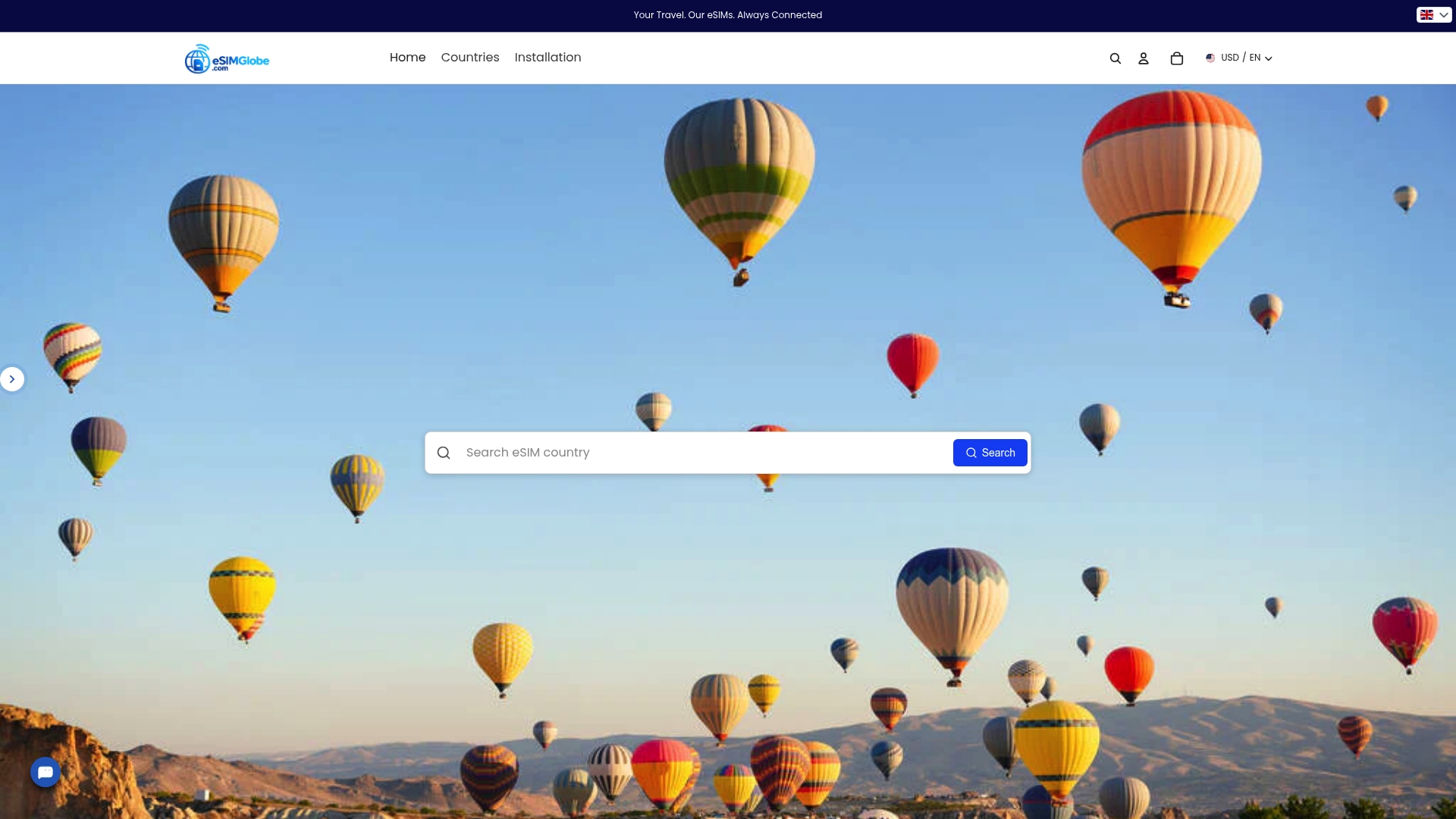
Esimglobe supports USD, EUR, and GBP, and the platform works across iPhone, Samsung, and Google Pixel devices. Whether you are visiting Mexico City for a conference or working remotely from the coast for a month, Esimglobe has a plan sized for your trip. For travelers who want broader guidance before buying, the international traveler’s guide on Esimglobe’s blog covers plan selection across multiple destinations.
FAQ
What devices work with an eSIM in mexico?
iPhone XR and newer, Samsung Galaxy S20 and newer, and Google Pixel 3 and newer all support eSIM. Your device must also be carrier-unlocked to accept an international eSIM profile.
How do i activate an eSIM for mexico?
Purchase a plan from Esimglobe, scan the QR code from your confirmation email in your phone’s cellular settings, and the profile downloads in 3–8 minutes on Wi-Fi. Complete this step before departure for the smoothest experience.
Is an eSIM cheaper than roaming in mexico?
Yes. Traditional international roaming in Mexico costs significantly more than a dedicated travel eSIM plan. A fixed-data eSIM from Esimglobe covers a full week of moderate use at a fraction of standard roaming rates.
What if my eSIM data stops working after i land?
Toggle airplane mode on and off to force the device to re-register on the local network. If data still fails, manually enter the APN settings from your Esimglobe confirmation email under your phone’s cellular data network settings.
How much data do i need for a week in mexico?
Daily data usage for travelers averages 1–2.5GB per day. A 10–15GB plan covers a 7-day trip with moderate use and a recommended 20–30% buffer built in.