






















An Access Point Name, or APN, is the setting a phone uses to connect to a carrier’s data network. Without the correct APN, mobile data, MMS, and mobile hotspot can fail even when signal bars show full strength. Most carriers and eSIM providers push the right APN to the device automatically, so most people never see this setting at all.
TL;DR:
- Changing APN values cannot repair a dead zone or weak tower connection; check coverage separately when data fails only in certain locations.
- Copy the provider’s APN values exactly; enter proxy, port, authentication, IP protocol, and separate MMS fields only when its instructions specify them.
- For eSIM data failures, first select the correct active data line, toggle mobile data and Airplane Mode, and restart before checking or editing APN settings.
- Incorrect APN edits can disable service or trigger unexpected charges; change values only when instructed, and contact your provider if the menu is locked.
Table of Contents
- What Is an APN: Definition and Example
- How APNs Work in a Mobile Data Session
- APN Settings Explained: Fields, Android and iPhone Paths
- When to Change APN: a Step-by-Step Checklist
- EsimGlobe Practical Fixes for eSIM “No Data” Problems
- A Traveler’s Checklist for APN and eSIM Setup
- Get a Preconfigured eSIM With Correct APN Already Set
- FAQ
- Sources
What Is an APN: Definition and Example
An APN identifies the packet data network a device should reach and tells the network what path and services to use, according to Apple Support. It functions as an address label between the phone and the carrier’s gateway, not as a password or a login.
An APN string has two parts: a network identifier and an optional operator identifier. The network identifier names the service, such as internet or MMS. The operator identifier, sometimes written with mobile country code and mobile network code values, routes the request to a specific carrier’s network infrastructure. The Wikipedia entry on APN describes this same structure and its use across GPRS and newer core network systems.
A simple example: “internet.provider.com” as the APN name, paired with no proxy and no port. That string alone tells the network which gateway to open for general browsing and app data. A provider might issue a second, separate string for MMS.
- Network identifier: names the service or destination, such as internet or mms.
- Operator identifier: optional, often tied to MCC/MNC values for carrier routing.
- Full string: the two parts combined, exactly as the carrier issues them.
How APNs Work in a Mobile Data Session
When a phone requests data, it presents its configured APN to the carrier’s network. The network reads that string and maps it to a specific packet data network, which decides the IP address range, the service type, and whether the session reaches the open internet or a private network.

Authentication happens next. Some carriers require PAP or CHAP authentication with a username and password tied to the APN profile. The device and network also agree on an IP protocol, IPv4, IPv6, or both, which determines how addresses get assigned for that session. A proxy address and port, if the carrier specifies one, route traffic through an intermediate server before it reaches its destination.
None of this touches radio signal strength. An APN is a provisioning instruction, not a coverage fix. A phone with full bars and the wrong APN will still fail to load a page, while a phone with one bar and the correct APN will connect, just slowly. This is why changing APN values never resolves a dead zone or a weak tower connection.
Carrier and device software updates also affect this process. Android’s carrier-configuration system distributes APN settings through XML files that carriers and device makers control, and these can change after a software update, according to Android Open Source Project documentation. That is one reason an APN that worked last month can disappear after an operating system update, requiring the carrier to push a fresh profile.
APN Settings Explained: Fields, Android and iPhone Paths
Most APN menus share the same fields, though not every field applies to every carrier.
- Name: a label for the profile, cosmetic only.
- APN: the required network identifier string from the carrier.
- Proxy and Port: optional, used only if the carrier specifies an intermediate server.
- Username and Password: required only when the carrier uses PAP or CHAP authentication.
- MMSC, MMS Proxy, MMS Port: required for picture messaging, separate from the data APN.
- MCC and MNC: numeric codes identifying the country and carrier network.
- Authentication Type: PAP, CHAP, or none, as specified by the carrier.
- APN Protocol and APN Roaming Protocol: IPv4, IPv6, or IPv4/IPv6, set per carrier instructions.
Apple’s deployment documentation lists these same categories for cellular payload settings, including authentication choices and IP version options, and notes that incorrect values can disable cellular data entirely, per Apple’s device management guide.
On iPhone, the path is Settings, then Cellular or Mobile Data, then Cellular Data Network. On Android, the path is usually Settings, then Network & Internet or Connections, then Mobile Network, then Access Point Names. Exact menu names vary by Android skin and carrier, and our own guide to exact settings paths for iPhone and Android walks through both in more detail.
An anonymized example entry: Name “Data”, APN “internet.carrier.net”, no proxy, no port, Authentication Type “none”, APN Protocol “IPv4/IPv6”.
Pro Tip: Copy the APN string exactly as the carrier or eSIM provider gives it, character for character, including dots and dashes.
When to Change APN: a Step-by-Step Checklist
The rule is simple: change APN settings only when a carrier or eSIM provider instructs it. Manual edits exist for recovery scenarios, not routine use, since carrier provisioning typically handles this automatically, as Samsung’s support documentation confirms.
When mobile data fails after inserting a SIM or activating an eSIM, work through this sequence:
- Confirm the correct SIM or eSIM profile is selected for mobile data.
- Toggle mobile data off and on, then toggle Airplane Mode for ten seconds.
- Restart the device completely.
- Check whether an APN was auto-provisioned under cellular settings.
- Reset APN settings to default if the carrier instructs it.
- Enter the provider’s exact APN values if auto-provisioning did not occur.
- Contact the provider if the APN menu is locked or grayed out.
Apple’s own guidance warns that editing APN settings incorrectly can cause a loss of cellular data service and may lead to unexpected charges, a risk worth weighing before changing any field, per Apple Support.
Beyond APN, check account activation status, local coverage, remaining plan data, and any reported network outages. A wrong APN typically causes complete data failure or missing MMS, sometimes alongside billing issues if the string routes traffic through the wrong gateway.
EsimGlobe Practical Fixes for eSIM “No Data” Problems
When an eSIM shows signal but no data, we recommend starting with the data profile itself before touching APN fields. Select the correct eSIM line under cellular settings, toggle data off and on, and confirm the line is set as the primary data source. If that does not resolve it, our guide to checking and fixing APN settings and our walkthrough for fixing eSIM APN problems on iOS and Android cover both platforms step by step.
- Select the active data profile and confirm it is set as the default for cellular data.
- Toggle mobile data and Airplane Mode before changing any other setting.
- Reinstall the eSIM profile if toggling does not restore a connection, following our guide to reinstalling an eSIM profile safely.
- Reset APN only if our support team or the activation instructions say to.
When contacting our support team, include the order ID, the profile name shown in the app, and the device model and operating system version. That detail lets us match the account and diagnose faster.
A Traveler’s Checklist for APN and eSIM Setup
The most common mistake is assuming an APN problem when the real issue is a profile that was never set as the active data line. Double check that first.
Most travelers never need to type an APN manually. Keep a screenshot of the provider’s activation email and the support contact handy before departure, just in case.
— Daniel
Get a Preconfigured eSIM With Correct APN Already Set
Every eSIM profile is built with the correct APN already provisioned, so there is nothing to type and nothing to get wrong before a trip. Delivery lands by email shortly after checkout, backed by human support.
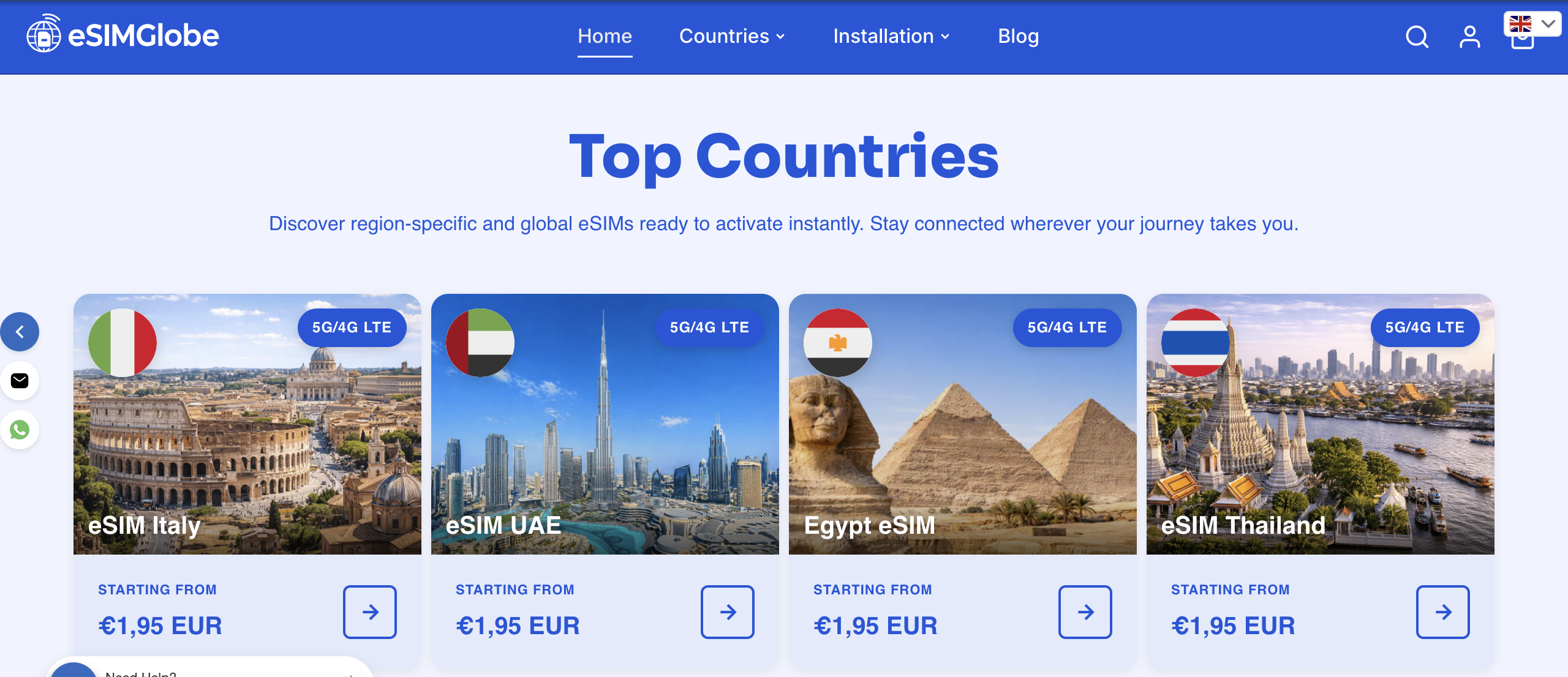
Heading to Italy, check eSIM Italy or eSIM Italy Unlimited for Rome and beyond, or the city-specific eSIM Rome plan. Traveling to the Gulf region, eSIM Dubai and eSIM UAE cover the UAE, with eSIM UAE Unlimited for heavier data use. Covering multiple countries on one trip, our eSIM Global (120+ areas) Unlimited plan or the full Esimglobe lets you pick by destination and currency.
If your itinerary includes a stay on the water, operators like luxury yacht charters in Sardinia note that onboard Wi-Fi is not always dependable offshore, which is exactly the kind of gap a preconfigured eSIM is built to close.
FAQ
Do I need APN on my phone?
Yes, every phone needs a correctly configured APN to use mobile data, send MMS, or share a hotspot connection. Carriers and eSIM providers almost always set this automatically, so most people never interact with the APN menu directly.
What is the purpose of APN?
An APN tells the carrier’s network which packet data network to connect a device to, setting the path, IP version, and service type for that session, per Apple Support. Without it, a device has signal but no usable data connection.
How do I set my APN on my phone?
On iPhone, go to Settings, then Cellular or Mobile Data, then Cellular Data Network. On Android, go to Settings, then Network & Internet or Connections, then Mobile Network, then Access Point Names, and enter the values your carrier or eSIM provider supplies exactly as given.
Can you give me an example of an APN?
A typical APN string looks like “internet.carrier.net,” entered with no proxy or port unless the carrier specifies one. The Wikipedia summary of APN structure shows how this network identifier can pair with an operator identifier for carrier-specific routing.
Sources
- View and edit your APN on your iPhone and iPad - Apple Support
- APN and CarrierConfig | Android Open Source Project