






















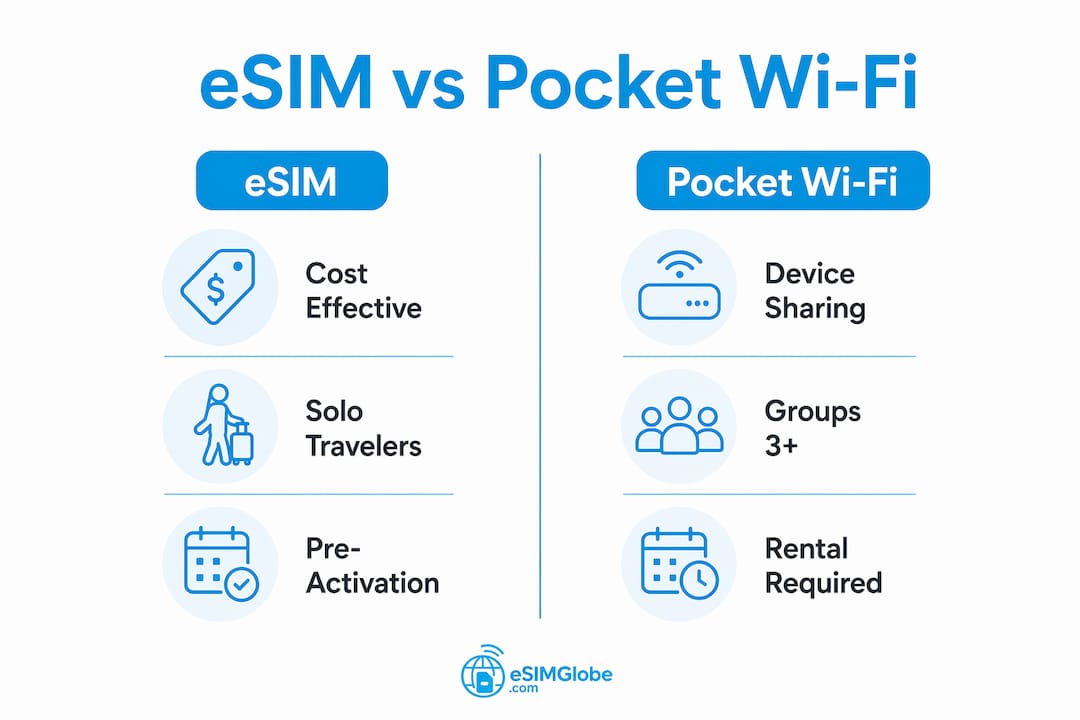
For most solo travelers and couples heading to Japan, an eSIM is the better choice. It costs 50–80% less than a typical pocket Wi-Fi rental, activates before you board the plane, and requires no extra hardware to carry or charge. Pocket Wi-Fi earns its place for groups of three or more who need one shared connection across multiple devices, or for travelers whose phones don’t support eSIM.
Here’s a quick breakdown before diving deeper:
- eSIM: Best for solo travelers, couples, and anyone with a compatible smartphone (2018 or newer). Activate via QR code, no device to carry, no return required.
- Pocket Wi-Fi: Best for groups of 3–5+ sharing one connection, or for laptops, tablets, and older phones that can’t run an eSIM.
- Cost: eSIM data plans typically run 50–80% less than pocket Wi-Fi rentals for a standard trip.
- Convenience: eSIM wins on portability; pocket Wi-Fi wins on multi-device sharing.
- Device compatibility: eSIM requires a compatible phone; pocket Wi-Fi works with any Wi-Fi-enabled device.
Pro Tip: Check your phone’s eSIM compatibility before booking anything. If your device supports it, eSIM is almost always the faster, cheaper, and simpler path.
How eSIM works and why it suits travelers
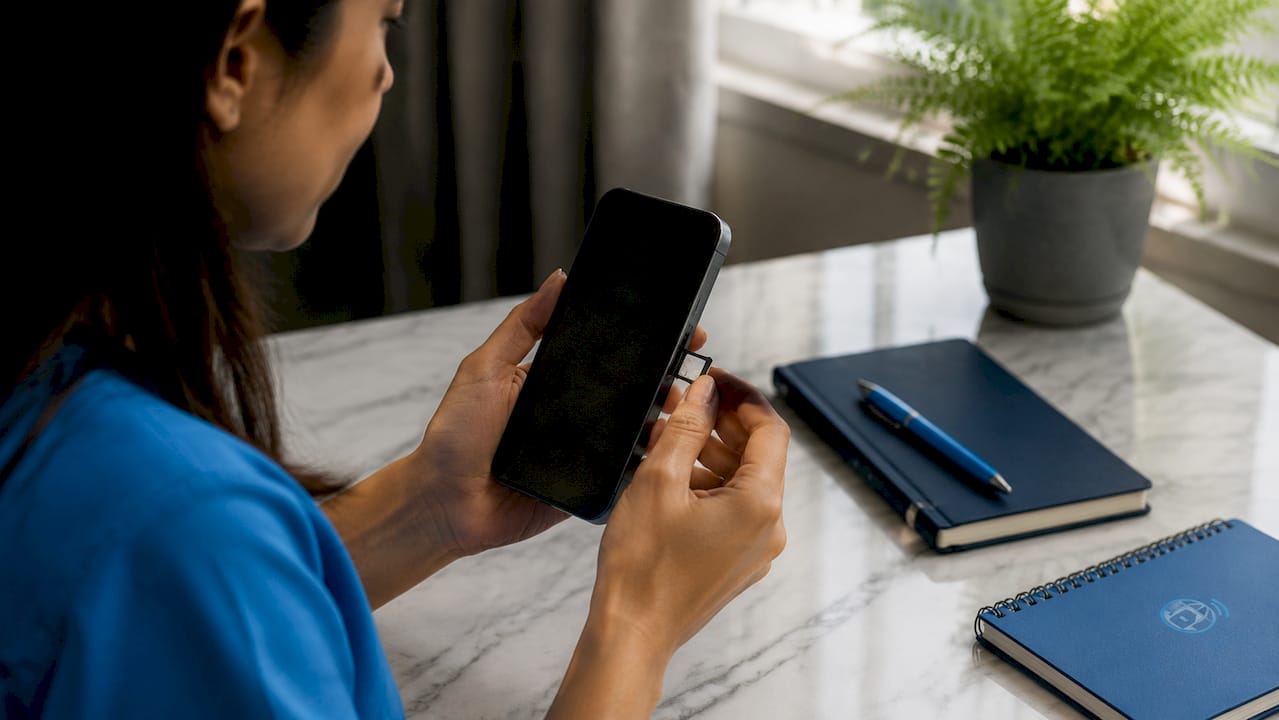
An eSIM, or embedded SIM, is a digital SIM card built directly into your phone’s hardware. There’s no physical card to insert, swap, or lose. Instead, you download a carrier profile via QR code or a dedicated app, and your phone connects to a local network as if you’d bought a local SIM at the airport.
For travelers, the practical difference is significant, as detailed in Explaining Digital Reservations: What Every Traveler Should Know. You can activate an eSIM days before departure, so you land in Tokyo with data already running. No hunting for a SIM vending machine at Narita, no waiting in line at a carrier kiosk.
Key facts about eSIM for travel:
- Works on most smartphones released in 2018 or later, including iPhone XS and newer, Google Pixel 3 and newer, and Samsung Galaxy S20 and newer.
- Supports multiple carrier profiles simultaneously, so switching between countries doesn’t require a new physical card.
- eSIM data plans now cover more than 200 countries, giving travelers broad global reach.
- Activation is available anytime, anywhere, with no business-hours restriction.
- No physical device means no charging cables, no battery anxiety for a second gadget, and no return logistics at the end of your trip.
eSIM adoption among international travelers has grown sharply as smartphone manufacturers have made it a standard feature. The technology works by storing your carrier credentials in a secure chip on the phone’s motherboard, which the FCC recognizes as a more secure arrangement than a removable SIM card.
What pocket Wi-Fi is and how travelers use it
Pocket Wi-Fi is a small, portable router that pulls a cellular signal from a local network and rebroadcasts it as a Wi-Fi hotspot. Any device with Wi-Fi, whether a phone, tablet, laptop, or camera, can connect to it. In Japan, pocket Wi-Fi rentals are widely available at major airports like Narita and Haneda, and many providers let you pre-book online for airport pickup.

The rental process is straightforward but involves more steps than eSIM. You reserve a unit, pick it up at the airport counter during business hours, carry the device throughout your trip, keep it charged, and return it before departure. Some providers offer mail-in returns; others require you to drop the device at a specific counter.
Rental logistics travelers should know:
- Most providers require a deposit or credit card hold against loss or damage.
- Battery life on pocket Wi-Fi devices typically runs 4–8 hours of active use, so a power bank is often necessary for full-day outings.
- The device connects up to 5–15 simultaneous users, depending on the model.
- Pickup is generally limited to business hours, which can be a problem for early-morning arrivals.
- Losing or damaging the device can trigger replacement fees that far exceed the rental cost.
Pocket Wi-Fi is device-agnostic by design. That’s its clearest advantage: it doesn’t care whether your phone is five years old or whether your laptop has ever heard of eSIM.
Pros and cons of using eSIM for travel in Japan
Advantages of eSIM:
- No physical device to carry, charge, or return.
- Activate before departure; data is ready the moment you land.
- Costs significantly less than pocket Wi-Fi rentals for a typical trip.
- Supports multi-country plans, so a trip that combines Japan with South Korea or Taiwan runs on one profile.
- No deposit risk, no replacement fees, no return logistics.
- Direct connection to the cellular network means no relay layer and lower latency, which matters for navigation apps and video calls in busy areas like Shibuya or Shinjuku.
Disadvantages of eSIM:
- Requires a compatible smartphone. Older phones, most budget Android devices, and non-phone devices like tablets or laptops generally can’t use eSIM.
- Sharing your connection with others requires enabling a personal hotspot, which draws more battery.
- Rural Japan coverage depends on which carrier network your eSIM plan uses. Plans running on NTT Docomo or SoftBank tend to have broader rural reach than those on smaller networks.
- Some eSIM plans cap data speeds after a threshold, which can affect streaming quality on longer trips.
Pro Tip: When buying a Japan eSIM plan, confirm which local carrier network it uses. NTT Docomo covers the widest rural area in Japan, including mountain regions and smaller islands.
One underappreciated eSIM advantage: you keep your home SIM active at the same time. Your regular number still receives calls and texts while your eSIM handles data, so you don’t miss anything important from home.
Pros and cons of using pocket Wi-Fi for travel in Japan
Advantages of pocket Wi-Fi:
- Connects 5–15 devices simultaneously, making it practical for families, tour groups, or remote workers traveling with multiple devices.
- Works with any Wi-Fi-enabled device, regardless of age or operating system.
- A dedicated modem can offer strong, consistent reception in areas where phone antennas struggle, particularly in rural prefectures.
- Separating your data connection from your phone means your phone battery isn’t depleted by data use alone.
Disadvantages of pocket Wi-Fi:
- Battery life of 4–8 hours means you’ll likely need a power bank for full-day trips.
- Rental fees, deposits, and potential damage charges add up. A lost device can cost several hundred dollars in replacement fees.
- Pickup requires arriving at the rental counter during business hours. Early flights or late arrivals complicate this.
- The device only works within roughly 10–15 meters of your phone, so group members who wander too far lose the connection.
- Returning the device before departure adds a logistical step that eSIM users never face.
Pro Tip: If you’re renting pocket Wi-Fi for a group, assign one person as the “keeper” of the device and make sure they carry a power bank. A dead pocket Wi-Fi unit leaves the whole group offline.
Pocket Wi-Fi introduces a relay layer between the cell tower and your device. That extra step adds slight latency and can cause connection drops in crowded locations like Tokyo Station or popular tourist spots during peak hours.
eSIM vs pocket Wi-Fi: side-by-side comparison for Japan travelers
The right choice depends on your group size, device lineup, and how much you want to manage on the ground.
| Factor | eSIM | Pocket Wi-Fi |
|---|---|---|
| Best for | Solo travelers and couples | Groups of 3–5+ or non-eSIM devices |
| Ease of use | Activate via QR code before departure | Reserve online, pick up at airport counter |
| Cost | 50–80% less than pocket Wi-Fi for typical trips | Higher rental fees plus deposit risk |
| Data limits | Varies by plan; many offer unlimited or high-cap options | Varies by rental plan; speed caps common |
| Network coverage | Direct cellular connection; 200+ countries supported | Dependent on rental provider’s carrier agreements |
| Device compatibility | Requires eSIM-compatible smartphone (2018 or newer) | Works with any Wi-Fi-enabled device |
| Multi-device sharing | Via personal hotspot; drains phone battery | 5–15 devices simultaneously; dedicated modem |
| Security | Embedded profile; no physical card to steal or clone | Shared Wi-Fi network; slightly higher interception risk |
| Battery impact | Uses phone battery only | Requires separate charging; 4–8 hours battery life |
| Return logistics | None | Must return device before departure |
eSIM covers more ground for the average traveler. Pocket Wi-Fi fills a specific gap: groups with mixed devices, or anyone whose phone simply doesn’t support eSIM.
Practical advice for staying connected in Japan
Japan’s cellular infrastructure is excellent in urban areas. Tokyo, Osaka, Kyoto, and Hiroshima all have dense 4G and 5G coverage, so both eSIM and pocket Wi-Fi perform well in cities. The differences show up in rural areas and on long train routes.
Urban travel (Tokyo, Osaka, Kyoto):
- Both options deliver reliable speeds for maps, translation apps, and social media.
- eSIM’s direct connection handles crowded stations better; pocket Wi-Fi can drop in dense crowds at Shibuya Crossing or during rush hour at major hubs.
- If you’re moving between multiple neighborhoods in a day, eSIM is simpler since there’s no device to keep track of.
Rural and mountain travel:
- Pocket Wi-Fi with a Docomo-based plan can offer strong reception in areas where phone antennas on budget eSIM plans may struggle.
- For hiking in the Japanese Alps or visiting remote onsen towns, confirm your eSIM plan’s carrier network before departure.
- Carry a power bank regardless of which option you choose. Long days in rural areas mean limited charging opportunities.
Activation and rental timing:
- Activate your eSIM at least 24 hours before departure to confirm the profile downloads correctly.
- If renting pocket Wi-Fi, book online in advance and confirm the pickup counter location and hours for your specific terminal at Narita or Haneda.
- Pocket Wi-Fi pickup requires arriving at the counter during business hours. If your flight lands at 2 AM, plan for a delay.
Group coordination:
- With pocket Wi-Fi, keep the device with the group member who is least likely to wander. The 10–15 meter range is a real constraint on busy streets.
- For groups where some members have eSIM-compatible phones and others don’t, a hybrid approach works: eSIM users handle their own data, and one pocket Wi-Fi unit covers the remaining devices.
For practical guidance on eSIM travel setup, confirming compatibility and downloading the profile before you leave home removes the single biggest source of activation stress.
Security, accessibility, and traveler comfort with eSIM
The FCC identifies eSIM as more secure than traditional physical SIM cards. The embedded design eliminates two common attack vectors: SIM swapping, where a bad actor convinces a carrier to transfer your number to a new card, and physical theft of the SIM itself. Because the profile is stored in a secure chip on the motherboard, it can’t be removed without destroying the phone.
For travelers, this matters in practical terms. A stolen phone is bad enough. A stolen phone with a removable SIM means the thief can also access your carrier account and potentially redirect two-factor authentication messages. With eSIM, the profile stays locked to the device.
Accessibility is another area where eSIM has a clear edge. The FCC notes that eSIM benefits users who have difficulty manipulating small physical objects, including people with limited dexterity or visual impairments. Swapping a nano-SIM in an unfamiliar airport, often requiring a pin tool and good lighting, is a task that eSIM eliminates entirely.
Pro Tip: If you’re concerned about eSIM security abroad, the short answer is that it’s safer than a physical SIM in most threat scenarios. The FCC and major industry bodies consistently endorse the embedded model.
Pocket Wi-Fi creates a shared Wi-Fi network, which carries a slightly higher interception risk than a direct cellular connection. In practice, the risk is low if you use HTTPS sites and a VPN for sensitive transactions, but the architecture is less inherently secure than eSIM’s direct carrier link.
The fear many travelers have about switching to eSIM usually comes down to habit rather than any real technical barrier. Activation via QR code takes under five minutes on most devices, and providers like Esimglobe walk users through the process with clear, step-by-step instructions. The learning curve is genuinely short.
Get connected before you land with Esimglobe
Esimglobe offers Japan eSIM plans covering the country’s major carrier networks, with activation available before departure. No pickup counters, no deposits, no return logistics. Choose your data plan, scan the QR code, and your connection is ready when the wheels touch down at Narita or Haneda.
Key Takeaways
For most Japan travelers, eSIM costs 50–80% less than pocket Wi-Fi and activates digitally before departure, making it the practical default for solo travelers and couples with compatible smartphones.
| Point | Details |
|---|---|
| eSIM suits solo travelers | Activates via QR code before departure; no extra device to carry, charge, or return. |
| Pocket Wi-Fi suits groups | Supports 5–15 simultaneous devices, making it practical for families and tour groups. |
| Cost difference is significant | eSIM plans typically cost 50–80% less than pocket Wi-Fi rentals for a standard trip. |
| Security favors eSIM | The FCC recognizes eSIM’s embedded design as more secure than removable SIM cards. |
| Battery life is a pocket Wi-Fi constraint | Pocket Wi-Fi devices run 4–8 hours on a charge; a power bank is often necessary. |
FAQ
Do I need an eSIM if I already have pocket Wi-Fi?
No. If you have pocket Wi-Fi covering all your devices, an eSIM is redundant. eSIM becomes useful when you want a personal connection without depending on a shared device or when pocket Wi-Fi’s battery runs out.
What are the disadvantages of an eSIM?
eSIM requires a compatible smartphone (generally 2018 or newer), limits multi-device sharing to a personal hotspot, and depends on the carrier network your plan uses for rural coverage. It also draws on your phone’s battery when tethering.
Why isn’t eSIM more widely used yet?
Adoption has grown quickly, but older phones and budget Android devices still lack eSIM hardware. Travelers unfamiliar with QR code activation sometimes default to pocket Wi-Fi out of habit, even when their phone supports eSIM.
What are the disadvantages of pocket Wi-Fi?
Pocket Wi-Fi requires carrying and charging a separate device with a 4–8 hour battery life, paying rental fees and deposits, picking up the unit during business hours, and returning it before departure. Losing or damaging the device can trigger costly replacement fees.
Which option is better for a two-week trip to Japan?
For a solo traveler or couple with a compatible phone, eSIM is the better choice: lower cost, no logistics, and no extra hardware. For a group of three or more sharing one connection, or for travelers with non-eSIM devices, pocket Wi-Fi remains the practical option.