






















All iPhone 16 models sold in the United States are eSIM-only devices. There is no physical SIM slot. Activation happens entirely through digital methods, and the device can store 8 or more eSIM profiles, though only one data network runs at a time. Here is what you need to know to get started:
- Check carrier compatibility before purchasing an eSIM plan.
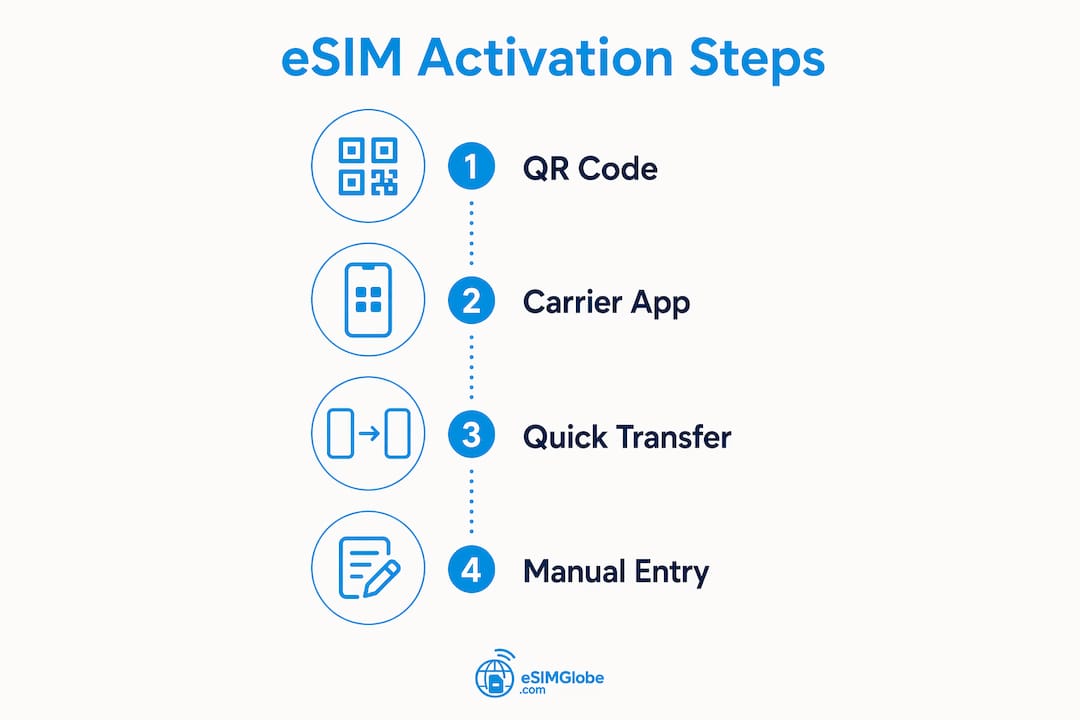
- Choose your activation method: carrier activation at purchase, Quick Transfer from a previous iPhone, QR code scan, or carrier app.
- Connect to stable Wi-Fi before starting any activation process.
- Label each eSIM profile immediately after setup to avoid confusion later.
- Keep your carrier account credentials ready since most activation paths require authentication.
Does the iPhone 16 support eSIM in the US?
Every iPhone 16 model sold in the United States, including the iPhone 16, iPhone 16 Plus, iPhone 16 Pro, and iPhone 16 Pro Max, operates exclusively on eSIM technology. Apple removed the physical SIM tray entirely for US models starting with the iPhone 14 generation, and the iPhone 16 continues that standard.
The device supports storing multiple eSIM profiles simultaneously. Only one data network can be active at a time, but you can hold multiple plans on the device and switch between them without contacting a carrier. Dual SIM functionality works through two active eSIMs, letting you maintain separate lines for voice and data.
A few practical compatibility points worth knowing:
- iOS version: Quick Transfer between iPhones requires iOS 16 or later on both devices.
- Carrier lock status: Some iPhone 16 units purchased through a carrier may be locked to that carrier initially. Confirm unlock status before adding a second eSIM from a different provider.
- International plans: US iPhone 16 models are compatible with international eSIM providers, making them well-suited for travelers who want local data abroad without swapping physical cards.
- Network bands: Confirm that any eSIM plan you purchase supports the specific LTE or 5G bands your carrier uses in your area.
How to activate an eSIM on your iPhone 16
Four main methods exist for iPhone 16 eSIM activation. Each works differently depending on your situation.

Method 1: Carrier activation at purchase
This is the most straightforward path. When you buy an iPhone 16 directly from a carrier store or through their website, the carrier often activates the eSIM before the device reaches you.
- Power on the iPhone 16.
- Follow the on-screen setup prompts.
- When asked about cellular setup, select your carrier plan.
- The carrier pushes the eSIM profile to your device automatically.
- Confirm activation in Settings > Cellular.
Method 2: Quick Transfer from a previous iPhone
If you are upgrading from an older iPhone, Quick Transfer moves your existing eSIM to the new device without calling your carrier.
- Place both iPhones near each other.
- On the new iPhone 16, go to Settings > Cellular > Add eSIM.
- Select Transfer from Nearby iPhone.
- Follow the prompts on both devices. Both must run iOS 16 or later.
- Confirm the transfer with your carrier if prompted.
Method 3: QR code from your carrier
Most US carriers provide a QR code either in-store, by email, or through their website when you purchase a new plan.
- Go to Settings > Cellular > Add eSIM.
- Select Use QR Code.
- Scan the QR code your carrier provided.
- Follow the on-screen instructions to complete the profile installation.
- Label the new eSIM when prompted.
Method 4: Carrier app
Several major US carriers offer dedicated apps that handle eSIM provisioning directly.
- Download your carrier’s official app from the App Store.
- Sign in with your carrier account credentials.
- Navigate to the plan or device management section.
- Select Add eSIM or Activate eSIM and follow the in-app steps.
- Verify activation in Settings > Cellular.
Pro Tip: Connect to a stable Wi-Fi network before starting any of these methods. Even though US iPhone 16 models can activate over cellular, a Wi-Fi connection reduces the chance of a failed handshake with carrier servers.
Managing multiple eSIMs and dual SIM on iPhone 16
The iPhone 16 handles multiple eSIM profiles well, but a few habits make the experience much cleaner. The key is labeling and organizing from the start.

Go to Settings > Cellular to see all installed eSIM profiles. Tap any plan to rename it. Apple lets you assign custom labels like “Primary,” “Work,” or “Travel,” and those labels appear throughout the phone’s interface, including in the status bar and call screens.
Here is how to manage dual SIM effectively:
- Set a default line for calls and texts under Settings > Cellular > Default Voice Line.
- Set a default data line under Settings > Cellular > Cellular Data. Only one eSIM can carry data at a time.
- Enable Allow Cellular Data Switching if you want the iPhone to automatically use the other line’s data when your primary data line has no signal. This is useful when traveling between coverage areas.
- Turn off unused eSIMs rather than deleting them. Go to Settings > Cellular, select the plan, and toggle it off. The profile stays on the device for future use.
- Avoid deleting eSIM profiles unless you are certain you no longer need them. Deleting a profile removes it from the device but does not cancel your carrier plan. Reinstalling a deleted profile often requires contacting the carrier directly.
For travelers, the most practical setup is keeping your US number active on one eSIM for calls and texts, then adding a local data eSIM at your destination. You get local data rates without losing access to your home number.
What are the real benefits of eSIM on iPhone 16?
The shift to eSIM-only on the iPhone 16 is not just a design choice. It changes how you manage connectivity in practical ways.
No physical SIM card to lose or damage. Physical SIM cards can be dropped, corrupted, or stolen. An eSIM profile lives in the device’s secure hardware, and it cannot be physically removed. If your phone is lost or stolen, a thief cannot simply pop out the SIM and use it in another device.
Faster plan switching. Changing carriers or adding a travel plan takes minutes through an app or QR code, not a trip to a store. For business users who need separate personal and work lines, this means both can live on one device without carrying two phones.
Storage for 8 or more profiles. The iPhone 16 holds several eSIM profiles, so you can pre-load plans for destinations you visit regularly and switch between them without re-downloading anything.
Dual SIM without dual hardware. Two active lines, one device. Travelers can keep their domestic number active for calls while running a local data plan, avoiding international roaming fees entirely.
Easier device security. Because no physical SIM is removable, eSIM-only devices offer a layer of protection that physical SIM phones cannot match. This matters especially for frequent travelers who face higher theft risk.
Troubleshooting common eSIM issues on iPhone 16
Most eSIM problems on the iPhone 16 fall into a few predictable categories. Here is how to work through them.
Activation failure
- Confirm your carrier account is active and in good standing.
- Check that you are connected to Wi-Fi.
- Restart the iPhone 16 and attempt activation again.
- If using a QR code, make sure it has not expired. Many carriers issue QR codes with a limited validity window.
No signal after activation
- Go to Settings > Cellular and confirm the eSIM is toggled on.
- Check that the correct eSIM is set as the active data line.
- Toggle Airplane Mode on and off to force the device to reconnect to the network.
- Confirm the plan is active on the carrier’s end by logging into your account.
eSIM not showing in Settings
- Restart the device.
- Check for an iOS update under Settings > General > Software Update. Outdated software can cause profile installation issues.
- Contact your carrier to confirm the profile was successfully pushed to your device.
Accidentally deleted an eSIM
Deleting an eSIM profile removes it from the iPhone 16 but does not cancel your carrier contract. To restore service, contact your carrier’s support line or use their app to reinstall the profile. Some carriers can push the profile again remotely; others require you to visit a store.
Pro Tip: Keep your carrier account login credentials saved somewhere accessible before you start any eSIM setup. Many activation failures happen simply because users cannot authenticate their account mid-process.
How Esimglobe supports iPhone 16 users traveling internationally
Esimglobe provides digital eSIM plans covering destinations across multiple regions, all accessible without a physical SIM card. For iPhone 16 users heading abroad, the platform offers a practical way to add a local data plan before departure.
Key features of the Esimglobe platform for iPhone 16 users:
- Regional coverage: Plans available for destinations across Europe, Asia, the Americas, and beyond, with country-specific and multi-region options.
- Multiple currencies and languages: The platform supports USD, EUR, GBP, and other currencies, with interfaces in multiple languages for international users.
- Digital activation: After purchase, you receive a QR code or activation details. Scan it through Settings > Cellular > Add eSIM on your iPhone 16 and the profile installs in minutes.
- No physical SIM required: The entire process is digital, which fits the iPhone 16’s eSIM-only design perfectly.
- Flexible plan options: Short-term data plans for a single trip or longer-term options for extended stays, with no need to visit a store.
For travelers who want a deeper look at international eSIM setup, Esimglobe’s guides cover the full workflow from plan selection through activation. The platform also complements your existing US carrier eSIM by sitting alongside it as a second profile, so your home number stays active while you use local data rates abroad.
Which US carriers offer eSIM plans for iPhone 16?
All three major US carriers support eSIM on the iPhone 16, and several smaller providers do as well. Here is a practical overview of what is available.
Major carriers
AT&T, T-Mobile, and Verizon all offer full eSIM support for iPhone 16, including 5G plans. Each allows activation through their app, QR code, or in-store. Plan structures vary: some offer prepaid eSIM options, others require postpaid accounts. Confirm that the specific plan tier you want supports eSIM activation before purchasing, since a small number of legacy or promotional plans may still require physical SIM processing.
Smaller and prepaid providers
Several mobile virtual network operators (MVNOs) running on the major networks also support eSIM on iPhone 16. These providers often offer lower monthly rates for lighter data users. Activation typically goes through their app or a QR code sent by email.
What to look for when comparing plans
- 5G access: Confirm whether the plan includes 5G or is limited to LTE, especially if you are in an area with strong 5G coverage.
- Hotspot data: Some plans cap hotspot speeds or data separately from device data.
- International calling and data add-ons: If you travel, check whether the plan includes any international coverage or if you will need a separate travel eSIM.
- Contract terms: Prepaid plans offer more flexibility for users who want to switch carriers without penalties.
For travelers who want personalized trip planning that accounts for connectivity needs at each destination, pairing the right carrier plan with a travel eSIM from a provider like Esimglobe covers both domestic and international use.
How to check eSIM compatibility and coverage before you activate
Activating an eSIM on an iPhone 16 without checking compatibility first is the most common source of frustration. A few steps before activation save time later.
Verify your iPhone 16 is unlocked. If you purchased the device through a carrier on a payment plan, it may be carrier-locked. Go to Settings > General > About and look for “Carrier Lock.” An unlocked device reads “No SIM restrictions.” A locked device can only use eSIMs from the original carrier until the unlock conditions are met.
Confirm the plan supports eSIM. Not every plan from every carrier is eSIM-compatible. Check the carrier’s website or call their support line to confirm that the specific plan you want can be activated as an eSIM on iPhone 16.
Check network coverage for your area. Each carrier publishes a coverage map on their website. Cross-reference the map with the areas where you spend the most time. A plan with great pricing but weak coverage in your neighborhood is not a good trade.
For international plans, check band compatibility. Different countries use different LTE and 5G frequency bands. Before purchasing an international eSIM, confirm that the plan’s network uses bands the iPhone 16 supports in that region. Esimglobe’s plan pages include this information for the destinations they cover.
Review data policies. Some eSIM plans throttle speeds after a data threshold, switch to a different network at reduced speeds, or restrict certain types of traffic. Read the plan terms before activating, not after. For a full breakdown of what to look for when purchasing a travel eSIM, the eSIM purchasing tips guide from Esimglobe covers the key criteria in detail.
Key Takeaways
The iPhone 16 in the US is eSIM-only, supports multiple stored profiles, and activates through four digital methods: carrier activation, Quick Transfer, QR code, or carrier app.
| Point | Details |
|---|---|
| eSIM-only hardware | All US iPhone 16 models have no physical SIM slot; activation is entirely digital. |
| Multiple profile storage | The iPhone 16 stores 8 or more eSIM profiles, with one active data network at a time. |
| Four activation methods | Carrier activation, Quick Transfer (iOS 16+), QR code, and carrier app all work on iPhone 16. |
| Dual SIM management | Label profiles immediately and set default lines for voice and data to avoid switching errors. |
| Esimglobe for travel | Esimglobe offers regional eSIM plans that install via QR code alongside your existing US carrier eSIM. |
Why eSIM-only is the right direction, even if the transition feels abrupt
The move to eSIM-only on US iPhone 16 models caught some users off guard, particularly those who travel internationally and relied on swapping physical SIMs at the airport. The frustration is understandable. But the underlying shift is sound, and the friction is mostly front-loaded.
What gets underestimated is how much the eSIM model improves security. A physical SIM is a liability the moment a device is lost or stolen. With eSIM-only hardware, that attack vector disappears. The profile is tied to the device’s secure element, not a removable card. For frequent travelers, that matters more than the convenience of a SIM swap.
The bigger gap right now is carrier education. Too many users hit activation problems not because the technology fails, but because they did not know their device was carrier-locked, or they purchased a plan that does not support eSIM provisioning. Those are solvable problems, and they get easier as carriers standardize their eSIM workflows.
For international use specifically, the combination of a US carrier eSIM and a travel data eSIM from a provider like Esimglobe is genuinely better than the old physical SIM swap. You keep your home number active, you get local data rates, and you do not risk losing a tiny piece of plastic in a foreign airport. The technology is ready. The main task now is making sure users know how to use it.
FAQ
Does eSIM work on iPhone 16?
Yes. All iPhone 16 models sold in the US are eSIM-only and fully support eSIM activation. The device stores 8 or more eSIM profiles simultaneously.
What is the disadvantage of eSIM on iPhone?
The main drawback is that if you accidentally delete an eSIM profile, restoring it requires contacting your carrier, since the profile is removed from the device entirely. Carrier-locked devices also limit which eSIM plans you can add until the device is unlocked.
How do I turn on eSIM on my iPhone 16?
Go to Settings > Cellular > Add eSIM, then choose your activation method: carrier activation, Quick Transfer, QR code, or carrier app. A stable Wi-Fi connection is recommended during setup.
Should I use eSIM on a new iPhone 16?
Yes, and you have no alternative on US models since there is no physical SIM slot. eSIM offers faster plan switching, dual SIM support, and better device security compared to physical SIM cards.