






















Use a prepaid travel eSIM as your landing-day connection or your primary data source for short Iraq trips. For longer, multi-region stays, a local Iraqi SIM often wins on coverage and price. Check device compatibility and carrier-unlock status first. Then look at eSIMGlobe’s regional and global plans as the fastest way to get connected the moment you land.
TL;DR:
- Most travel eSIMs for Iraq use roaming onto local networks, making coverage quality highly dependent on the specific carrier your eSIM connects to within the country.
- The most reliable network for nationwide coverage in Iraq is Asiacell, with Korek performing better specifically in Kurdistan, so trip itinerary determines the best choice.
- Verify device compatibility and carrier unlock status before purchasing, and install the eSIM profile on home Wi-Fi well before departure to avoid activation issues at the airport.
- For trips under a few weeks, an eSIM offers instant connectivity and preserves your home number, but extended stays or rural travel often yield better value from local Iraqi SIM cards.
- Matching your data plan to trip length and itinerary, and reading the activation trigger details beforehand, is crucial to prevent last-minute activation failures or lost connectivity.
Table of Contents
- What Iraq’s Networks Mean for Your Trip
- Device Compatibility and Carrier Lock: What to Check Before You Buy
- Buy and Install: Your Step-by-Step Workflow
- eSIM vs Local SIM: Which One Actually Fits Your Trip
- Which eSIMGlobe Plans Fit an Iraq Trip
- Small Habits That Save a Trip
- When a Local SIM Still Makes Sense
- Get Connected in Iraq Before You Land
- Sources
- FAQ
What Iraq’s Networks Mean for Your Trip
Iraq’s mobile market runs on three carriers: Asiacell, Zain, and Korek. They don’t perform identically, and the differences matter more than most travel guides admit.
Opensignal’s mobile network experience report for Iraq puts Asiacell ahead on coverage and reliability in populated areas, with Zain close behind. Korek pulls ahead specifically in the Kurdistan region, where its infrastructure investment has been heaviest. That regional split matters if your itinerary runs from Baghdad to Erbil or Sulaymaniyah, because the “best” network changes depending on which city you’re standing in.
Here’s the part most buyers miss: most travel eSIMs sold for Iraq aren’t native to Asiacell, Zain, or Korek. They work by roaming onto one of these local networks, which means:
- You get data, but usually not a local phone number
- Coverage quality depends on which local network your eSIM roams onto, not the marketing claim on the checkout page
- Speeds and reliability in rural or newly rebuilt areas can lag behind city centers
Statistic Callout: Coverage experience data measured in populated areas is a far better planning tool than a blanket “covers Iraq” claim on a product page. Plan by city and itinerary, not by country-wide marketing language.
One more caveat worth building into your trip: Iraq has a history of temporary, nationwide internet shutdowns tied to national exams and other events. No eSIM, and no local SIM for that matter, can promise connectivity through a government-ordered blackout. Download your maps, boarding passes, and hotel confirmations before you need them, not after the signal drops.
Device Compatibility and Carrier Lock: What to Check Before You Buy
The single most common reason a travel eSIM fails on arrival isn’t the network. It’s a locked phone. Here’s what to verify before you check out.
- Confirm your iPhone model. Apple’s own guidance says iPhone XS, XS Max, XR, and later support eSIM for international travel.
- Check Carrier Lock status. Go to Settings, then General, then About, and look for the Carrier Lock field. Anything other than “No SIM restrictions” usually means the eSIM won’t activate.
- Verify Android specifics. Confirm your OS version supports eSIM, check that your device supports the LTE bands used by Iraqi carriers, and confirm VoLTE support if you plan to make calls.
- Google Fi users, check twice. Google Fi’s own compatibility notes stress that unlocked devices and correct band and VoLTE support are required for eSIM and roaming features to work as expected.
Pro Tip: Install the eSIM profile while you’re still on home Wi-Fi, days before departure, not at the airport gate. Confirming activation before you fly removes almost every last-minute surprise.
Two failure points cause most eSIM problems before a flight even leaves the ground: a locked device, and installing the profile for the first time on unreliable airport Wi-Fi. Handle both at home, and you’ve solved most of what could go wrong.
Buy and Install: Your Step-by-Step Workflow
Buying an eSIM for Iraq takes minutes. Getting it right takes a little more discipline.
- Pick your data size. Match it to your trip length. A short 5-day visit doesn’t need the same allowance as a 3-week business trip.
- Read the activation trigger before buying. Some plans start their validity clock the moment you install the profile. Others wait until the eSIM first connects to a network in Iraq. That distinction can cost you a day of data if you install too early.
- Purchase online and save the emailed QR code. Screenshot it, don’t just leave it in your inbox.
- Install over Wi-Fi before you leave home, not after landing.
- Set your data line correctly. Keep your home SIM active for calls and SMS two-factor codes, and set the new eSIM as your default data line.
A few extras worth doing at the same time:
- Turn off data roaming on your home SIM so you don’t get billed by accident
- Toggle “Turn On This Line” for the eSIM specifically, not just install and forget
- If the eSIM won’t connect on arrival, toggle airplane mode off and on, confirm the correct data line is selected, and manually select a network if automatic selection fails
If none of that works within the first hour, check your plan’s support contact. This is one area where reviews consistently note that response speed to these small activation snags separates a good eSIM experience from a frustrating one.
eSIM vs Local SIM: Which One Actually Fits Your Trip
Not every trip needs the same connectivity plan. The right call depends on how long you’re staying and what you need beyond data.
An eSIM is the better choice when:
- Your trip is short, and instant connectivity from the moment you land matters more than saving a few dollars per gigabyte
- You want to keep your home number active for calls and 2FA codes without juggling a second physical SIM
A local Iraqi SIM is the better choice when:
- You’re staying for weeks or months and need the lower per-gigabyte cost that local providers generally offer
- You need a local phone number for calls, SMS, or local business contacts
- Your itinerary includes rural or remote regions where a local carrier’s native coverage outperforms a roaming eSIM
Local SIMs from Zain, Asiacell, or Korek typically undercut roaming eSIM pricing per gigabyte and hand you a local number in the process. For many travelers, the smartest move is a hybrid: land with an eSIM already active, then pick up a local SIM the next day if your trip calls for broader coverage or a local number.
Which eSIMGlobe Plans Fit an Iraq Trip
Match the plan to the trip, not the other way around. For short stays, a regional pass built for the Middle East makes sense over a country-specific product. For multi-country itineraries that include Iraq alongside neighboring destinations, the eSIM Global (120+ areas) or its unlimited counterpart covers more ground without buying separate plans per border crossing.
Every eSIMGlobe order ships as a QR code by email, typically within seconds of checkout, and checkout itself supports multiple currencies so international buyers aren’t stuck converting prices in their head. Support is available to assist with activation issues on arrival day.
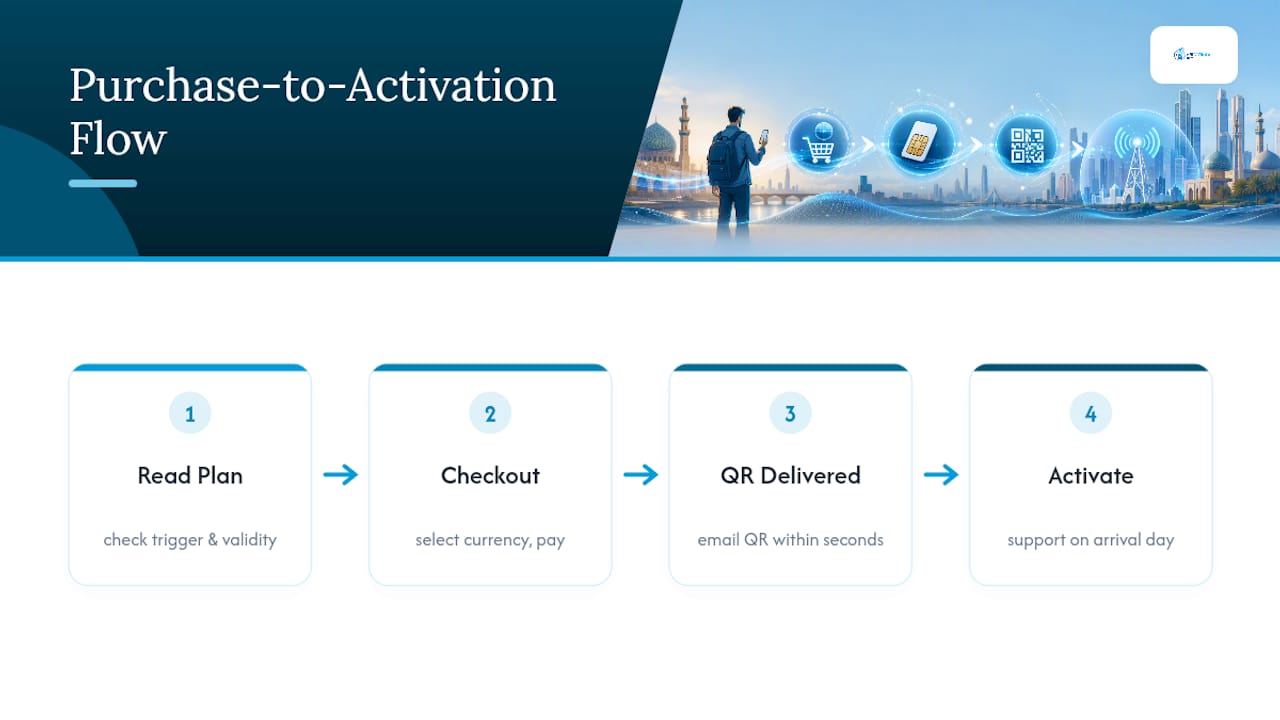
Before confirming any purchase, read the specific plan’s activation trigger and validity window on its product page. That single check prevents the most common complaint travelers have about any eSIM, not just eSIMGlobe’s.
Small Habits That Save a Trip
A few habits separate a smooth trip from a stressful one, and none of them take more than five minutes to set up.
Keep an offline screenshot of your QR code and manual install details, not just the email version. Turn off data roaming on your home SIM and explicitly select your travel eSIM as the active data line so you’re not paying two providers at once.
Pro Tip: Download offline maps, boarding passes, and key contacts before you land, and carry a small battery bank. Power outages and network gaps happen together more often than you’d expect.
When a Local SIM Still Makes Sense
For most short trips to Iraq, a travel eSIM is the right call. It gets you connected before you clear customs, it protects your home number for calls and verification codes, and it removes the hassle of finding a SIM counter after a long flight.
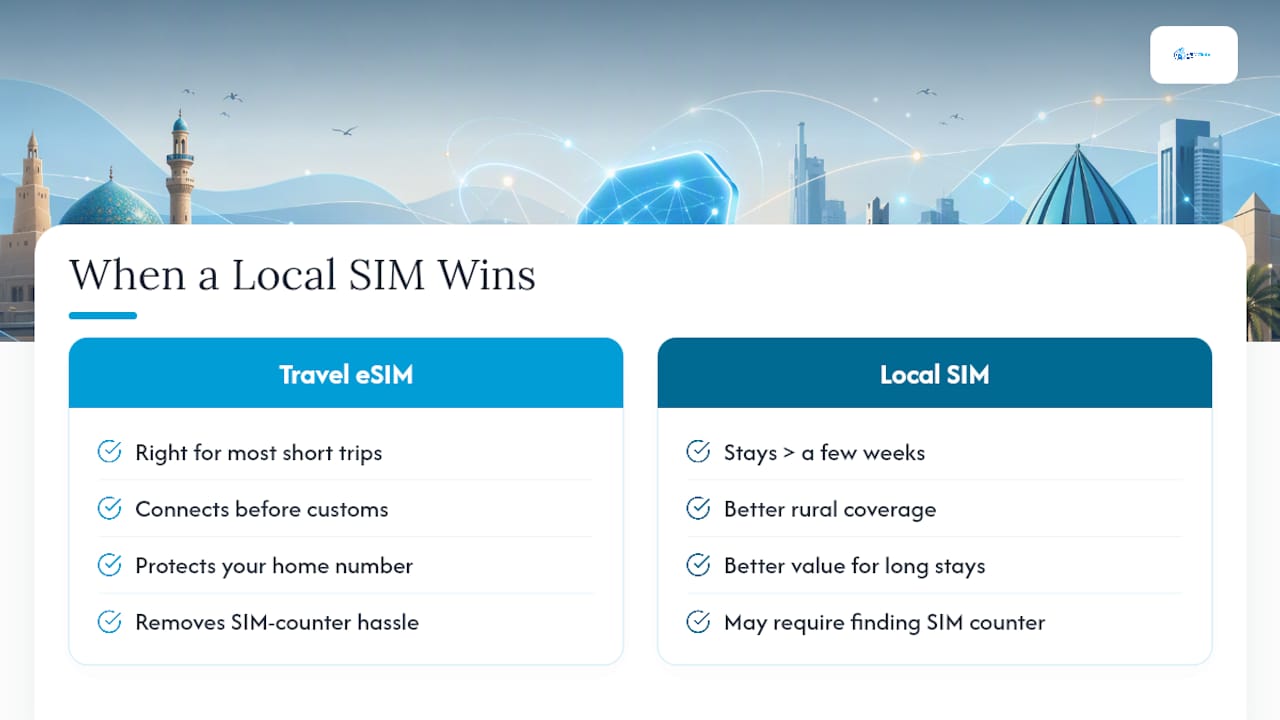
Where the calculation changes is duration and location. Travelers staying more than a few weeks, or those spending real time outside Baghdad and Erbil, tend to get better value and better rural coverage from a local carrier. If your work involves telecommunications planning or you’ve spent time comparing regional eSIM for digital nomads setups, you already know this tradeoff shows up everywhere, not just in Iraq.
The mistake to avoid isn’t picking the wrong option. It’s assuming one option covers every scenario. A one-week business trip and a two-month field assignment shouldn’t use the same connectivity plan, even if they start with the same eSIM.
— Daniel
Get Connected in Iraq Before You Land
eSIMGlobe is the alternative to hunting for a SIM counter after a long flight. Instant QR delivery by email means your data plan is ready before you even collapse into the taxi.
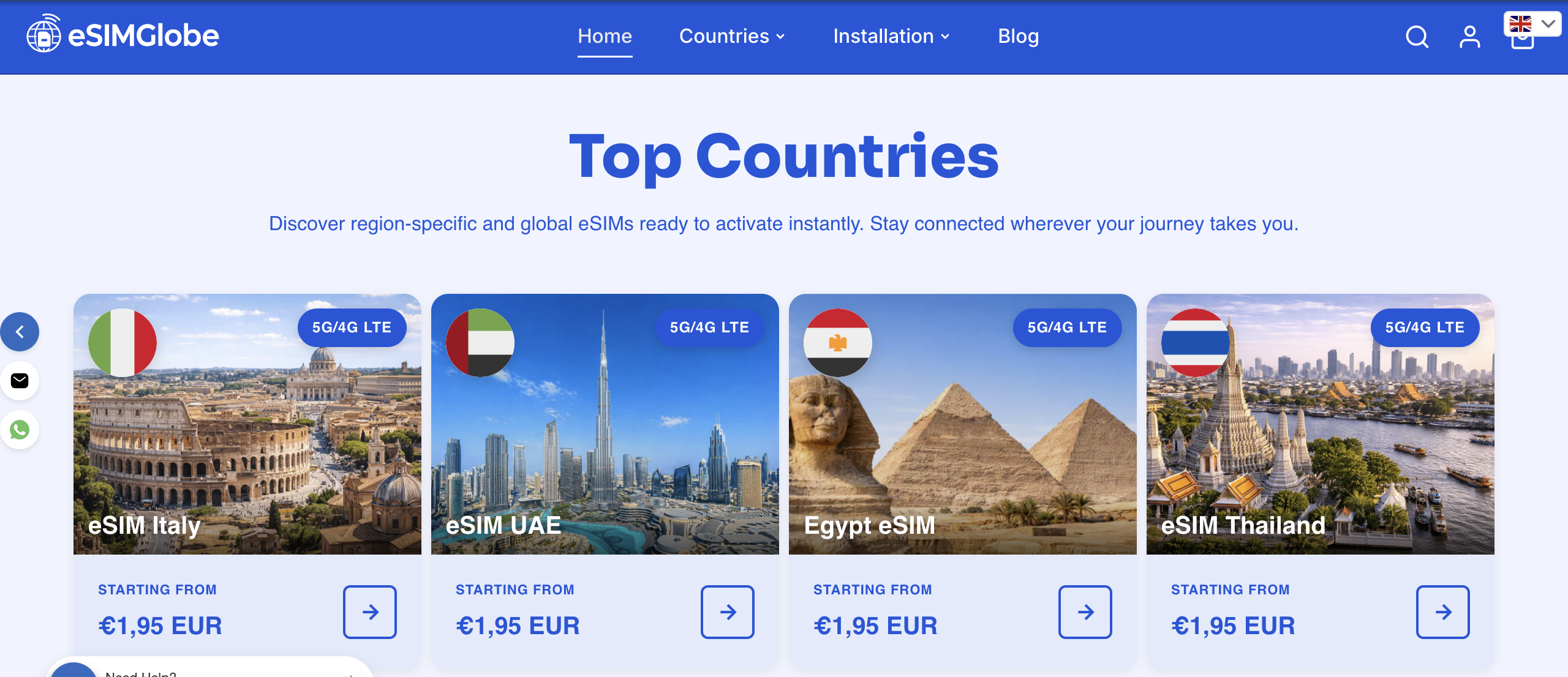
For a short Middle East trip that includes Iraq, the Middle East (13 areas) eSIM covers your itinerary without locking you into a single-country plan. Traveling further afield afterward, or bouncing between regions on the same trip? The eSIM Global (120+ areas) Unlimited plan removes the guesswork of buying separate country passes. Checkout supports multiple currencies, and support runs 24/7 if an activation hiccup comes up on arrival day. Just read the activation trigger and validity window on the plan’s page before you confirm, so your data clock starts exactly when you expect it to. Pick your plan and get the QR code in your inbox in seconds.
FAQ
Which SIM Card Is Best in Iraq?
For pure coverage and reliability in populated areas, Asiacell tends to lead based on Opensignal’s network experience data, with Zain close behind. Korek performs best specifically in the Kurdistan region, so the right answer depends on where your itinerary actually takes you.
What Is the Best eSIM for the Middle East?
A regional pass that explicitly lists Iraq, like the Middle East (13 areas) eSIM from eSIMGlobe, is a practical choice for short multi-country trips. Travelers covering more ground can use the eSIM Global (120+ areas) plan instead of buying separate country passes.
Which Network Is Best in Iraq?
Asiacell generally scores highest for coverage and reliability nationwide, according to Opensignal’s mobile network experience data, while Korek is the stronger option specifically in Kurdistan. Zain sits competitively in between on most metrics.
Is It Safe to Visit Iraq in 2026?
Safety conditions vary significantly by region and change over time, so check current government travel advisories for the specific areas on your itinerary before booking. Regardless of the safety picture, download offline maps and key documents in advance, since Iraq has experienced temporary nationwide internet shutdowns during past national events.
How Long Does eSIM Setup Take for Iraq?
Purchasing and installing an eSIM typically takes under 10 minutes when done ahead of departure on home Wi-Fi. eSIMGlobe delivers the QR code by email within seconds of checkout, but activation timing still depends on the specific plan’s trigger, so check that detail on the product page first.